NestJS vs ExpressJS: Which Framework To Choose?

Mayank Patel
Aug 16, 2022
5 min read
Last updated Apr 18, 2024
Are you the one who is always confused with the selection of framework? Today we are going to discuss the performance of Express Vs. NestJS so that one could have an idea of their concepts individually.
Web application development is the need of time and in order to meet the requirement of the project, developers must use an appropriate framework. Express JS and Node JS are two such solid web application development frameworks that are being used at a large scale.
The ultimate aim of any web application framework is to satisfy the client’s requirement by maintaining the quality of the project. The framework should be fast, responsive, reliable, and supportive.
Moreover, we are an experienced software development company in usa, and using our working experience we will explain NestJS vs. Express. Our blog revolves around the concrete comparison between NestJS and ExpressJS along with their features.
Before directly jumping to the comparison, we must understand the features of NestJS and ExpressJS. Being a reliable NodeJS company in India, we believe in strengthening the basic knowledge hence we always give priority to the fundamentals.
Basically, NestJS is used for the development of Node.JS applications and is also a server-side framework. Javascript has been used here along with TypeScript and we all know JavaScript is the subset of TypeScript.
Moreover, TypeScript supports static typing as a result of which scope for type errors and references are avoided.
Do you know what is the major feature of NestJS? It follows the concept of the Angular front-end framework. Because of this reason, the structure of the server-side framework is the same as its front-end counterpart.
Being an experienced NestJS company, we always emphasize more on the type of resource. The quality of the end product depends on your resources a lot hence always hire the best NestJS developers in India and make your project goal driven.
Other features of Nest.JS include its components, services, and modules. Apart from that, the server setting process is a little bit challenging and not everybody’s cup of tea. But it is not too complicated.
As we already stated earlier, we are a well-known NodeJS company and if you are looking to hire NodeJS developers in India, we are your reliable service partner.
We have executed so many projects based on the framework and hence we have the expertise to meet your expectations.
As our blog revolves around NestJS Vs ExpressJS performance, we must understand the features of ExpressJS as we did for NestJS. If we talk about the basic concept, Node JS is a quick JS runtime environment that facilitates server-side applications.
But here we have certain limitations like it cannot handle requests and HTTP methods and hence we need to implement the concept of ExpressJS. It is a Node JS-based framework that is used for the creation of APIs for web and cross-platform applications.
Further, Express JS is a kind of topmost layer of Node.js framework because it helps to manage routes and a server.
Now we will discuss the features that make the concept assertive, demanding, and result-oriented.
Dynamic Web Page Creation:
With Express JS, developers have the flexibility to create designs for various types of web pages including single-page, multi-page, and cross-platform web-based applications.
Management of HTTP Requests:
The concept is useful for the management and configuration of middleware in order to respond to requests sent by HTTP. Further, it also shares a routing table that contains different actions depending on the HTTP method and URL.
So, as a whole, Express JS is one of the important frameworks of Node JS that is dedicatedly used to build APIs. As far as our services are concerned.
We are also working in technology and you can hire Express JS developers in India, at your terms exclusively from Linearloop.
As we have individually understood the features of both the framework and both have their own advantages. Now, depending upon various parameters, we will compare the performance and behavior of NestJS & ExpressJS.
Architecture:
The architecture of Nest JS contains Controllers, Providers, and Modules based on which it offers ready-to-use applications. Also, because of this, developers and testers can develop, test, and maintain the entire system effortlessly.
If we talk about the architecture of Express JS, there is no defined structure through which flexibility can be facilitated. And because of this complexities and issues can come to the system when we deal with large-scale projects.
Unit Testing
Unit Testing is another factor on which we are comparing both concepts. When it comes to Unit Testing, Nest JS is preferred. Why? Because Nest CLI has an in-built Jest-based default testing environment that creates a “spec file”.
This file has an auto-generated testing bed code because of which developers are not required to write the code for unit testing separately. Here, effort, time, and cost are saved and because of this reason, developers prefer it.
Now, if we integrate Unit Testing with Express JS, developers need to write distinct codes for the execution of Unit Testing. It may take more time and also reduce the speed of the application.
Opinionated & Unopinionated
Nest JS is considered Opinionated because it has defined rules and concrete principles for development. Because of set rules, the framework reduces the scope of errors that may occur at the time of development.
Further, Nest JS follows the concept of Angular, which further makes the application more reliable and less erroneous.
On the contrary, Express JS is Unopinionated because it does not have defined methods or rules to follow. Thus, developers have the flexibility and freedom to work as per their choice and integrate codes depending on the possibilities and assumptions.
Conclusion
Being in the technology industry for more than a decade, we believe, that none of the technology is useless. There are always two sides to any technology. We have compared Nest JS and Express JS but it does not mean one is superior to the other.
Although, there are factors or environments where their performance varies. Also, using our experience we always recommend selecting the technology depending upon the requirement of the project.
Further, we believe a good developer always gives priority to the project’s requirements, client expectations, and deadline. So considering these factors, whichever technology you find better, go with that.
Linearloop is well versed with all the frameworks of Node JS whether it is Express JS or Nest JS. So, you can hire Node JS developers from our panel as well. Also, we are always available to assist you. So get in touch and smash all your doubts.

Related Posts
Some Etiquette That Every Backend Engineer Should Follow
In the frenzied realm of digital product engineering, backend engineers emerge as the quiet champions, tirelessly working behind the scenes to guarantee that applications operate seamlessly while maximizing efficiency. Within Linearloop, we fully appreciate the indispensable contributions these specialists make in crafting resilient systems that fuel contemporary applications.
Yet, mere technical expertise falls short; embracing backend engineer etiquette stands as paramount for nurturing a thriving work atmosphere and securing fruitful project achievements. This article embarks on an exploration of the fundamental etiquette that every backend engineer ought to embrace, underscoring the significance of communication, teamwork, and professionalism, along with an unending quest for knowledge.
Backend engineer etiquette comprises a collection of professional standards plus practices that shape how these developers engage with their peers while navigating their tasks. It's all about fostering a culture rich in respect, cooperation, and responsibility amongst development teams.
Adhering to these principles enables backend engineers to boost their effectiveness, nurture more robust connections with colleagues, and positively influence project achievements. Apart from this, it can guide businesses to create a culture of ownership when they hire backend engineer.
Navigating the realm of backend development proves intricate, often demanding sophisticated problem-solving skills. Lapses in etiquette may sow seeds of confusion, diminish productivity, and cultivate a toxic work atmosphere.
On the flip side, a dedication to professional conduct can usher in enhanced communication, elevated collaboration, and superior code quality. In an industry where the backend developer skills evolve ceaselessly, upholding a solid grounding in etiquette facilitates engineers' ability to adapt swiftly while flourishing.
Also read: What Is Back End Developer? Roles & Responsibilities of Back End Developer?
Effective communication lies at the core of thriving backend engineering endeavors. Backend engineers need the ability to express their concepts with precision while engaging in meaningful discourse with team members spanning diverse disciplines.
- Active Listening: Actively absorbing insights from colleagues cultivates comprehension and harmony. This practice enables engineers to fully apprehend project requirements while addressing efficiency concerns.
- Clarity in Documentation: Crafting clear documentation stands as vital for upholding codebases while facilitating the transfer of knowledge among team members. Well-structured documentation allows for seamless onboarding of new developers and significantly diminishes the chances of errors occurring.
- Constructive Feedback: Offering constructive critiques during code review sessions plays a pivotal role in sustaining rigorous coding standards. Engineers ought to emphasize the code itself rather than personal biases, thereby fostering a culture dedicated to continual enhancement.
- Regular Updates: Keeping stakeholders informed regarding progress aids in managing expectations while ensuring unified objectives within projects. Consistent updates help avert misunderstandings while maintaining alignment among all involved parties.
The partnership between frontend and backend developers remains essential for crafting seamless user experiences. Backend engineers must grasp the importance of their role in enhancing the functionality of the front end.
- Respect Roles: Recognizing the expertise of front-end developers and valuing their contributions fosters mutual respect. Comprehending each other's roles paves the way for trust and smoother collaboration.
- Joint Problem Solving: When challenges surface during development, working together to find solutions nurtures teamwork. Participating in collaborative troubleshooting sessions often yields innovative solutions that benefit both perspectives.
- Shared Knowledge: Exchanging insights on APIs, databases, and system architecture elevates the competence of the entire team. This flow of information helps bridge the gaps between frontend and backend development.
- Regular Check-Ins: Organizing frequent meetings to review project progress encourages open dialogue and empowers teams to tackle challenges proactively.
Code reviews form a cornerstone of the software development journey. They offer invaluable opportunities for learning, sharing best practices, and enhancing code quality.
Guidelines for Conducting Effective Code Reviews
- Focus on Code Quality: In the realm of code reviews, prioritize quality over personal tastes or styles. Illuminate areas needing improvement while also commending well-executed features.
- Be Respectful: Approach the code review process with empathy and respect. Acknowledge that every developer has a unique style; constructive criticism should aim to uplift rather than dishearten.
- Encourage Discussion: Cultivate an atmosphere where team members feel empowered to discuss coding choices candidly. Promoting dialogue clarifies intentions while fostering shared understanding.
- Set Clear Expectations: Formulate guidelines that define a successful code review process within your team. This encompasses timelines, feedback expectations, and criteria for approval, ensuring everyone is aligned.
Also Read: Node.js vs Python: Which Backend Technology to Choose in 2021?
Receiving feedback stands as a cornerstone of professional development for backend engineers. The manner in which one responds to criticism can substantially shape their career path.
- Maintain a Growth Mindset: Embracing feedback as a chance for development instead of perceiving it as a personal affront encourages ongoing enhancement of skills.
- Separate Personal Feelings from Professional Feedback: Recognize that feedback relates to work performance, not intrinsic value. Adopting this outlook allows engineers to concentrate on actionable insights while minimizing emotional responses.
- Seek Clarification When Needed: If feedback appears ambiguous or unjust, requesting clarification can clarify misunderstandings while delivering valuable perspectives on areas that require growth.
- Implement Changes Proactively: Taking the initiative to incorporate feedback into subsequent projects reflects a genuine commitment to personal development and professionalism.
Professionalism encompasses myriad behaviors that help cultivate a constructive work atmosphere.
- Punctuality: Arriving promptly for meetings signals respect for colleagues' time, fostering a sense of accountability throughout the team.
- Meeting Deadlines: Regularly honoring deadlines instills trust among team members and stakeholders. It showcases reliability along with dedication to project success.
- Positive Attitude Under Pressure: Upholding composure in the midst of challenges showcases professionalism and sets a constructive example for fellow team members.
- Dress Code Compliance: While numerous tech companies champion casual dress, recognizing when to don appropriate attire—such as during client interactions or presentations—illustrates a commitment to professionalism.
The technology landscape perpetually shifts, making ongoing education vital for backend engineers striving to stay competitive within their domain.
- Stay Updated on Industry Trends: Regular engagement with industry news via blogs, podcasts, webinars, or conferences keeps engineers informed about emerging technologies that align with their work.
- Participate in Online Communities: Becoming a member of forums or online groups enables backend engineers to exchange knowledge with colleagues while gleaning insights from the experiences of others.
- Engage in Professional Development Activities: Taking part in workshops or enrolling in courses centered on new programming languages or frameworks enhances skill sets while fostering adaptability in this ever-evolving landscape.
- Mentorship Opportunities: Seeking guidance from seasoned developers offers invaluable advice while creating opportunities for networking within the industry.
Maintaining a healthy balance between work and personal life is essential for sustained success as a backend engineer.
- Set Boundaries: Clearly delineating work hours prevents burnout and ensures productivity during those designated times.
- Encourage Team Members to Prioritize Personal Commitments: Supporting colleagues in their need for time off or flexible schedules reinforces a culture that values well-being alongside output.
- Promote Breaks During Work Hours: Advocating for brief pauses throughout the day aids in maintaining concentration while alleviating stress levels among team members.
- Lead by Example: Demonstrating respect for personal time inspires others to follow suit—creating an environment where everyone feels appreciated both personally and professionally.
Cultivating relationships within the tech community can profoundly influence career advancement opportunities for backend engineers.
- Attend Industry Events: Engaging in conferences or meetups allows backend engineers to forge connections with peers while staying abreast of industry trends pertinent to their roles.
- Engage on Social Media Platforms like LinkedIn: Actively participating in discussions and sharing insights nurtures connections within professional networks while highlighting expertise in specific areas of backend development.
Also Read: NodeJS vs PHP: Which One is Better for Backend Development
- Collaborate on Open Source Projects: Contributing to open-source initiatives not only sharpens technical skills but also unveils opportunities for networking with fellow developers who share passions for similar projects or technologies.
- Seek Mentorship Opportunities Within Professional Networks: Identifying mentors capable of offering guidance while expanding professional connections benefits personal development as well as career growth over time.
In summary, following proper etiquette as a backend engineer stands as crucial not just for personal achievements but also for nurturing positive relationships within development teams at organizations like Linearloop—a firm devoted to providing high-quality software solutions through collaboration among talented professionals dedicated to excellence in every facet of their work processes!
By adopting effective communication tactics, collaborating harmoniously with frontend developers, upholding professionalism, prioritizing continuous learning, respecting work-life balance, and networking strategically, all these components play a vital role in establishing oneself as an outstanding member within any tech environment!
If you seek to hire backend developers who embody these principles while delivering remarkable outcomes—don’t hesitate to reach out! Together, we can create innovative solutions tailored specifically to meet your business requirements! Seize the opportunity to collaborate with top-tier talent who grasp not only technical demands but also the essential elements of backend engineer etiquette, ensuring your projects thrive from beginning to end!

Mayank Patel
Sep 30, 20246 min read
Maximize Productivity with These Top Python IDEs and Code Editors
Python is a leading open-source, general-purpose, and high-level programming language. It is popular all over the world due to its versatility and ease of use.
Python is widely used today for developing websites, software, automating tasks, data visualization, data analysis, and more. Its ease of learning has also attracted many non-programmers to start learning it.
Whether you're an experienced developer or a beginner, it doesn't matter; you can utilize various text editors for coding in Python. Many text editors offer additional tools for code generation, and some Python-specific editors are effective.
Programmers can use Python code editors and integrated development environments (IDEs), or Python IDEs. You can use different types of tools to improve your productivity and efficiency while working with Python programming language.
A software application that provides different types of all-inclusive facilities to developers for software development is known as Integrated Development Environment (IDE). It includes a code editor, debugger, and various build automation tools.
The developers prefer to use Python IDEs because they improve productivity by providing features like intelligent code completion, syntax highlighting, version control integration, testing, and easy debugging processes.
A code editor is also known as a lightweight tool that developers use to edit and write fresh code. It provides some of the basic features like syntax highlighting, code formatting, and simple debugging capabilities.
Unlike Python IDEs, code editors concentrate solely on editing and managing code, thereby enhancing speed and efficiency for agile coding and lightweight projects.
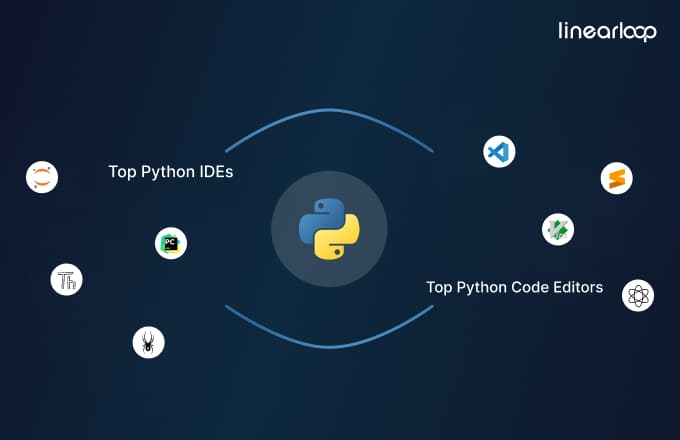
Explore the list of best code editors for Python:
1. Visual Studio Code: Visual Studio Code is also known as VS code and it is a free, open-source code editor developed by Microsoft. This editor is written in an electronic language and it works smoothly on operating systems (OS) like Windows, macOS, Linux, and many more. It is popular among developers due to its versatility and extensive range of features.
- Features:
a) Extensibility: It offers thousands of extensions that can be used to add various functionalities.
b) IntelliSense: This feature helps to do smart code completions, syntax highlighting, and error detection.
c) Built-In Git Integration: It allows you smooth version control with Git and GitHub.
d) Integrated Terminal: It is one of the main features of VS code as you can run terminal commands directly within the editor.
e) Debugging: Use the most powerful debugging tools with breakpoints, call stacks, and an interactive console.
2. Sublime Text: Sublime Text is a widely used text editor that is known for its speed, reliability, and rich set of features. It provides support for different types of programming languages including Python. Sublime Text is a perfect choice for you because it comes with powerful interfaces and text editing features.
- Features:
a) Goto Anything: With this functionality, you can quickly navigate to files, symbols, and lines.
b) Command Palette: Easily access different types of commands and features using a simple keyboard shortcut.
c) Multiple Selections: You can make multiple changes simultaneously.
d) Split Editing: Get the option to view and edit multiple files side by side.
e) Package Control: Instantly install and manage different types of packages & extensions.
3. Vim: Vim is an open-source and free terminal-based code editor that can be used on operating systems (OS) like macOS, UNIX, and Windows. It is a lightweight code editor that can be customized through different types of plugins and extensions. Vim includes some of the advanced features and commands that can help to easily navigate and edit the text.
- Features:
a) Extensive Plugin System: Different types of plugins are available on platforms like Vim-Plug, Pathogen, and Vundle to extend Vim's functionality.
b) Syntax Highlighting: It provides support for syntax highlighting for many programming languages to improve code readability and reduce errors.
c) Modal Editing: It uses different modes like insert, normal, visual, and command to separate editing tasks and improve productivity.
4. Atom: Atom is a well-known open-source and free code editor that is being developed by GitHub. Atom code editor is a preferred choice among developers who want to use a tool that can be customized according to their requirements.
- Features:
a) Package Manager: With the help of this package manager, you can easily browse and install new packages in the Atom code editor.
b) Themes: Customize the look and feel as it comes with various options of themes.
c) Teletype: The developers can easily collaborate in real-time.
d) Smart Autocomplete: It provides relevant suggestions while you are writing the code.
Read More: What should you look for before hiring Python developers?
Explore the list of top Python IDE tools that you can learn more about:
1. PyCharm: PyCharm is a robust and fully-featured IDE that is developed by JetBrains and is specifically designed for Python development. There are two versions of PyCharm available. One is the free community edition and the other one is the fully-featured professional edition that is paid. It is an IDE that can be used on operating systems (OS) like Linux, macOS, and Windows.
- Features:
a) Intelligent Code Assistance: It offers some of the most advanced code completion, real-time error checking, and powerful refactoring tools.
b) Integrated Tools: PyCharm provides support for web development frameworks like Django, Flask, and database management.
c) Debugger and Test Runner: This IDE includes a graphical debugger and an integrated test runner to easily handle the code.
d) Version Control Integration: You can smoothly integrate PyCharm with Git, SVN, Mercurial, and other version control systems.
2. Spyder: Spyder is an open-source and free IDE that is designed to handle scientific computing and data analysis. It is also one of the most lightweight IDEs for Python development and it is also known as Scientific Python Development IDE. Spyder works smoothly with popular Python packages like NumPy, SciPy, and Matplotlib.
- Features:
a) Variable Explorer: You can easily inspect different types of variables and data frames with user-friendly interfaces.
b) Integrated IPython Console: Use this functionality to execute the code more interactively and visualize final results.
c) Editor with Syntax Highlighting: You can enjoy its code completion and real-time analysis functionalities.
d) Plotting Support: It provides an inline plotting facility so that you can enjoy immediate data visualization of the code that you wrote.
3. Thonny: Thonny is an open-source, free, lightweight, and simple IDE that is specifically designed for developers who are learning Python. It also helps the developers to get insights into basic Python operations. Thonny is also known for providing a clean and straightforward interface with plenty of features to offer an easy learning curve.
- Features:
a) Simple Interface: This IDE’s minimalist design ensures that it will reduce distractions while writing Python code.
b) Step-through Debugger: This functionality helps beginners to understand how code executes.
c) Variable Explorer: You can inspect different types of variables and their values during the execution of the code.
d) Syntax Highlighting: It provides basic syntax highlighting which helps to improve the readability of the code.
e) Built-In Python Shell: This IDE allows you to execute Python commands interactively.
4. Jupyter Notebook: Jupyter Notebook is an open-source web application that is mainly used for machine learning and data science. The developers prefer to use this IDE because it allows you to create and share documents containing live code, equations, visualizations, and narrative text.
- Features:
a) Interactive Computing: You can execute the code in real time and see results instantly while using Jupyter Notebook IDE.
b) Rich Media: It provides support for embedding visualizations, equations, and other rich media.
c) Notebook Sharing: Now you can easily share notebooks via GitHub or any other platform.
d) Kernel Support: One of the main functionalities of this IDE is that it provides support for multiple programming languages through various kernels.
Choosing between a code editor and an Integrated Development Environment (IDE) can be tough but it depends on your development requirements and preferences. Python code editors like Visual Studio Code (VS) and Sublime Text are fast and lightweight and offer some of the necessary features like syntax highlighting, code completion, basic debugging, etc. They are highly customizable and preferred choice for quick tasks, scripting, and smaller projects.
While Python IDEs like PyCharm and Spyder provide an all-inclusive set of tools like advanced debugging, integrated version control, project management features, and many more. They are the best choice to handle large and complex projects that can improve productivity by providing a flawless development environment.
The choice depends upon the complexity of your project and specific workflows but if you want a clean and fast tool for coding then Python code editors are perfect for you. However, if you want a robust environment with extensive features for large-scale development then Python IDE tools are an ideal option for you.
- Expert Guidance: You can get professional advice on selecting the best Python IDE or code editor according to your specific requirements.
- Customized Solutions: Get customized recommendations from us based on your project requirements and workflow preferences.
- Setup Assistance: At Linearloop, we assist with installing and configuring your chosen IDE or code editor for the best performance.
- Integration Support: We seamlessly integrate your IDE or code editor with other development tools and version control systems.
Mayank Patel
Jun 25, 20245 min read