We're officially a Great Place To Work® certified company, India | 2026–27

Mayank Patel
Jul 20, 2022
5 min read
Last updated Apr 18, 2024

Machine Learning and IoT (Internet of Things) are the most demanding and trending technologies of the era and today we will discuss them. Also, knowing the correct concept of technology boosts the performance of the business.
As far as Machine Learning and IoT are concerned, they generate business insights, automated responses along with decision-making capabilities. And we all know that these elements play an important role in the business.
In this series, Linearloop helps you to understand both the concepts individually as we are a well know software development company in USA. Our team consists of experts having dynamic experience in both technologies.
Hence if you are looking to explore more about IoT and ML (Machine Learning), the blog will play an important role. We have shared the concepts using our practical experiences.
Also by being in the industry for so many years, we are very well aware of the challenges as well.
So let us get started with the two leading technologies of the present scenario. And if any query comes to your mind, feel free to connect with us. Our team is always there to help you.
The concept of Machine Learning came in the year 1959 and Arthur Samuel is behind the foundation of this great technology. Data Science is the field where Machine Learning is broadly used because of its statistical approach.
Machine Learning is the most needed concept of the time. Its market size is 15.66 billion USD.
We know, that machine learning is sub-branch of AI (Artificial Intelligence) which enables systems to be more accurate in generating responses. Do you know how ML works?
The algorithm of Machine Learning uses historical data in order to generate the output. The patterns are thoroughly analyzed so that the prediction could be precise enough.
The concept of machine learning is majorly used to identify criminals, fraud detection, detection of malware threats, etc.
As technology is growing, positive and negative aspects both are getting enriched. On one side things are made easier for people and on the other side, some negative minds try to disturb that easiness with the help of technology.
For example, We all use online money transactions and we know how comfortable it is. Because we do not want to be in a bank queue and waste our time.
But nowadays lots of frauds are reported regarding online money transactions. Hackers take the control of your banking system and transfer entire funds to their own account.
Apart from that, lots of cyber crime takes place. So here comes the role of Machine Learning. It identifies the unusual patterns in the system and generates an alert. Using the response, companies can secure their data and avoid the hack.
Furthermore, with the help of Machine Learning, businesses can anticipate the customers’ behaviour along with business operational patterns. Along with this, they get a better decision-making approach in order to make their business result-driven and customer-oriented.
So the advantages of Machine Learning are:
Moreover, machine learning experts are in great demand across the industry. And if you are looking to make your career in ML, start focusing on its fundamentals. Also, the salary of Machine Learning experts is quite handsome.
Now, let us move toward the concept of IoT (Internet of Things).
IoT, as the name describes, the concept revolves around the network of physical objects. These objects can be anything including sensors, mobile devices, software, etc. With the help of the concept of IoT, the data is connected and exchanged between objects.
The market size of IoT is 157.9 billion USD and North America is the fastest-growing market for the technology.
Almost on daily basis, we interact with IoT. We all passionately use SMART WATCHES. The smart watches are designed in a way, we can connect it with our phones to get all important notifications. All our calls, music, messages, chats etc are visible on the screen of our smart watch.
Apart from that, IoT plays an important role in Home Securities. Yes, we are talking about SMART CAMERAS that became the necessity of the time.
Like Smart Watches, you can also connect these cameras with your cell phone. All the activities happening in your home or surrounding will be visible on the screen of your phone.
IoT has shown its importance in the field of Motion Detection, Electronics Gadgets Management, Kitchen Appliances and many more.
Seeing these examples, we can say, our life became more secure, smooth and fast with the foundation of IoT. Also, if we say IoT has acquired of our life, we will not be wrong.
In the present time, communication is controlled through IoT. At personal and professional level, everywhere IoT has played an important role.
Whether it is project discussion, project feedback, execution, or payment processing, everything is being taken care of with perfection. The process is saving time and cost for both parties.
So the implementation of IoT for businesses is a must. If you are ignoring such profit-driven technology, it is a big mistake.
The concept of the Internet of Things is the major attention of the 21st century because it has given a new vision to the technology. Even in the kitchen, the appliances are automatically connected and household activities become super easy.
Also, the working ladies are monitoring their kids using the concept of IoT, otherwise who had imagined live video monitoring through CCTV. Likewise, there are millions are examples available that explain the importance of IoT.
As our topic is more inclined towards businesses, IoT has played a major role there as well. IT companies in India are executing large-scale projects for the USA, UK, and other developed nations. Everything is virtually being done.
So the advantages of IoT are as:
As we have discussed the concept of Machine Learning as well as the Internet of Things (IoT), you must have an idea about the concept of both technologies. Implementing them in business operations will definitely boost the sale and performance of your business.
At Linearloop we have experts in ML and IoT. We are offering the services of IoT and Machine Learning in India and the USA. If you are looking for a service provider for the same, we are your constant service partner. Feel free to connect with us.

Multimodal AI Agents: Reading Documents, Images, and Screens in Production
Most agent projects start with text. The scoping conversation is clean, the API is clean, and the demo works on the first try.
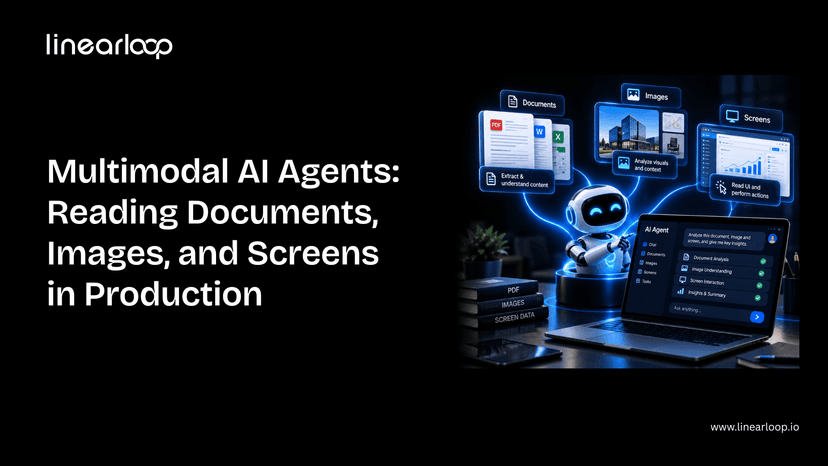
Then the real inputs show up: a scanned invoice, a photo of a damaged part, a legacy dashboard with no API at all. That's where a text-only agent stops being useful, and where multimodal AI agent systems that can read documents, images, and screens, not just process text, start earning their cost.
This guide covers what's actually different about building one of these for production: the components involved, the seven-step build process, where it breaks, and what it costs. It assumes you're already familiar with the core agent loop; if not, start with how to build an AI agent first.
Whether you're a CTO scoping a document-heavy workflow, a product leader evaluating whether this is worth the investment, or an engineer about to build one, this is the structure to work through.
Not every workflow needs multimodal capability. Here's where the two diverge.
| Dimension | Single-Modal (Text) Agent | Multimodal Agent |
Input types | Text only | Text + scanned documents + images + screens |
Data source | Clean APIs, structured fields | Unstructured: scans, photos, UI screenshots |
Failure mode | Misunderstands intent | Misreads a document or misidentifies a UI element |
Evaluation burden | Standard task-level testing | Must test against messy, low-quality real inputs |
Cost per call | Lower (text tokens only) | Higher (image/document tokens) |
Best fit | Structured workflows with existing data feeds | Invoice/PO processing, visual inspection, legacy UI automation |
If your workflow already has clean structured data, a single-modal agent is simpler and cheaper. Multimodal is worth the added complexity specifically when the source of truth is a document, image, or screen with no clean alternative.
Each of these shares a pattern: the data already exists; it's just not in a form a normal integration can reach.
Don't default to "vision + text + everything." Each modality should map to a real input your agent will encounter.
| Component | What it does |
Vision-capable model | Reads images, scanned pages, and screenshots alongside text |
OCR fallback layer | Catches text a vision model misses dense tables, poor scans, handwriting |
Document parser | Converts extracted content into structured fields your systems can use |
Screen interaction layer | Lets the agent click, type, and navigate a UI it can only see, not query |
Confidence scoring | Flags low-certainty extractions for human review instead of guessing |
Evaluation harness | Tests accuracy specifically on scanned, low-quality, and handwritten input |
This is the same discipline as scoping the core loop in how to build an AI agent, just with a wider read step. Getting the extracted output into a form your other systems can actually use is as much a data infrastructure question as a model one; our AI data stack architecture guide covers how to structure that layer properly.
If you're scoping a document- or screen-reading agent and want a second opinion on architecture before you build, talk to our AI development team.
Frontier models read printed text and clean diagrams near-perfectly. Accuracy drops meaningfully on handwriting, cluttered images, and low-contrast scans.
Test against your worst real documents, not your cleanest ones. This is the same build-vs-buy-vs-fine-tune calculation covered in our CTO guide to AI strategy, applied specifically to vision.
Vision models are good, not infallible. A cheap OCR pass as a secondary check catches errors a pure vision call misses, especially on dense tables and forms.
Define upfront which result wins when OCR and the vision model disagree; this decision is easy to skip during a demo and expensive to skip in production.
A UI redesign breaks an agent built against fixed coordinates or a memorized layout.
Build for the agent to re-orient from what it currently sees, not what it saw last time. This is the layer most teams underestimate, because it works perfectly until the first UI update ships. It's the same reliability challenge covered in our piece on agentic AI and autonomous web systems — an agent has to keep working as its environment changes, not just on day one.
Every extracted field should carry a confidence signal. Route low-confidence extractions to a human instead of letting the agent guess and move on.
This is the multimodal equivalent of the human-in-the-loop checkpoint any production agent needs. The failure mode here is a wrong answer delivered with total confidence.
The evaluation-set trap is worse here than for text agents. An agent tuned only against clean sample scans will look great in review and fail on the crumpled invoice a real user photographs with their phone.
This is exactly the kind of gap shadow traffic testing is built to catch before an agent touches real work, validating behavior against live-like conditions before it's trusted with production traffic.
Image and document input costs meaningfully more per call than text. Cache aggressively, downscale images where resolution doesn't affect accuracy, and route simple extractions to smaller, cheaper models.
Before committing to a larger build, weigh the expected savings against build cost using an AI ROI framework; multimodal projects are easy to over-scope without one.
None of these are unique to multimodal agents — they're the same category of gap covered in why DevOps mental models fail for MLOps in production AI, just with a wider set of inputs to account for.
| Step | What to Get Right |
Define modalities | Map each modality to a real input, not a wishlist |
Choose the model | Test against your worst documents, not your best |
Add OCR fallback | Define which result wins on disagreement |
Design for screen drift | Agent re-orients from current state, not memory |
Add confidence scoring | Low confidence routes to a human, not a guess |
Evaluate on ugly inputs | Avoid the clean-sample evaluation trap |
Budget for cost | Cache, downscale, and route to cheaper models where possible |
Multimodal capability doesn't change the fundamentals of building a good agent — it changes what "good input" means and where the failure modes hide. Get the evaluation and confidence-scoring layers right, and the rest is an extension of the same discipline that makes any agent production-ready.
If you're weighing whether to build this in-house or bring in a partner, our guide on what to look for in AI consulting services is a good starting point.
Have a document, image, or screen-reading use case in mind? Contact Linearloop's AI team for a no-pressure scoping conversation.

Aarav Mehta
Sep 24, 20266 min read
Checklist to Hire the Right AI Development Company for Your Business
AI has moved from an experimental line item to a core part of how businesses compete. Companies now use it to forecast demand, automate support, personalize products, and cut manual work out of everyday operations.
The harder problem isn't whether to adopt AI it's who to trust with it. Hundreds of vendors claim expertise in machine learning, natural language processing, and generative AI, but claims and delivery are two very different things.
Choose the wrong AI development company and you end up with a stalled pilot, a system nobody on your team can maintain, or a model that never reaches production. Choose the right one, and AI becomes a real driver of efficiency and revenue.
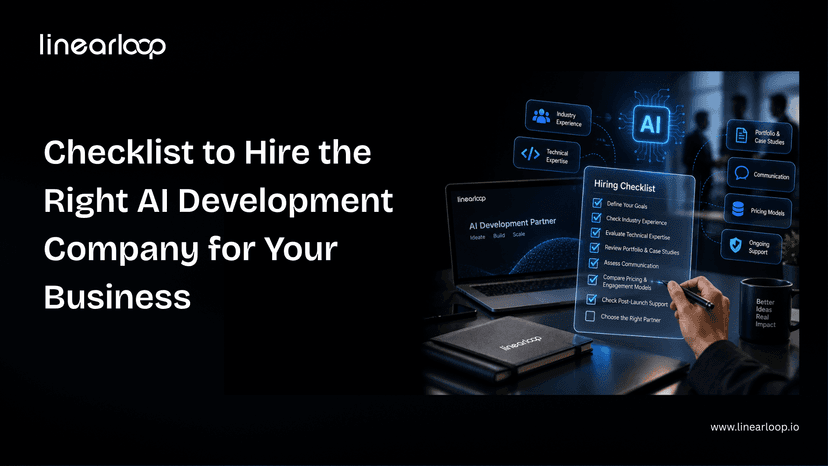
This checklist walks through what actually separates a capable AI partner from one that just sounds capable. Whether you're a founder scoping your first pilot, a CTO comparing vendors for an enterprise rollout, or a product leader trying to sanity-check a proposal, this is the structure to work through before you sign anything.
The technology rarely fails on its own. Projects fail when the team behind them lacks the process to turn a model into something reliable, secure, and maintainable in production.
A strong partner connects AI development services to a real business outcome, architects for scale from day one, and integrates cleanly with the systems you already run. A weaker one treats every engagement as a one-off experiment which is exactly why so many AI initiatives never make it past the proof-of-concept stage. Our breakdown of why enterprise AI fails and how to fix it goes deeper into the specific failure patterns.
Working with an experienced artificial intelligence development company doesn't just reduce technical risk — it reduces the risk of spending months on something that never ships.
Not every software partner is equipped to run an AI project. Here's where the two typically diverge.
| Dimension | General Software Vendor | Dedicated AI Development Company |
Core skill set | Application development, integrations | ML engineering, data science, MLOps |
Handling of data | Treats data as static input | Builds pipelines for training, retraining, drift monitoring |
Production readiness | Ships a working feature | Ships a monitored, retrainable system |
Compliance depth | General security practices | Model-specific: bias testing, explainability, data lineage |
Post-launch plan | Bug fixes and feature requests | Model monitoring, retraining, performance tracking |
Typical failure mode | Feature works but doesn't scale | — (this is the profile you want) |
If your project is primarily an integration or a standard web/mobile build, a general vendor may be the right fit. If it depends on a model that has to keep performing after launch, you need the right column.
Start with the problem, not the technology. Are you trying to reduce churn, catch fraud earlier, automate a manual workflow, or personalize recommendations? Vague goals produce vague proposals, and vague proposals are hard to evaluate against each other.
A clear problem statement also makes it much easier to tell whether a vendor's AI development services actually match your use case rather than a generic pitch retrofitted to sound relevant.
Look for range, not just a single specialty. A team that can move across machine learning, NLP, computer vision, and generative AI can adapt as your project evolves.
Ask for real examples: datasets they've worked with, frameworks they've deployed, and problems similar to yours that they've actually solved not just technologies listed on a slide. If you're still narrowing down what "expertise" should even mean for your use case, our guide on what to look for in AI consulting services is a useful gut-check before you get to a shortlist.
Building a model is one thing. Building one that respects the constraints of your industry is another — healthcare needs partners familiar with patient data regulations, retail needs demand forecasting and personalization experience, financial services needs a different risk posture entirely.
Ask for case studies or references from businesses like yours. A machine learning development company that has already solved a version of your problem is a much safer bet than one starting from zero.
AI projects need more than a single "AI person." Look for a mix of data scientists, ML engineers, solution architects, and DevOps specialists who know how to hand work off to each other.
Ask how they run the development cycle and whether the roles are actually staffed or just listed in a capabilities deck. A fragmented team is one of the most common reasons projects stall mid-build — and it's also why talent scarcity is pushing more companies toward augmented teams rather than trying to hire every specialist in-house.
The tools a company relies on tell you a lot about how they'll support you long-term.
| Layer | Example Tools |
Cloud | AWS, Azure, Google Cloud |
Frameworks | TensorFlow, PyTorch, Scikit-learn |
MLOps | MLflow, Kubeflow, DataRobot |
A partner working with modern, well-documented tools can move faster and hand off cleaner systems than one relying on outdated or overly custom infrastructure. Most AI projects don't actually fail at the model they fail at the data layer underneath it. Our AI data stack architecture guide covers what a production-ready stack needs before a single model gets trained.
Ask directly: how is data stored, who can access it, and how is the model's behavior tested for bias? A company offering serious AI development services should be able to speak to GDPR, HIPAA, or whatever standard applies to your industry without hesitation.
If security and data residency are a real concern which they usually are once regulated data enters the picture our guide to deploying private LLMs securely walks through the trade-offs between hosted and private deployment. If a vendor is vague about security or avoids the compliance conversation entirely, treat that as a warning sign, not a technicality to sort out later.
Most failed engagements trace back to poor communication, not poor technology. Ask how the team runs updates regular standups, sprint reviews, shared dashboards and whether their working hours realistically overlap with yours.
A partner that communicates clearly from the first call is far more likely to flag problems early instead of letting them compound.
Fixed-price, time-and-materials, and dedicated-team models all have different trade-offs depending on how well-defined your project is. Our comparison of time and materials vs. fixed-price models breaks down when each one actually makes sense.
Rather than anchoring on the lowest quote, weigh what's included: ongoing support, scalability, and the engineering quality behind the number. Cheap AI development outsourcing that produces a system you have to rebuild in a year isn't actually cheap.
A model's job doesn't end at launch — data drifts, usage patterns shift, and accuracy degrades without monitoring and retraining. Ask how the company handles model drift, performance tracking, and infrastructure scaling once the system is live.
This is also where it's worth asking how success will actually be measured. Our executive's guide to measuring AI ROI is a good reference for the metrics that matter once a model is in production rather than in a demo.
Even with a strong checklist, it helps to know the traps businesses commonly fall into:
| Point | What to Check |
Goals | Clear business problem and measurable outcomes |
Technical Expertise | Range across ML, NLP, CV, generative AI |
Industry Experience | Case studies in your sector |
Team Structure | Data scientists, engineers, architects, DevOps |
Tech Stack | Current frameworks, cloud platforms, MLOps tools |
Compliance | GDPR, HIPAA, bias testing, ethical AI |
Communication | Transparent updates, collaborative workflow |
Pricing | Value-focused, not just lowest bid |
Support | Monitoring, retraining, scaling after launch |
Red Flags | Vague answers, weak security, poor responsiveness |
Hiring the right AI development company comes down to evidence over promises: a clear problem statement, proven technical range, a real team behind the work, and a track record of shipping to production rather than just prototyping.
None of these ten points are hard to check. What separates businesses that get a working AI system from those that don't is usually just whether they actually asked.
If you're evaluating partners for your next AI initiative, talk to the team at Linearloop about your specific goals. We're happy to walk through how we'd approach them, no pitch deck required.
Aarav Mehta
Sep 14, 20266 min read