What is the Role of Generative AI in Healthcare and Medicine Industry?
Mayank Patel
Jun 28, 2024
5 min read
Last updated Jun 27, 2024
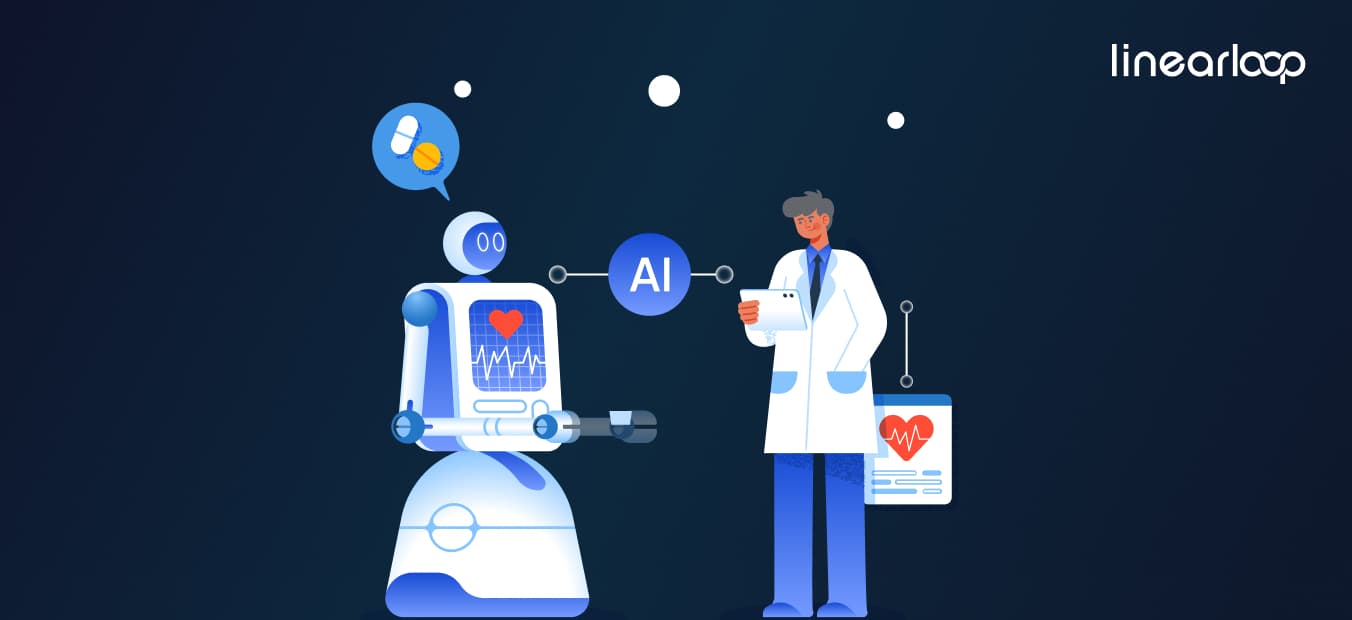
Table of Contents
What is Generative AI?
What are the applications of Generative AI in Healthcare?
What are the Benefits of Generative AI in Healthcare?
What are the challenges and risks of Generative AI in Healthcare?
How Linearloop can help you?
FAQs
Share
Contact Us
The growth in technology has impacted various industries and healthcare is no exception. Among the most promising technological innovations, Generative AI (Artificial Intelligence) has the potential to reshape the healthcare and medicine sectors.
Generative AI is a subset of AI that focuses on generating new content like images, text, and complex data by learning from existing data. It is not only just about automating tasks but also about creating new possibilities for patient care, medical research, healthcare management, and many more.
The importance of AI in healthcare and medicine industry cannot be neglected. With a constant demand for smooth and effective healthcare services, AI can be helpful improve diagnostic accuracy, optimize treatment plans, and simplify administrative processes.
In this blog, we will explore applications of generative AI in healthcare such as drug discovery, personalized medicine, medical imaging, and virtual health assistants. We will discover benefits like improved patient outcomes and cost reductions, while also addressing challenges such as data privacy and ethical concerns.
What is Generative AI?
Generative Artificial Intelligence (AI) showcases a unique approach to machine learning and artificial intelligence. Generative AI focuses on creating new content by learning from existing data and here you can learn more about the core principles of generative AI & how it is different from traditional AI.
Differences Between Generative AI and Traditional AI
Traditional artificial intelligence systems (AI) are sometimes called biased models as they calculate outcomes based on the input data. These systems don't generate new data but they are excellent at finding patterns and making judgments.
Generative AI, in contrast, is inherently creative. By meticulously analyzing and emulating patterns from its training data, it generates new information that didn't previously exist. This creative capability holds significant potential across diverse industries, especially in healthcare, where new data can enhance outcomes in diagnosis, treatment, and research.
Key Technologies and Algorithms Used in Generative AI
Generative Adversarial Networks (GANs): GANs include two neural networks that work together to create realistic data. It has shown great results while generating high-quality images and enhancing medical imaging techniques.
Variational Autoencoders (VAEs): It is a type of generative model that focuses on encoding input data into unused space and then decoding it back to generate new data. VAEs are widely used for generating images, audio, and text.
Transformers: Originally designed for natural language processing, transformers have demonstrated remarkable efficacy in text generation and other sequential data tasks. By leveraging attention mechanisms, they assess the relevance of various input components to generate contextually appropriate content.
Diffusion Models: These models are useful for high-dimensional data production problems because they produce data by continuously improving a noisy initial prediction.
What are the Applications of Generative AI in Healthcare?
Generative AI is changing healthcare by providing unique solutions that improve efficiency, accuracy, and personalization in patient care. Here are the key applications of generative AI in healthcare:
1. Drug Discovery and Development: The traditional drug discovery process is typically lengthy and expensive. However, Generative AI offers a breakthrough by predicting interactions between drugs and proteins. By analyzing vast databases of chemical compounds and biological targets, it accelerates the identification of promising drug candidates.
Quick Drug Discovery Processes: AI systems can sort through millions of compounds and predict their potential safety and efficiency. It reduces the time required to create new drugs. As a result, researchers can focus on the most promising candidates from the start because of this quick identification method.
AI-Driven Drug Development Successes: Some companies like Insilico Medicine and Atomwise used AI to find novel drug candidates. Insilico Medicine was able to find a drug candidate for fibrosis within 46 days and it shows the speed & success of AI-driven search.
Benefits of AI in Reducing Time and Costs: AI streamlines the initial phases of drug development, thereby decreasing the resources needed for experimental validation and cutting down the overall costs associated with bringing new drugs to market.
2. Personalized Medicine: Gen AI plays a crucial role in creating personalized treatment plans according to the patient’s genetic structure and medical history.
Creating Personalized Treatment Plans: AI algorithms analyze patient data, including genetic information, to recommend personalized treatments that minimize side effects and maximize efficacy.
Better Outcomes in Patients through Custom Therapies: Personalized treatments are designed to match the specific requirements of each patient for better health outcomes and better patient satisfaction. Generative AI can help to identify the most effective cancer treatment based on a patient's genetic profile.
3. Medical Imaging and Diagnostics: Generative AI upgrades medical imaging by improving the accuracy and speed of image analysis which helps to detect and diagnose diseases.
AI’s Capability in Interpreting Medical Images: Generative AI algorithms can analyze different types of medical images like X-rays, MRIs, and CT scans, to detect irregularities that might be missed by human radiologists. Also, these algorithms can identify patterns that indicate various diseases like cancer, heart disease, and neurological disorders.
Improving Accuracy and Speed of Diagnoses: AI-powered diagnostic tools provide quick and accurate interpretations of medical images that allow faster diagnosis and treatment initiation. This quick turnaround is very beneficial in emergencies.
4. Virtual Health Assistants: With generative AI the creation of virtual health assistants that interact with patients to provide support and guidance has become much easier and they reduce the burden on healthcare providers.
AI in Patient Interaction and Support: Virtual health assistants powered by generative AI connect with patients via chatbots and virtual consultations. Patients can receive health advice and guidance on medication after answering questions posed by these assistants.
Improvement in Patient Engagement and Satisfaction: By providing personalized interactions and 24/7 availability, virtual health assistants improve patient engagement and satisfaction. Patients can receive quick responses to their concerns and it improves their overall healthcare experience.
5. Genomics and Precision Medicine: During genomic research, generative AI analyzes complicated genetic data to find insights to inform individualized therapies and advanced medicines with precision.
Impact of AI on Genomics Research: AI algorithms can analyze large amounts of genomic data to identify genetic mutations and variations that are connected to diseases. This analysis helps researchers understand the genetic basis of diseases and develop specific therapies.
AI’s Role in Precision Medicine Initiatives: By integrating genetic information with clinical data you can see that generative AI offers support for the development of medicine for customized treatments to individual patients based on their genetic profiles.
Future Advancements in Genetics: The current integration of AI in genomics research shows promise for discoveries in disease mechanisms which leads to the development of modern therapies and prevention strategies.
What are the Benefits of Generative AI in Healthcare?
Generative AI offers various advantages that can completely redefine the healthcare industry. It includes benefits like better patient outcomes, cost reduction, and improved efficiency for various healthcare processes.
1. Better Patient Outcomes: Gen AI improves the quality of healthcare by increasing the accuracy and efficiency of diagnostics, treatment planning, and patient care.
Treatment accuracy and efficiency: Generative AI can analyze patient data such as medical history, genetic information, and current health status to offer precise diagnoses and treatment recommendations. This approach enhances treatment effectiveness and improves disease management by predicting chronic disease progression and recommending timely interventions to prevent complications.
Less Human Errors: AI systems are less vulnerable to errors as compared to humans, especially in repetitive and complex tasks such as analyzing medical images or interpreting genetic data. AI-driven diagnostic tools have shown higher accuracy rates in detecting conditions like cancer that human radiologists might miss.
2. Cost Reduction: It helps healthcare providers reduce their costs by simplifying processes, optimizing resource use, and minimizing unnecessary expenses.
Low Operational Costs in Healthcare Facilities: AI can automate various administrative tasks like scheduling, billing, and record-keeping to reduce the need for huge administrative staff and cut operational costs. Plus, AI-driven predictive maintenance of medical equipment helps avoid costly breakdowns and downtime.
Savings in Drug Development and Clinical Trials: The use of AI in drug discovery increases the speed of the research and development process while reducing the time and costs takes to launch new drugs to market. It minimizes the need for expensive and time-consuming clinical trials.
Economic Benefits to Healthcare Providers and Patients: Generative AI reduces healthcare costs for providers and patients by improving efficiency and reducing errors.
3. Improved Efficiency: Gen AI improves the efficiency of healthcare systems by simplifying various processes and providing more accurate decision-making.
Refining Administrative Tasks: Gen AI can handle routine administrative tasks like patient scheduling, medical coding, and billing to free up healthcare staff so that they can focus on patient care. It helps to complete administrative processes quickly and reduces the potential for human error.
Automating Routine Procedures: AI-powered systems can automate routine medical procedures like initial patient assessments, monitoring vital signs, and even conducting minor medical procedures.
What are the challenges and risks of Generative AI in Healthcare?
There are many benefits of generative AI in healthcare industry but it also comes with several challenges and risks that must be addressed to ensure the safety of patients. Here are some critical Gen AI challenges that you need to look at:
1. Data Privacy and Security: The privacy and security of patient data is considered one of the most common challenges that you face while implementing generative AI in healthcare.
Concerns about patient data confidentiality: Healthcare data is highly sensitive and any data breach can cause serious consequences for the patients. Gen AI systems require access to large databases to function smoothly and it raises concerns about how this data is stored, processed, and shared.
Regulatory Considerations: Following regulations like the Health Insurance Portability and Accountability Act (HIPAA) in the United States and the General Data Protection Regulation (GDPR) in Europe is important. These regulations follow strict data protection standards and require organizations to implement thorough privacy standards.
2. Ethical and Legal Issues: It also raises huge ethical and legal issues that should be handled carefully.
Ethical Implications of AI in Healthcare Decisions: AI involved in making healthcare decisions can create ethical challenges, especially when those decisions impact patient care and outcomes.
Legal Challenges and Liability Concerns: Understanding liability in cases where AI systems are involved in medical errors is complex. Creating legal frameworks and guidelines is necessary to address these challenges.
How Linearloop can help you?
Partner with Linearloop to leverage our expertise in the complex healthcare industry and harness the vast potential of generative AI. Benefit from tailored services and solutions designed to empower healthcare providers to implement and maximize the advantages of generative AI.

Expertise in AI Integration: We have a team of AI specialists who understand the importance of integrating AI technologies into existing healthcare systems. Integrating generative AI into your electronic health records (EHRs), clinical decision support systems, and other healthcare IT infrastructures can maximize their effectiveness.
Customized AI Solutions: We understand that every healthcare organization has unique requirements and that’s why Linearloop provides customized AI solutions according to your specific requirements.
Training and Education: To unlock the benefits of generative AI, healthcare providers should know its capabilities and limitations. We provide training and education programs for your staff so they can understand how to use AI tools effectively and confidently.
Want to Learn More About Our AI Solutions?
FAQs
Mayank Patel
CEO
Mayank Patel is an accomplished software engineer and entrepreneur with over 10 years of experience in the industry. He holds a B.Tech in Computer Engineering, earned in 2013.
Working with an experienced artificial intelligence development company doesn't just reduce technical risk — it reduces the risk of spending months on something that never ships.
AI Development Company vs. General Software Vendor: Quick Comparison
Not every software partner is equipped to run an AI project. Here's where the two typically diverge.
Dimension
General Software Vendor
Dedicated AI Development Company
Core skill set
Application development, integrations
ML engineering, data science, MLOps
Handling of data
Treats data as static input
Builds pipelines for training, retraining, drift monitoring
Production readiness
Ships a working feature
Ships a monitored, retrainable system
Compliance depth
General security practices
Model-specific: bias testing, explainability, data lineage
Post-launch plan
Bug fixes and feature requests
Model monitoring, retraining, performance tracking
Typical failure mode
Feature works but doesn't scale
— (this is the profile you want)
If your project is primarily an integration or a standard web/mobile build, a general vendor may be the right fit. If it depends on a model that has to keep performing after launch, you need the right column.
The 10-Point Checklist to Hire the Right AI Development Company
Step 1: Define Your AI Project Goals and Scope
Start with the problem, not the technology. Are you trying to reduce churn, catch fraud earlier, automate a manual workflow, or personalize recommendations? Vague goals produce vague proposals, and vague proposals are hard to evaluate against each other.
A clear problem statement also makes it much easier to tell whether a vendor's AI development services actually match your use case rather than a generic pitch retrofitted to sound relevant.
Step 2: Assess Technical Expertise Across the Full AI Stack
Look for range, not just a single specialty. A team that can move across machine learning, NLP, computer vision, and generative AI can adapt as your project evolves.
Ask for real examples: datasets they've worked with, frameworks they've deployed, and problems similar to yours that they've actually solved not just technologies listed on a slide. If you're still narrowing down what "expertise" should even mean for your use case, our guide on what to look for in AI consulting services is a useful gut-check before you get to a shortlist.
Step 3: Check Industry Experience, Not Just Technical Skill
Building a model is one thing. Building one that respects the constraints of your industry is another — healthcare needs partners familiar with patient data regulations, retail needs demand forecasting and personalization experience, financial services needs a different risk posture entirely.
Ask for case studies or references from businesses like yours. A machine learning development company that has already solved a version of your problem is a much safer bet than one starting from zero.
Step 4: Evaluate the AI Development Team Structure
AI projects need more than a single "AI person." Look for a mix of data scientists, ML engineers, solution architects, and DevOps specialists who know how to hand work off to each other.
Ask how they run the development cycle and whether the roles are actually staffed or just listed in a capabilities deck. A fragmented team is one of the most common reasons projects stall mid-build — and it's also why talent scarcity is pushing more companies toward augmented teams rather than trying to hire every specialist in-house.
Step 5: Verify the Tech Stack and Infrastructure
The tools a company relies on tell you a lot about how they'll support you long-term.
Layer
Example Tools
Cloud
AWS, Azure, Google Cloud
Frameworks
TensorFlow, PyTorch, Scikit-learn
MLOps
MLflow, Kubeflow, DataRobot
A partner working with modern, well-documented tools can move faster and hand off cleaner systems than one relying on outdated or overly custom infrastructure. Most AI projects don't actually fail at the model they fail at the data layer underneath it. Our AI data stack architecture guide covers what a production-ready stack needs before a single model gets trained.
Step 6: Confirm Compliance, Security, and Ethical AI Practices
Ask directly: how is data stored, who can access it, and how is the model's behavior tested for bias? A company offering serious AI development services should be able to speak to GDPR, HIPAA, or whatever standard applies to your industry without hesitation.
If security and data residency are a real concern which they usually are once regulated data enters the picture our guide to deploying private LLMs securely walks through the trade-offs between hosted and private deployment. If a vendor is vague about security or avoids the compliance conversation entirely, treat that as a warning sign, not a technicality to sort out later.
Step 7: Test Communication Before You Commit
Most failed engagements trace back to poor communication, not poor technology. Ask how the team runs updates regular standups, sprint reviews, shared dashboards and whether their working hours realistically overlap with yours.
A partner that communicates clearly from the first call is far more likely to flag problems early instead of letting them compound.
Step 8: Compare Pricing Models Against Value, Not Just Rate
Fixed-price, time-and-materials, and dedicated-team models all have different trade-offs depending on how well-defined your project is. Our comparison of time and materials vs. fixed-price models breaks down when each one actually makes sense.
Rather than anchoring on the lowest quote, weigh what's included: ongoing support, scalability, and the engineering quality behind the number. Cheap AI development outsourcing that produces a system you have to rebuild in a year isn't actually cheap.
Step 9: Ask About Post-Deployment Support and Scalability
A model's job doesn't end at launch — data drifts, usage patterns shift, and accuracy degrades without monitoring and retraining. Ask how the company handles model drift, performance tracking, and infrastructure scaling once the system is live.
This is also where it's worth asking how success will actually be measured. Our executive's guide to measuring AI ROI is a good reference for the metrics that matter once a model is in production rather than in a demo.
Step 10: Watch for Red Flags
Pricing that's dramatically lower than everyone else, with no clear explanation why
No willingness to share case studies, references, or past work
Vague answers on data security and compliance
Slow, inconsistent communication during the sales process itself
A team that can't explain how they'd handle the project after launch, not just before it
Common Mistakes to Avoid
Even with a strong checklist, it helps to know the traps businesses commonly fall into:
Chasing the cheapest option — cutting costs too aggressively often means sacrificing quality or long-term support
Ignoring domain experience — a company that hasn't worked in your industry may struggle to apply AI effectively
Believing big promises without proof — case studies and references matter; any claim should be backed by evidence
Overlooking security and compliance — a lack of clear data protection policy is a serious warning sign
Failing to check communication practices early — poor updates or slow responses usually create bigger delivery issues later
Quick Recap Table
Point
What to Check
Goals
Clear business problem and measurable outcomes
Technical Expertise
Range across ML, NLP, CV, generative AI
Industry Experience
Case studies in your sector
Team Structure
Data scientists, engineers, architects, DevOps
Tech Stack
Current frameworks, cloud platforms, MLOps tools
Compliance
GDPR, HIPAA, bias testing, ethical AI
Communication
Transparent updates, collaborative workflow
Pricing
Value-focused, not just lowest bid
Support
Monitoring, retraining, scaling after launch
Red Flags
Vague answers, weak security, poor responsiveness
Conclusion
Hiring the right AI development company comes down to evidence over promises: a clear problem statement, proven technical range, a real team behind the work, and a track record of shipping to production rather than just prototyping.
None of these ten points are hard to check. What separates businesses that get a working AI system from those that don't is usually just whether they actually asked.
If you're evaluating partners for your next AI initiative, talk to the team at Linearloop about your specific goals. We're happy to walk through how we'd approach them, no pitch deck required.
AI adoption in SaaS generally develops in stages. You don't have to jump directly from a traditional SaaS product to fully autonomous agents.
Level 1: Assistive AI
At the first level, AI helps users complete individual tasks.
Examples include:
AI-generated content
Document summarization
Natural-language search
Email drafting
Recommendations
Data analysis
Writing assistance
The user remains fully in control.
They ask the AI to perform a task, review the result, and decide what happens next.
This is usually the fastest and lowest-risk starting point for AI SaaS development.
Level 2: Conversational and Contextual AI
The second level goes beyond individual AI prompts.
The AI understands more context about the user and the application and can interact with business systems.
For example, a customer support platform could allow a user to ask:
"Which customers have unresolved high-priority issues?"
Instead of simply generating text, the AI could:
Understand the request
Search the relevant customer records
Identify high-priority cases
Summarize the issues
Recommend next actions
Allow the user to approve those actions
This is where an AI layer starts becoming deeply integrated into the SaaS workflow.
Level 3: Agentic AI
At the third level, AI can execute multi-step workflows within defined boundaries.
An AI agent might:
Identify a task
Create a plan
Access relevant information
Use connected tools
Execute multiple actions
Evaluate the results
Ask for human approval when necessary
Report what it completed
For example, an AI sales agent could identify a qualified lead, research the account, prepare a personalized outreach email, update the CRM, and schedule a follow-up—while requiring human approval before sending the message.
This is where agentic AI SaaS can create significant operational leverage.
If you're new to the concept, understanding what an AI agent is can help before you scope a production agentic workflow.
However, Level 3 also requires stronger governance, permissions, monitoring, testing, and failure handling.
You don't necessarily need to start here.
For most SaaS companies, a focused Level 1 or Level 2 workflow is a better starting point.
How to Add an AI Layer Without Rebuilding Your SaaS
One of the biggest misconceptions about AI transformation is that companies need to rebuild their entire SaaS platform.
In most cases, they don't.
AI can often be introduced through APIs, integrations, retrieval systems, and services that sit alongside the existing application architecture.
Here's a practical approach.
1. Start With One Workflow
Don't try to make your entire product AI-powered at once.
Identify one workflow with:
High manual effort
Repetitive decisions
Large amounts of data
Slow turnaround times
Frequent user frustration
A measurable business outcome
The best first AI workflow is usually one where AI can produce a clear improvement in speed, accuracy, or productivity.
2. Decide How AI Will Access Your Data
AI needs context to provide useful answers.
For many SaaS products, this means connecting AI to existing application data through APIs and retrieval systems.
You may need to evaluate:
Structured databases
Documents
Customer records
Knowledge bases
Internal APIs
Third-party applications
For many use cases, RAG (Retrieval-Augmented Generation) can provide relevant information to an existing AI model without requiring you to train a model from scratch.
The choice between RAG and fine-tuning should depend on your accuracy, data, security, cost, and compliance requirements.
3. Design for Trust Before Polish
AI output can be wrong.
That's why AI product development should focus on trust as much as the interface.
Depending on the use case, consider:
Source citations
Confidence indicators
Human approval
Editable AI output
Clear explanations
Activity logs
Permission controls
Audit trails
Feedback mechanisms
Users should understand what the AI did and have an easy way to correct it.
4. Keep the First Version Narrow
Your first AI implementation doesn't need to transform the entire product.
A focused AI copilot for one workflow may be enough to validate:
User adoption
Accuracy
Time savings
Business value
Infrastructure requirements
AI operating costs
Once the workflow proves its value, expand into additional use cases.
5. Launch With a Controlled User Group
Don't necessarily release the AI feature to every customer on day one.
Start with a subset of users and measure:
How often users interact with AI
How often users accept AI recommendations
How often users override AI
Where AI produces errors
Which workflows generate the most value
How much each interaction costs
This data gives you a much stronger foundation for the wider rollout.
6. Decide on Pricing Before Full Rollout
AI can create variable infrastructure and model costs.
If you give customers unlimited access without understanding usage patterns, a highly active customer can cost significantly more to serve than a low-usage customer.
Decide early whether AI will be:
Included in existing plans
Limited by usage
Sold as an add-on
Included in a premium tier
Charged based on credits or consumption
Pricing should be designed alongside the AI experience rather than added after launch.
7. Plan the Next Workflow
AI-native transformation is not a one-time feature launch.
Once the first workflow proves successful, look for the next opportunity where AI can reduce manual work or improve decision-making.
Over time, these individual workflows can become a connected AI layer across the SaaS platform.
How Much Does It Cost to Build an AI Layer?
There is no single price for building an AI layer.
The cost depends on the complexity of the workflow, AI model, data infrastructure, integrations, security requirements, and level of autonomy.
As an indicative planning range, SaaS companies might see:
AI Implementation
Indicative Development Cost
Basic AI assistant or feature
$15,000–$40,000
Contextual AI copilot
$40,000–$100,000
Advanced AI workflow
$60,000–$150,000+
Agentic AI system
$75,000–$200,000+
Platform-wide AI transformation
Custom scope
These are not fixed project quotes. Actual AI SaaS development costs can vary substantially depending on your existing architecture and requirements.
What Drives AI Development Cost?
1. AI Complexity
A simple content-generation feature requires much less engineering than an autonomous multi-step agent.
2. Model Strategy
Using an existing foundation model through an API generally has a lower initial development cost than developing or training a custom model.
3. Data Readiness
Clean, structured, accessible data makes AI integration easier.
Poorly organized or siloed data can significantly increase development effort.
4. Integrations
Every external system the AI needs to access can add development and testing requirements.
Examples include:
CRM
ERP
Payment systems
Customer support platforms
Communication tools
Internal APIs
5. Security and Governance
Enterprise AI applications may require:
Role-based access
Data isolation
Audit logs
Encryption
Approval workflows
Compliance controls
Monitoring
These requirements increase the scope but can be essential for production adoption.
6. AI Evaluation and Monitoring
Production AI requires more than simply connecting an API.
Teams need to evaluate:
Accuracy
Hallucinations
Latency
Cost per interaction
User feedback
Failure rates
This ongoing evaluation is part of building a reliable AI-powered SaaS platform.
Before committing to a larger AI investment, it is also worth evaluating the expected business value with an AI ROI framework, rather than looking only at engineering costs.
How Long Does It Take to Build an AI Layer?
Development time depends on the scope.
A focused AI feature can often be developed in a few weeks to a couple of months, while a broader AI transformation can take six months to a year or longer, particularly when multiple workflows and integrations are involved.
A practical 90-day starting roadmap could look like this:
Weeks 1–2: Discovery
Identify the highest-value workflow
Define the AI use case
Review existing data
Identify integrations
Define success metrics
Weeks 3–6: Development
Build the AI workflow
Connect relevant product data
Implement retrieval where required
Add guardrails
Build the user experience
Weeks 7–10: Testing and Pilot
Test AI responses
Evaluate accuracy
Launch to selected users
Track user behavior
Collect feedback
Weeks 11–12: Optimization
Improve prompts and workflows
Address failure cases
Review usage and infrastructure costs
Finalize pricing
Plan the next AI workflow
If you're planning the broader SaaS build alongside the AI layer, our SaaS product development checklist can help you cover the product, technology, testing, and launch considerations outside the AI component.
How to Monetize the AI Layer
Building an AI feature is only half the challenge.
The next question is:
How should you charge for it?
AI features are different from traditional SaaS features because they can create variable costs based on usage.
A customer who sends thousands of AI requests may cost significantly more to serve than one who sends only a few.
Common AI SaaS Pricing Models
1. Included AI
AI is included within existing subscription tiers.
This works well when AI usage is predictable and relatively inexpensive.
2. Usage-Based Pricing
Customers pay according to consumption.
This could be based on:
AI credits
Tasks completed
Documents processed
Agent runs
API calls
Tokens or usage units
3. Premium AI Tier
Advanced AI capabilities are reserved for higher subscription tiers.
This can be effective when AI provides significant additional value.
4. AI Add-On
Customers pay an additional fee to activate AI capabilities.
This works particularly well when AI represents a distinct value proposition.
Don't Forget Your Cost Ceiling
Whatever pricing model you choose, understand your maximum acceptable AI cost per customer.
Ideally, enforce usage limits and cost controls in your product rather than relying on manual monitoring.
The goal is to make AI an expansion-revenue opportunity, not an uncontrolled infrastructure expense.
AI adoption is changing what users expect from software.
1. Users Expect More Automation
Users increasingly expect software to do more than display information.
They want products that can:
Find information
Explain it
Recommend actions
Automate repetitive tasks
Help make decisions
AI makes these experiences possible at scale.
2. AI Can Create Deeper Product Differentiation
A standalone AI feature can often be copied quickly.
An AI layer deeply connected to your product's data, workflows, permissions, and user experience is much harder to replicate.
The competitive advantage comes from the combination of AI + proprietary data + workflow integration + user context.
3. AI Is Moving Toward Action
The SaaS market is moving beyond AI that simply generates text.
Modern AI systems can increasingly use tools, access data, reason through tasks, and execute workflows.
This shift makes agentic AI development particularly relevant for SaaS companies looking to automate operational processes.
It's also part of the broader AI product development lifecycle, where AI capabilities increasingly become integrated into the product rather than treated as isolated features.
4. You Don't Need to Rebuild Everything
Existing SaaS products can often introduce AI incrementally.
You can start with one workflow, validate the results, and expand the AI layer over time.
That makes AI transformation much more manageable than a complete platform rewrite.
Conclusion
The SaaS products that maintain their competitive advantage in the coming years won't necessarily be the ones with the longest list of AI features.
They'll be the products where AI becomes part of how the product actually works.
That's the difference between adding an AI feature and building an AI-native SaaS product.
You don't need to rebuild your entire platform to start.
Begin with one high-value workflow. Connect AI to the right data. Build trust and human oversight into the experience. Measure the results. Then expand into the next workflow.
Done correctly, an AI layer can improve user productivity, increase automation, create new pricing opportunities, and make your SaaS product significantly harder to replace.
If you're ready to explore how AI could fit into your existing SaaS platform, talk to our team about what an AI layer could look like for your product.
Not every chatbot needs the same underlying technology. Here are the main types businesses actually build.
1. Rule-Based Chatbots
These follow fixed if-this-then-that logic. Type "hours," get the store hours. Type anything else, and it often fails.
Example: A restaurant's website bot that answers "Are you open today?" and "Do you take reservations?" from a fixed script.
2. NLP-Powered Chatbots
These use natural language processing to understand intent, not just keywords. "I need to send this back" and "how do I return an item" both route correctly.
Example: A retail support bot that understands varied phrasing and pulls the right help article or order status.
3. Generative AI Chatbots
Built on large language models, these can hold open-ended conversations and generate original responses instead of picking from pre-written ones.
Example: A SaaS product's in-app assistant that explains features conversationally, drawing on product documentation in real time.
4. AI Agent Chatbots
These go beyond answering. They take multi-step actions: verifying a customer, checking a database, and completing a task, all in one exchange.
Example: A banking bot that authenticates a user, checks their balance, and files a dispute without human handoff. Our breakdown of AI agent development companies covers this category in more depth.
If you're building the agent yourself rather than evaluating a partner, our step-by-step guide on how to build an AI agent walks through the process in detail.
5. Voice-Based Chatbots
The same underlying technology, delivered through speech instead of text. Think IVR systems or voice assistants embedded in an app.
Example: A healthcare appointment line that lets patients reschedule by voice instead of navigating a phone tree.
6. Hybrid Chatbots
Most production chatbots today are actually hybrids: rule-based flows for common paths, with an AI layer as fallback for anything unscripted.
Example: A customer service bot that handles routine questions with fixed logic, then hands ambiguous ones to an LLM-backed layer.
Type matters, but so does what's actually built into it. These are the features that separate a chatbot people use from one they abandon.
Intent recognition. Understanding what the user wants, even when they phrase it differently than expected.
Context retention. Remembering earlier turns in the conversation, so users don't repeat themselves.
Human handoff. A clean escalation path when the bot hits its limits. This alone prevents most bad chatbot experiences.
System integrations. Connections to your CRM, helpdesk, or payment systems, so the bot can actually do something, not just talk.
Omnichannel support. The same bot working across your website, WhatsApp, or app, without rebuilding it per channel.
Analytics and logging. Visibility into what users are asking and where the bot is failing, so it can actually improve.
Security and data handling. Especially important if the chatbot ever touches personal or financial data. This is where private LLM deployment considerations come in.
What's Included in AI Chatbot Development Services
When people search for AI chatbot development services, they're usually picturing more than just "someone writes the bot."
A full engagement typically covers discovery and scoping, defining exactly what the bot needs to handle before any building starts.
It covers conversation design, mapping out how the bot should respond across both expected and edge-case inputs.
It covers model selection and integration, choosing between rule-based logic, an NLP layer, or an LLM based on the use case.
It covers knowledge base setup, often using retrieval so the bot answers from your actual content instead of generic training data.
And it covers testing, deployment, and ongoing monitoring, the same discipline used across broader AI development work, not a one-off script.
There's no single number here, but the ranges are fairly consistent across the market.
Rule-based chatbots typically run $2,000 to $15,000. Fast to build, cheap to maintain, limited to scripted paths.
NLP-powered AI chatbots typically run $10,000 to $35,000. This covers intent recognition, broader phrasing tolerance, and basic integrations.
Agentic or enterprise-grade chatbots typically run $35,000 to $150,000+. Multi-step actions, deep system integrations, and compliance requirements push costs up fast.
A few factors move a project up or down within these ranges.
Integrations are usually the biggest swing factor. A standalone website bot is cheap; a bot wired into your CRM, payment processor, and helpdesk is not.
Knowledge base and retrieval setup adds real cost, especially if the bot needs to answer accurately from a large or evolving body of company content.
Compliance requirements add cost. HIPAA, GDPR, and PCI-DSS all add both time and specialized expertise for chatbots in healthcare, finance, or any business handling regulated data.
Maintenance isn't optional, and it isn't free. Budget roughly 15 to 20% of the original build cost annually for updates, retraining, and monitoring.
Development location changes the number substantially. Teams in India often deliver the same scope at a meaningfully lower cost than North American or Western European agencies, without a quality trade-off.
Get a Real Cost Estimate for Your Chatbot
Ranges only go so far. Contact Linearloop for a scoped estimate based on your actual requirements.
The AI Chatbot Development Process
Here's how a chatbot actually gets built, from idea to something running in production.
Step 1: Define the job. What specific task is this chatbot solving? Vague scope is the single biggest cause of budget overruns.
Step 2: Choose the right type. Match the chatbot type from earlier in this guide to the actual complexity of the job. Don't default to the most advanced option out of habit.
Step 3: Design the conversation flows. Map out expected paths and, just as importantly, what happens when the user goes off-script.
Step 5: Connect the knowledge base. If the bot needs to answer from company-specific content, this stage sets up retrieval without requiring you to rebuild your entire data infrastructure. This approach can also be useful when enabling AI without modernizing the entire data stack
Step 6: Wire up integrations. CRM, helpdesk, payment systems: whatever the bot needs to actually take action, not just talk.
Step 7: Test rigorously. Accuracy, safety, and edge cases all get checked before launch. Skipping this step is exactly why enterprise AI projects fail after a promising demo.
Step 8: Deploy and monitor. Launch is the start of the lifecycle, not the end. This stage mirrors the broader product engineering lifecycle applied to a conversational product.
Choosing an AI Chatbot Development Company in India
India has become one of the strongest markets for AI chatbot development, and not just on price.
The cost advantage is real. Teams in India typically deliver the same scope at a meaningfully lower cost than North American or Western European agencies.
But the bigger reason companies choose an AI chatbot development company in India is the depth of AI/ML talent built up over the past decade of outsourced software delivery.
Linearloop operates as an AI chatbot development company in India, with delivery teams built specifically around conversational AI, integrations, and the evaluation work that keeps a chatbot reliable after launch.
The same team also works as an AI Development Company in USA, pairing US-based strategy with India-based engineering delivery.
Build Your AI Chatbot With Linearloop
Ready to scope your chatbot project? Talk to Linearloop's AI team for a no-pressure conversation about type, features, and budget.
Conclusion
AI chatbot development isn't one product. It's a spectrum, from a $2,000 FAQ bot to a $150,000 agentic assistant handling regulated transactions.
The right choice depends entirely on the job the bot needs to do, not on which option sounds the most impressive.
Get the type right, build in the features that actually matter, and budget for the full lifecycle, not just the initial build, and a chatbot becomes a genuine business asset instead of an abandoned widget.
Whether you handle it in-house or bring in an outside team, that's exactly what Linearloop's AI chatbot development services are built to do: match the chatbot to the job, ship it properly, and keep it working after launch.