Why Executives Don’t Trust AI and How to Fix It

Mayank Patel
Jan 29, 2026
5 min read
Last updated Jan 29, 2026

Executives reject AI because they can’t trust it when the stakes are real. The model looks accurate in demos, the dashboard looks healthy, and yet no one can clearly explain why a decision was made, what happens if it’s wrong, or who is accountable when it fails.
Most AI systems are built to optimise predictions. They surface outputs without context, degrade silently over time, and blur ownership across data, models, and outcomes. That’s why executives hesitate to rely on them for pricing, risk, operations, or compliance. This is system design. Trust breaks down when AI behaves like a black box rather than a dependable decision-making infrastructure.
This blog shows how to design AI systems that executives can actually trust, by making decisions explainable, failures visible, and control explicit. We’ll focus on system-level patterns that balance speed with accountability, autonomy with oversight, and intelligence with constraints.
Also Read: Batch AI vs Real-Time AI: Choosing the Right Architecture
Most AI initiatives fail quietly, after pilots succeed, after dashboards go green, and after leadership assumes the system is safe to rely on. Trust erodes because no one can explain, predict, or contain its behaviour when it matters. The patterns below show up repeatedly in production systems that executives stop using.
- Accuracy without explainability: The system produces correct outputs, but no one can clearly explain why a specific decision was made. Feature importance is opaque, context is missing, and reasoning can’t be translated into business language. When an executive can’t justify a decision to the board or a regulator, confidence collapses, regardless of model performance.
- Silent failure modes: Data drifts, assumptions age, and edge cases grow, but nothing alerts leadership until outcomes deteriorate. Models keep running, outputs keep flowing, and trust evaporates only after financial or operational damage appears. Executives don’t fear failure; they fear undetected failure.
- No clear ownership of decisions: Data belongs to one team, models to another, and outcomes to a third. When something goes wrong, accountability fragments. Without a single owner responsible for end-to-end decision quality, executives disengage. Systems without ownership are avoided.
For executives, trust in AI has little to do with how advanced the model is. It’s about whether the system behaves predictably under pressure. They need confidence that decisions won’t change arbitrarily, that outputs remain consistent over time, and that surprises are the exception. Stability beats novelty when real money, customers, or compliance are involved.
Trust also means clear accountability. Executives don’t want autonomous systems making irreversible decisions without human oversight. They expect to know who owns the system, who can intervene, and how decisions can be overridden safely. AI that advises within defined boundaries is trusted. AI that acts without visible control is not.
Finally, trust requires explainability and auditability by default. Every decision must be traceable back to data, logic, and intent, so it can be explained to a board, a regulator, or a customer without guesswork. If an AI system can’t answer why and what if, it won’t earn a seat in executive decision-making.
Also Read: CTO Guide to AI Strategy: Build vs Buy vs Fine-Tune Decisions
Executives trust AI when it behaves like infrastructure. That means decisions are structured, constrained, and observable. The shift is simple but critical: Models generate signals, while the system governs how those signals become actions. This separation is what makes AI predictable and safe at scale.
- Separate prediction from decision logic: Models should output probabilities, scores, or signals. Decision logic applies business rules, thresholds, and context on top of those signals. This keeps control explicit and allows executives to understand, adjust, or pause decisions without retraining models.
- Encode constraints: Guardrails matter more than marginal accuracy gains. Rate limits, confidence thresholds, fallback rules, and hard boundaries prevent extreme or unintended outcomes. Executives trust systems that fail safely, not ones that optimise blindly.
- Make humans explicit in the loop: Human intervention shouldn’t be an exception path. Define where approvals, overrides, and escalations occur and why. When leadership knows exactly when AI defers to humans, autonomy becomes a choice.
Observability has to move beyond technical metrics and focus on decision behaviour, business impact, and early warning signals, the things that determine confidence at the top.
- Monitor decision outcomes: Track what decisions the system makes, how often they’re overridden, reversed, or escalated, and what impact they have downstream. Executives care about outcomes and confidence trends.
- Detect drift before it becomes damaged: Data drift, behaviour drift, and context drift should trigger alerts long before results degrade visibly. Trusted systems surface uncertainty early and slow themselves down when confidence drops.
- Define clear escalation paths: When signals cross risk thresholds, the system should automatically defer, request human review, or reduce scope. Executives trust AI that knows when not to act.
Also Read: Why DevOps Mental Models Fail for MLOps in Production AI
Executives want assurance that AI systems evolve predictably and safely without turning every change into a review bottleneck. The teams that earn trust don’t add process, they encode governance into the system itself, so speed and control scale together.
- Ownership models that scale: Assign a single accountable owner for decision quality, even when data and models span teams. Clear ownership builds executive confidence and eliminates ambiguity when outcomes need explanation.
- Versioning and change management: Every model, rule, and decision path should be versioned and traceable. Executives trust systems where changes are intentional, reviewable, and reversible, not silent upgrades that alter behaviour overnight.
- Safe rollout patterns for AI decisions: Use staged exposure, shadow decisions, and limited-scope releases for AI-driven actions. Governance works when risk is contained by design.
Executive trust in AI is accumulated through consistent, predictable behaviour in production. Mature teams treat trust as an outcome of system design and operational discipline. They prove reliability first, then deliberately expand autonomy.
- Start with advisory systems: Use AI to recommend. Let leaders see how often recommendations align with human judgment and where they fall short. Confidence builds when AI consistently supports decisions without forcing them.
- Prove reliability before autonomy: Autonomy is earned through evidence. Teams gradually increase decision scope only after stability, explainability, and failure handling are proven in real conditions. Executives trust systems that grow carefully.
- Treat trust as a measurable signal: Track adoption, overrides, deferrals, and reliance patterns as first-class metrics. When executives see trust improving over time, and understand why, they’re far more willing to expand AI’s role.
Therefore, executives need systems that behave predictably when decisions matter. When AI is explainable, observable, governed, and constrained by design, trust follows naturally. When it isn’t, no amount of accuracy or enthusiasm will make leadership rely on it.
The teams that succeed don’t treat trust as a communication problem. They engineer it into decision paths, failure modes, and ownership models from day one. That’s how AI moves from experimentation to executive-grade infrastructure.
At Linearloop, we design AI systems the way executives expect critical systems to behave in a controlled, auditable, and dependable manner in production. If your AI needs to earn real trust at the leadership level, that’s the problem we help you solve.

Related Posts

AI in Software Development: A Practical Guide for Engineering Leaders (2026)
AI in software development is no longer an experiment. In Google's 2025 DORA research, 90% of software professionals said they use AI at work. Yet in Stack Overflow's 2025 survey, 46% of developers said they don't trust the accuracy of what AI tools produce.
That gap is the real story. Almost every team now has AI tools. Far fewer have turned them into faster, safer delivery.
This guide is written for CTOs, engineering managers and founders who want the practical view. It covers what AI in software development actually means, where it helps across the lifecycle, what AI code generation can and can't do, which tools matter, the challenges teams hit, and a playbook for adopting AI without wrecking quality.
AI in software development is the use of machine learning and large language models (LLMs) to help plan, write, review, test, ship and maintain software. The AI works inside the engineering workflow, not inside the product you ship.
That distinction matters. Building an AI feature into your product, like a customer chatbot, is a different job; we cover it in our guide to AI software development, and it is what our AI development services deliver. Using AI to help your engineers build any product faster is AI in software development. This guide is about the second.
Today, AI shows up in three distinct modes:
| Mode | What the AI does | Who stays in control | Typical examples |
Assistive | Suggests the next lines, answers questions in chat | Developer accepts or rejects every suggestion | Inline autocomplete, IDE chat |
Collaborative | Edits several files, explains code, drafts tests and PR reviews | Developer directs the task and reviews the diff | AI-native editors, PR review bots |
Agentic | Plans and executes a multi-step task end to end: reads the repo, writes code, runs tests, opens a PR | Developer sets the goal and approves the result | Coding agents in the terminal or CI |
Most teams are somewhere between the first two. The move toward the third is where most of the opportunity, and most of the risk, now sits.
AI helps most where work is repetitive, well-specified and easy to verify. It helps least where the work depends on business context nobody wrote down. Here is how that plays out across the software development lifecycle.
| SDLC stage | Where AI helps | Where humans still lead |
Discovery and requirements | Turning meeting notes into user stories, spotting gaps and contradictions in specs, drafting acceptance criteria | Deciding what to build and why |
Architecture and design | Comparing options, generating diagrams, drafting ADRs, quick UI prototypes | Trade-offs around scale, cost, security and team skills |
Coding | Boilerplate, CRUD endpoints, migrations, refactors, translating between languages | Core domain logic and anything with unclear requirements |
Code review | First-pass PR review, style and bug-pattern checks, summarising large diffs | Approving design decisions and catching wrong assumptions |
Testing | Generating unit tests, test data, edge cases and E2E scripts; flagging flaky tests | Deciding what quality means and what risk is acceptable |
DevOps and release | Writing CI/CD config and IaC, explaining failed builds, summarising incidents | Release decisions and production access |
Maintenance | Explaining legacy code, upgrading dependencies, writing docs from code | Deciding what to modernise and in what order |
The pattern is consistent. AI accelerates execution. Humans remain accountable for judgment. This is the same principle behind our approach to product engineering.
One practical note from our own delivery work: the stages around coding often benefit more than coding itself. Test generation, PR summaries and legacy-code explanation are low-risk, easy to verify, and save real hours every week. They work best on top of a reliable pipeline; if yours needs attention, start with our guide to cost-efficient CI/CD pipeline design or talk to our DevOps services team.
AI code generation is the most visible use of AI in software development, and the most misunderstood. It is very good at producing code that looks right. Whether that code is right depends on the task and on the reviewer.
An LLM predicts the most likely code given the context it can see: the open file, nearby files, your prompt, and sometimes the wider repo through indexing. Better context produces better code. That is why codebase-aware editors and agents outperform plain chat for real projects.
- Boilerplate and scaffolding: API routes, DTOs, forms, config files and CRUD layers.
- Well-known patterns: standard algorithms, framework conventions and common integrations.
- Tests: unit test drafts and edge cases, especially when the function is small and clear.
- Refactors and migrations: renaming, splitting files, moving between library versions. We covered real results in our comparison of multi-file refactoring with Cursor, Windsurf and Copilot.
- Prototypes: throwaway spikes and internal tools where speed matters more than polish. This is where AI helps most in MVP development.
- Unwritten context: business rules that live in people's heads, not in the code.
- Large, mature codebases: in METR's 2025 randomised trial, experienced open-source developers took 19% longer on tasks in their own repositories when AI was allowed, while believing it had made them faster.
- Security: Veracode's 2025 research found LLMs introduced OWASP Top 10 vulnerabilities in 45% of its 80 test tasks.
- "Almost right" code: output that compiles and passes a quick glance but fails on edge cases. Debugging it can cost more than writing it.
Treat AI-generated code like code from a fast, confident new hire. It is useful, often impressive, and always reviewed. Teams that skip review usually get speed now and incidents later. If your team is moving toward prompt-first development, our guide to the vibe coding workflow explains where it fits and where it doesn't.
Generative AI in software development has moved through three waves in about four years. Each wave hands the AI a bigger unit of work.
- Line-level completion. The AI finishes the line or function you are typing.
- Conversation and multi-file edits. You describe a change in chat and the AI edits several files, which you review as a diff.
- Agentic development. You hand over a ticket. The agent reads the repo, plans the change, writes code, runs tests, fixes failures and opens a pull request.
The third wave is where engineering leaders should focus in 2026. A coding agent works on the same principles as any AI agent: it plans, uses tools and checks its own results. Agents can now connect to issue trackers, repos, CI pipelines and docs through standards such as the Model Context Protocol (MCP). That lets them act across the workflow instead of inside one editor.
Agents change the job of a senior engineer. Less time goes into typing code. More goes into writing clear specs, breaking work into agent-sized tasks, reviewing output and protecting architecture. We describe this shift as loop engineering: designing the feedback loops that keep AI output correct.
Agents also raise the stakes on review. An agent can open ten PRs in the time a person opens one. Without automated checks and a review process that scales, that speed turns into a review backlog or, worse, unreviewed merges. AI review tools can help with the first pass; our breakdown of PR review automation with CodeRabbit and MutableAI covers what they catch and miss.
The right AI tools for software development depend on the job, not the brand. Pick by category first, then compare vendors inside it.
| Category | What it does | Popular tools | Best fit |
IDE coding assistants | Inline completion and chat inside the editor | GitHub Copilot, Gemini Code Assist, Amazon Q Developer | Every team, as a baseline |
AI-native editors | Codebase-aware, multi-file edits from natural language | Cursor, Windsurf | Product teams shipping features weekly |
Coding agents | Take a task end to end and open a PR | Claude Code, OpenAI Codex, GitHub Copilot coding agent | Well-tested repos with clear tickets |
AI code review | First-pass review and summaries on pull requests | CodeRabbit, GitHub Copilot code review | Teams with review bottlenecks |
Security scanning | Flags vulnerable patterns and risky dependencies | Snyk Code, Semgrep, SonarQube | Mandatory once AI writes production code |
Test automation | Generates and maintains tests, visual checks | Mabl, Testim, Applitools | QA-heavy and UI-heavy products |
Documentation | Generates and updates docs from code | Mintlify, built-in assistant features | API and developer-facing products |
Three buying tips:
- Start with what your stack already supports. A tool that integrates with your repo host, CI and SSO will be adopted. One that doesn't, won't.
- Check data handling before the pilot. Confirm where code is sent, whether it is retained, and whether it trains models.
- Expect churn. This market changes every quarter. Avoid long contracts until a tool proves itself on your own codebase. Our CTO guide to AI strategy: build vs buy vs fine-tune helps frame these decisions.
The benefits are real, but they are not automatic. Google's 2025 DORA report links AI adoption to higher delivery throughput, and 59% of respondents said AI improved their code quality. The same research describes AI as an amplifier: strong teams get stronger, while teams with weak practices see their problems grow.
Where teams with good foundations see gains:
- Faster delivery of routine work. Boilerplate, tests and config get done in minutes, freeing senior time for harder problems.
- Quicker onboarding. New engineers can ask the codebase questions and get oriented in days rather than weeks.
- Better test coverage. When writing tests is cheap, more get written. This is often the fastest measurable win.
- Less toil in maintenance. Dependency upgrades, documentation and legacy-code explanation stop piling up.
- More time for design. Engineers spend a larger share of their week on architecture and product decisions, which helps developer productivity beyond raw coding speed.
Notice what is missing: a single productivity percentage. Published numbers range from large speed-ups to measurable slowdowns, depending on the task, codebase and developer. The only number that matters is the one you measure on your own team.
The challenges of AI in software development are mostly organisational, not technical. The tools work. The hard part is fitting them into how a team plans, reviews and ships.
Usage is up while trust is down. Stack Overflow's 2025 survey found 84% of developers use or plan to use AI tools, but 46% distrust the accuracy of the output, up from 31% a year earlier. Low trust leads to double work: engineers generate code, then rewrite it. The same pattern shows up at the leadership level, as we explain in why executives don't trust AI and how to fix it.
AI writes insecure code at a worrying rate, as the Veracode findings above show. It also tends to duplicate logic instead of reusing it, which quietly grows technical debt.
Developers often feel faster than they are. The METR study is the clearest example: participants estimated a 20% speed-up after finishing tasks that had actually taken them 19% longer. Feelings are not a metric.
AI moves work from writing to reviewing. If review capacity doesn't grow, PRs queue up and senior engineers burn out.
Some tools send code to external servers. For regulated industries such as healthcare and fintech, that needs legal and security sign-off before anyone installs a plugin. Where code can't leave your environment, consider self-hosted models; our guide on how to deploy private LLMs securely walks through the options.
Juniors can lean on AI before they understand the fundamentals. Seniors can resist tools that feel imposed. We dig into this in why AI adoption breaks down in high-performing engineering teams.
The teams that get value from AI fix their foundations first, then add tools. This is the sequence we follow with clients.
- Baseline your delivery metrics. Record cycle time, PR review time, change failure rate and escaped defects for 4 to 6 weeks before rollout. Without a baseline you can't prove anything. Our list of key product engineering metrics is a good starting set.
- Fix the foundations. Solid CI, decent test coverage and clear coding standards come first. AI amplifies whatever process it lands in.
- Set a usage policy. Define approved tools, what code and data may be shared, and which areas (auth, payments, PII) need extra review.
- Pilot one high-ROI use case. Test generation or PR review is usually the safest start. Run it with one team for 4 to 6 weeks.
- Add guardrails to the pipeline. Security scanning, dependency checks and required human approval on every AI-assisted PR.
- Train for review, not just prompting. The core skill is spotting what AI got subtly wrong. Pair juniors with seniors on AI-generated PRs.
- Measure, then expand. Compare against your baseline. Scale what improved delivery; drop what only felt faster. Our executive guide to measuring AI ROI shows how to report the results.
- Graduate to agents carefully. Give agents well-scoped tickets in well-tested repos first, with every change landing as a reviewed PR.
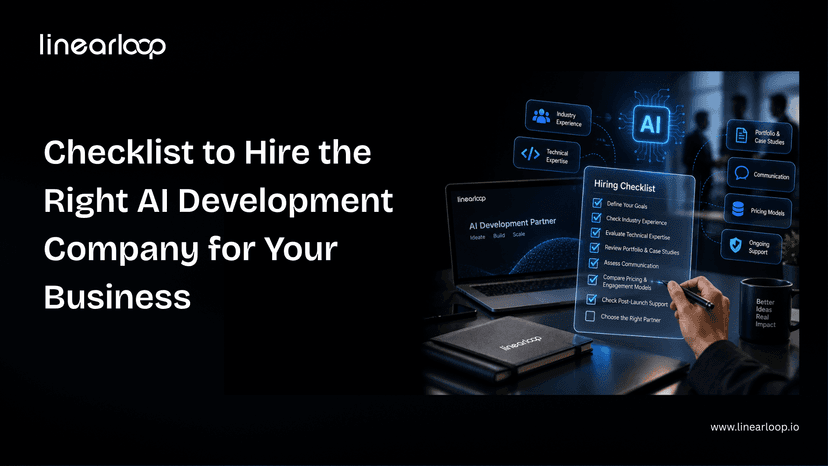
If you are deciding whether to build AI capability in-house or bring in help, our checklist for hiring an AI development company covers what to ask, and our piece on why augmented teams win explains the staffing side.
The next phase of AI in software development is about orchestration, not autocomplete. Three shifts are already visible.
- Specs become the main artefact. When agents write much of the code, the quality of the ticket, the acceptance criteria and the tests decides the quality of the result.
- Review and verification become the bottleneck. Teams will invest more in automated testing, observability and review tooling than in generation tools.
- The senior engineer's role widens. Architecture, system thinking and judgment about risk become more valuable, not less.
AI will not replace software teams. It will widen the gap between teams that engineer their process for AI and teams that just install it. For the organisational side of that gap, read why enterprise AI fails and how to fix it.
Linearloop helps engineering teams turn AI tools into measurable delivery gains, without trading away quality or security.
- AI Readiness Assessment: a short, low-commitment review of your codebase, pipeline and team practices, with a prioritised adoption plan.
- AI Software Development and AI Integration: product engineers who build with AI-assisted workflows every day and can add AI to your existing software.
- AI and Machine Learning Development: LLM, RAG and predictive models built on your own data.
- DevOps and Quality Engineering: CI/CD, automation, performance and security testing that keep AI-generated code safe to ship.
- Dedicated AI-augmented teams: engineers who join your team and bring AI-assisted workflows with them.
- AI Governance & Security: usage policies, data controls and guardrails for regulated teams.
Want to know where AI would make the biggest difference for your team? Talk to our engineers.

Aarav Mehta
Oct 15, 20266 min read
Multimodal AI Agents: Reading Documents, Images, and Screens in Production
Most agent projects start with text. The scoping conversation is clean, the API is clean, and the demo works on the first try.
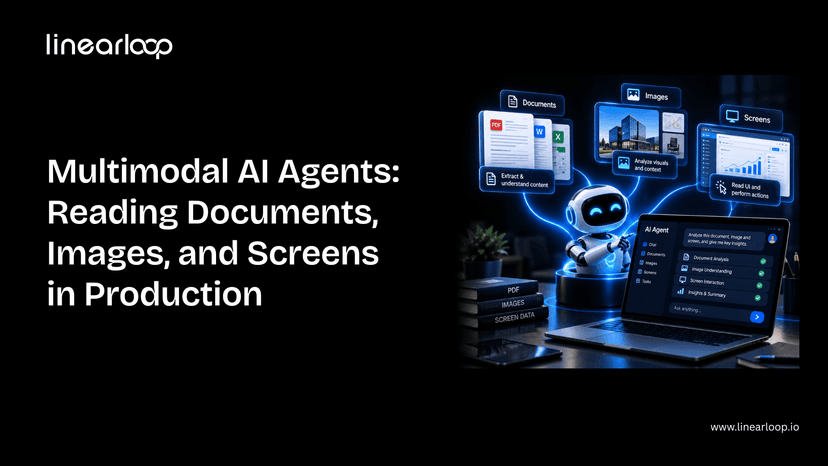
Then the real inputs show up: a scanned invoice, a photo of a damaged part, a legacy dashboard with no API at all. That's where a text-only agent stops being useful, and where multimodal AI agent systems that can read documents, images, and screens, not just process text, start earning their cost.
This guide covers what's actually different about building one of these for production: the components involved, the seven-step build process, where it breaks, and what it costs. It assumes you're already familiar with the core agent loop; if not, start with how to build an AI agent first.
Whether you're a CTO scoping a document-heavy workflow, a product leader evaluating whether this is worth the investment, or an engineer about to build one, this is the structure to work through.
Not every workflow needs multimodal capability. Here's where the two diverge.
| Dimension | Single-Modal (Text) Agent | Multimodal Agent |
Input types | Text only | Text + scanned documents + images + screens |
Data source | Clean APIs, structured fields | Unstructured: scans, photos, UI screenshots |
Failure mode | Misunderstands intent | Misreads a document or misidentifies a UI element |
Evaluation burden | Standard task-level testing | Must test against messy, low-quality real inputs |
Cost per call | Lower (text tokens only) | Higher (image/document tokens) |
Best fit | Structured workflows with existing data feeds | Invoice/PO processing, visual inspection, legacy UI automation |
If your workflow already has clean structured data, a single-modal agent is simpler and cheaper. Multimodal is worth the added complexity specifically when the source of truth is a document, image, or screen with no clean alternative.
- Invoice and PO processing: extracting line items, totals, and vendor details from scanned or photographed documents instead of manual entry.
- Visual inspection against a written standard : comparing a photo of a product, part, or site condition against a spec sheet.
- Screen automation for systems with no API : legacy ERPs, internal dashboards, and third-party tools that only expose a UI.
- Mixed-format document intake : contracts, claims, and applications arriving as PDFs, photos, and handwritten forms in the same queue.
Each of these shares a pattern: the data already exists; it's just not in a form a normal integration can reach.
Don't default to "vision + text + everything." Each modality should map to a real input your agent will encounter.
| Component | What it does |
Vision-capable model | Reads images, scanned pages, and screenshots alongside text |
OCR fallback layer | Catches text a vision model misses dense tables, poor scans, handwriting |
Document parser | Converts extracted content into structured fields your systems can use |
Screen interaction layer | Lets the agent click, type, and navigate a UI it can only see, not query |
Confidence scoring | Flags low-certainty extractions for human review instead of guessing |
Evaluation harness | Tests accuracy specifically on scanned, low-quality, and handwritten input |
This is the same discipline as scoping the core loop in how to build an AI agent, just with a wider read step. Getting the extracted output into a form your other systems can actually use is as much a data infrastructure question as a model one; our AI data stack architecture guide covers how to structure that layer properly.
If you're scoping a document- or screen-reading agent and want a second opinion on architecture before you build, talk to our AI development team.
Frontier models read printed text and clean diagrams near-perfectly. Accuracy drops meaningfully on handwriting, cluttered images, and low-contrast scans.
Test against your worst real documents, not your cleanest ones. This is the same build-vs-buy-vs-fine-tune calculation covered in our CTO guide to AI strategy, applied specifically to vision.
Vision models are good, not infallible. A cheap OCR pass as a secondary check catches errors a pure vision call misses, especially on dense tables and forms.
Define upfront which result wins when OCR and the vision model disagree; this decision is easy to skip during a demo and expensive to skip in production.
A UI redesign breaks an agent built against fixed coordinates or a memorized layout.
Build for the agent to re-orient from what it currently sees, not what it saw last time. This is the layer most teams underestimate, because it works perfectly until the first UI update ships. It's the same reliability challenge covered in our piece on agentic AI and autonomous web systems — an agent has to keep working as its environment changes, not just on day one.
Every extracted field should carry a confidence signal. Route low-confidence extractions to a human instead of letting the agent guess and move on.
This is the multimodal equivalent of the human-in-the-loop checkpoint any production agent needs. The failure mode here is a wrong answer delivered with total confidence.
The evaluation-set trap is worse here than for text agents. An agent tuned only against clean sample scans will look great in review and fail on the crumpled invoice a real user photographs with their phone.
This is exactly the kind of gap shadow traffic testing is built to catch before an agent touches real work, validating behavior against live-like conditions before it's trusted with production traffic.
Image and document input costs meaningfully more per call than text. Cache aggressively, downscale images where resolution doesn't affect accuracy, and route simple extractions to smaller, cheaper models.
Before committing to a larger build, weigh the expected savings against build cost using an AI ROI framework; multimodal projects are easy to over-scope without one.
- OCR and vision extraction disagree : with no defined rule for which one wins, the agent produces inconsistent results silently
- Screen layouts change after a UI update : breaking navigation without any error being thrown.
- High-confidence wrong answers on poor input : the model doesn't know it's guessing on handwriting or low-quality scans.
- Cost blowouts from unnecessary resolution : processing full-resolution images and documents that didn't need it.
- No fallback path for low confidence : extractions that should route to a human get automated anyway because no threshold was defined.
None of these are unique to multimodal agents — they're the same category of gap covered in why DevOps mental models fail for MLOps in production AI, just with a wider set of inputs to account for.
| Step | What to Get Right |
Define modalities | Map each modality to a real input, not a wishlist |
Choose the model | Test against your worst documents, not your best |
Add OCR fallback | Define which result wins on disagreement |
Design for screen drift | Agent re-orients from current state, not memory |
Add confidence scoring | Low confidence routes to a human, not a guess |
Evaluate on ugly inputs | Avoid the clean-sample evaluation trap |
Budget for cost | Cache, downscale, and route to cheaper models where possible |
Multimodal capability doesn't change the fundamentals of building a good agent — it changes what "good input" means and where the failure modes hide. Get the evaluation and confidence-scoring layers right, and the rest is an extension of the same discipline that makes any agent production-ready.
If you're weighing whether to build this in-house or bring in a partner, our guide on what to look for in AI consulting services is a good starting point.
Have a document, image, or screen-reading use case in mind? Contact Linearloop's AI team for a no-pressure scoping conversation.
Aarav Mehta
Sep 24, 20266 min read