New Product Development Process: An In-Depth Guide 2024

Mayank Patel
Aug 13, 2024
6 min read
Last updated Aug 13, 2024

The world of technology is constantly evolving and changing. New products and services are being launched every day, creating new opportunities and challenges for tech companies and their leaders.
But how do you ensure that your new product is successful in the market? How do you manage the risks and uncertainties involved in developing and launching a new product? How do you align your team, resources, and stakeholders with a common vision and goal?
These are some of the questions that every tech leader faces when embarking on a new product development process. In this blog post, we will explore the best practices and strategies for creating and launching a new product in 2024.
We will also share some real-life examples and data from our own experience as a leading software product development company.
A new product development process (NPD) is a systematic and structured approach to designing, developing, testing, and launching a new product or service. It involves a series of steps or stages that aim to transform an idea into a viable and valuable solution for the customers and the business.
A typical NPD process consists of the following stages:
Idea generation
This is the stage where you identify and explore potential opportunities and problems that your new product can solve. You can generate and evaluate ideas through methods like brainstorming, surveys, interviews, focus groups, market research, and competitor analysis.
Concept development
This is the stage where you define and refine the core features and benefits of your new product. You can use various methods and tools to develop and test your concept, such as sketches, prototypes, mockups, wireframes, user stories, etc.
Design and development
This is the stage where you create and implement the technical and functional aspects of your new product. You can use various methods and tools to design and develop your product, such as agile, scrum, waterfall, sprints, coding, testing, debugging, etc.
Testing and validation
This is the stage where you verify and validate the quality and performance of your new product. You can use various methods and tools to test and validate your product, such as alpha, beta, usability, user acceptance, feedback, analytics, etc.
Launch and marketing
This is the stage where you introduce and promote your new product to the market. You can use various methods and tools to launch and market your product, such as pricing, positioning, branding, distribution, advertising, social media, etc.
Also read: How to Understand Your Target Audience
A new product development process is important for several reasons:
- It helps you create a product that meets the needs and expectations of your customers and the market.
- It helps you reduce the risks and uncertainties involved in creating and launching a new product.
- It helps you optimize the time, cost, and quality of your new product.
- It helps you align your team, resources, and stakeholders around a common vision and goal.
- It helps you gain a competitive edge and achieve your business objectives.
A new product development process is not without its challenges and trends. As a tech leader, you need to be aware of the factors that can affect your new product development process in 2024. Some of these factors are:
Customer expectations
Customers are becoming more demanding and sophisticated in their needs and preferences. They expect products that are personalized, convenient, reliable, and secure. They also expect products that are socially and environmentally responsible and ethical.
Market competition
The market is becoming more crowded and competitive, with new entrants and substitutes emerging every day. You need to differentiate your product from the rest and offer a unique value proposition and customer experience.
Technological innovation
Technology is advancing at a rapid pace, creating new possibilities and challenges for product development. You need to keep up with the latest technologies and trends, such as artificial intelligence, blockchain, cloud computing, internet of things, etc. You also need to ensure that your product is compatible and interoperable with other devices and platforms.
Regulatory compliance
The regulatory environment is becoming more complex and dynamic, with new laws and regulations being introduced and updated frequently. You need to comply with the relevant standards and regulations, such as data privacy, security, accessibility, etc. You also need to anticipate and adapt to the potential changes and implications of the regulatory environment.
Organizational culture
The organizational culture is the set of values, beliefs, and behaviors that shape how your team works and interacts. You need to foster a culture that supports and encourages innovation, collaboration, experimentation, and learning. You also need to overcome the potential barriers and conflicts that may arise from different perspectives and interests.
Also read: Best Practices in Product Development
Creating and launching a new product successfully in 2024 requires a strategic and holistic approach that considers the various factors and stages involved in the new product development process. Here are some of the best practices and strategies that you can follow to create and launch a new product successfully in 2024:
Understand your customers and the market
The first and foremost step in creating a new product is to understand your customers and the market. You need to identify and validate the problems and opportunities that your new product can address. You also need to segment and target your customers based on their needs, preferences, and behaviors. You can use various methods and tools to understand your customers and the market, such as personas, customer journeys, value propositions, etc.
Define and communicate your vision and goal
The next step in creating a new product is to define and communicate your vision and goal. You need to articulate the purpose and value of your new product, both for your customers and your business. You also need to set clear and measurable objectives and key results (OKRs) that guide your new product development process. You can use various methods and tools to define and communicate your vision and goal, such as vision statements, mission statements, elevator pitches, etc.
Build and test your minimum viable product (MVP)
The next step in creating a new product is to build and test your minimum viable product (MVP). An MVP is a version of your new product that has the minimum features and functionality required to deliver value to your customers and test your assumptions. You need to build and test your MVP quickly and iteratively, using feedback and data to learn and improve. You can build and test your MVP using approaches like Lean methodology, design thinking, and prototyping.
Scale and optimize your product
The next step in creating a new product is to scale and optimize your product. Once you have validated your MVP, you need to add more features and functionality to your product, based on the customer needs and market demand. You also need to optimize the performance, quality, and usability of your product, using best practices and standards. You can use various methods and tools to scale and optimize your product, such as DevOps, continuous integration, continuous delivery, etc.
Launch and market your product
The final step in creating a new product is to launch and market your product. You need to plan and execute a successful launch strategy that introduces and promotes your product to your target audience and the market. You also need to monitor and measure the results and outcomes of your launch, using metrics and indicators. You can use various methods and tools to launch and market your product, such as product-market fit, go-to-market strategy, growth hacking, etc.
Also read: How to Build an MVP that can raise Funds and Gain Ground
We are a leading IT product development company that provides innovative solutions for various industries. We have extensive experience and expertise in creating and launching new products that meet the needs and expectations of our customers and the market.
We can help you with your new product development process by offering you the following services:
- Consulting: We guide you through every stage of the process, from idea to launch, and help you overcome the challenges and trends in the market.
- Development: We design and develop your product using the latest technologies and methods, and test and validate its quality and performance.
If you are interested in working with us, please contact us. We would love to hear from you and discuss how we can help you with your new product development process.
Thanks for reading. We hope you found this post useful and informative. We would love to hear from you and learn from your experience.

Related Posts
How to Use CodeRabbit and Mutable.ai for Faster PR Reviews
PR reviews and documentation are slow because they are repetitive. The same comments show up in every PR. The same gaps appear in documentation. Engineers spend hours checking naming, structure, and obvious issues instead of focusing on what actually matters, such as system behaviour, edge cases, and long-term impact. Over time, this creates review fatigue, inconsistent documentation, and slower merge cycles.
This is not a tooling problem. It is a workflow problem. Most teams still rely on humans to do predictable work that machines can handle. That is where automation changes the game. This blog breaks down how to shift repetitive PR checks and documentation work to tools like CodeRabbit and Mutable.ai, so your engineers can focus on thinking, not repeating.
Read more: How Limearloop Built a Zero-Loss ERP for a Gold Refinery: Gold VGR ERP Case Study
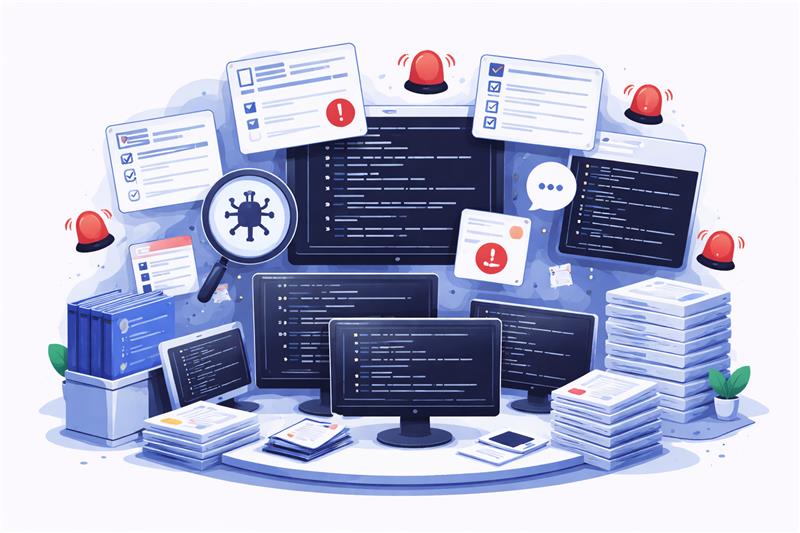
PR reviews are not breaking because engineers lack skill. They are breaking because the process forces them to do the same work repeatedly. Most reviews fail on repetition, context switching, and fatigue. The result is slower merges, inconsistent quality, and senior engineers spending time where it doesn’t matter.
- Reviewers keep checking the same basics: Every PR triggers the same checklist including naming conventions, formatting issues, missing tests, small refactors. These are necessary, but predictable. When humans handle this repeatedly, reviews become mechanical instead of thoughtful.
- Constant context switching kills depth: Reviewers jump between files, comments, diffs, and tools. This fragmentation breaks focus. Instead of analysing system impact, they spend time navigating the codebase and piecing context together.
- Review fatigue reduces review quality: As PR volume increases, attention drops. Reviews become shallow. Important issues slip through because energy is spent on obvious fixes rather than deeper analysis.
- Senior engineers are doing low-leverage work: Highly experienced engineers end up pointing out indentation issues and missing comments. Their time shifts from architecture and decision-making to basic validation tasks.
- Merge cycles slow down unnecessarily: Back-and-forth comments on predictable issues delay approvals. Fixes that could be automated create multiple review cycles, stretching timelines without adding real value.
Read more: Personalization vs Broad UX Changes in Conversion Rate Optimization Services
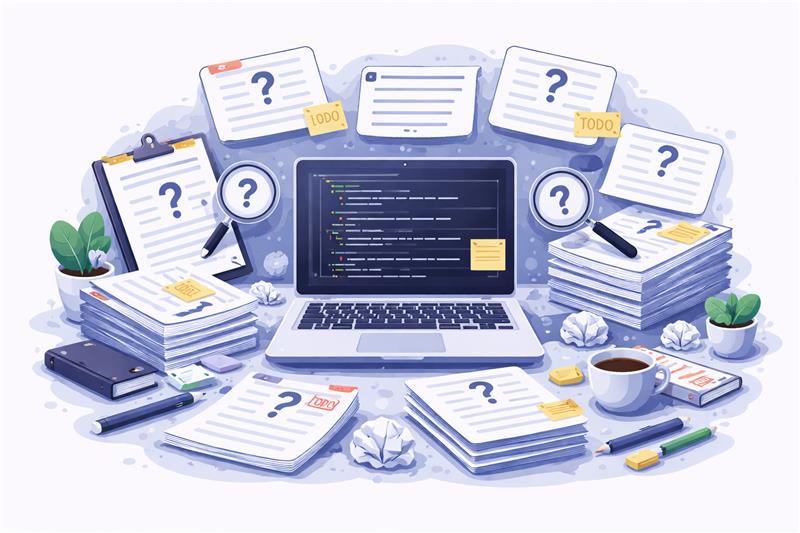
Documentation is incomplete because it is always treated as something that can be done later. Code gets written, reviewed, and shipped under pressure, while documentation is pushed to the side as a non-urgent task. When it is finally written, it is rushed, inconsistent, and often disconnected from the actual implementation. Since it relies entirely on manual effort, every engineer writes differently, follows a different structure, and prioritises it differently, which leads to fragmented and uneven documentation across the codebase.
Most of the real understanding stays in engineers’ heads instead of being captured in the system. New developers don’t rely on documentation because they know it’s outdated. Instead, they rely on people. This slows down onboarding and increases dependency on specific individuals. As the code evolves, documentation rarely keeps up, creating a growing gap between what is written and what actually exists. Over time, documentation stops being useful and starts being ignored.
Read more: Personalization vs Broad UX Changes in Conversion Rate Optimization Services
Boring work in engineering refers to tasks that are repeatable, predictable, and required every single time, regardless of the complexity of the feature. Writing docstrings, adding validations, pointing out naming issues, or leaving basic review comments, these are all necessary to maintain code quality, but they do not require deep thinking or context-heavy decision-making.
The problem is not the work itself, but how often it repeats and how it scales. As the team grows and PR volume increases, these tasks multiply quickly and start consuming a significant portion of engineering time. They don’t demand expertise, but they demand attention, and that attention comes at the cost of higher-value thinking. Over time, engineers spend less time solving problems and more time repeating patterns.
Read more: How to Optimize Demo Request Flows Without Disrupting Sales Infrastructure
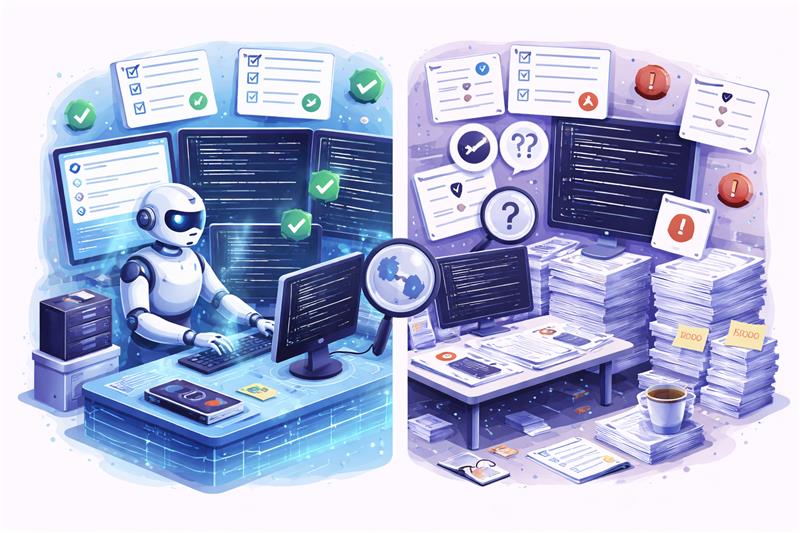
The problem is that the teams are using human effort in the wrong places. Repetitive work does not need intelligence, it needs consistency. That is where machines fit naturally. When you shift repeatable checks and documentation tasks to automation, you free engineers to focus on what actually requires judgment. This is about removing the parts of the workflow that never needed them in the first place.
- CodeRabbit → Handles PR automation
- Runs first-pass reviews instantly
- Flags basic issues, missing tests, and anti-patterns
- Reduces repetitive feedback before human review
- Mutable.ai → Handles documentation automation
- Generates docstrings and code explanations
- Keeps documentation aligned with implementation
- Reduces manual effort and inconsistency
Read more: From Custom Builds to 60 Stores: BVB Media E-Commerce Platform Story
PR reviews slow down because humans are doing the first pass manually, and that first pass is almost always predictable. Most issues flagged in early reviews are repetitive, obvious, and consistent across PRs. This is where CodeRabbit changes the workflow by handling the mechanical layer before a human even looks at the code.
- Automated first-pass reviews remove the obvious work: Instead of waiting for a reviewer to go through the PR line by line, CodeRabbit runs an immediate review as soon as the PR is raised. It catches the kind of issues that reviewers repeatedly point out, allowing the author to address them upfront.
- Detects anti-patterns, missing tests, and style inconsistencies: It identifies common anti-patterns, flags missing or weak test coverage, and highlights deviations from coding standards. These are important checks, but they do not require human judgment every single time.
- Provides inline suggestions that are easy to act on: Feedback is not abstract. It is placed directly within the PR, with clear suggestions that developers can fix without additional back-and-forth, reducing unnecessary review cycles.
- Reduces reviewer workload before human involvement: By the time a human reviewer steps in, the PR is already cleaner. Basic issues are resolved, and the reviewer can focus on deeper concerns like logic, architecture, and edge cases.
- Improves overall PR quality before the review even begins: The baseline quality of every PR increases. Fewer iterations. Fewer comments. More meaningful reviews. The process becomes faster, but more importantly, it becomes more focused.
Read more: Why Some Lead Form Fields Kill Conversion
Documentation breaks because it depends entirely on manual effort, and manual effort is always deprioritised when shipping pressure increases. Engineers focus on writing code that works, not documenting it consistently. This is where Mutable.ai changes the workflow by making documentation a byproduct of writing code, not a separate task that gets delayed or skipped.
- Auto-generates docstrings and explanations as code is written: Instead of expecting engineers to go back and document everything manually, Mutable.ai generates clear docstrings and function-level explanations alongside the code, ensuring that documentation exists from the start rather than being added later.
- Keeps documentation aligned with the actual implementation: Since documentation is generated based on the code itself, it evolves as the code changes. This reduces the common problem where documentation becomes outdated and no longer reflects the current logic.
- Explains logic in a way that supports onboarding: New developers do not need to rely entirely on teammates to understand the codebase. Generated explanations provide immediate context, making it easier to understand what the code is doing and why.
- Reduces dependency on manual writing and individual habits: Different engineers have different documentation styles and priorities. Automation removes this inconsistency by creating a standardised layer of documentation across the codebase.
- Creates a default documentation layer that always exists: Even if no one explicitly writes detailed documentation, there is always a baseline available. This ensures that documentation is never missing, even if it is later refined or expanded.
Read more: Why Teams Optimize Conversion Rate Instead of Revenue
The difference is structural. Most teams are still operating in a workflow where humans handle everything, from basic checks to deep reviews, and documentation sits outside the development flow. Once you shift repetitive work to automation, the entire system becomes faster, cleaner, and more focused.
| Before (manual workflow) | After (automated workflow) |
| Reviews begin with humans checking everything manually, including basic and predictable issues that repeat across every PR. | Reviews begin with automated pre-review, where tools handle the first pass and surface issues before a human gets involved. |
| Feedback loops are repetitive, with the same comments appearing across multiple cycles, slowing down approvals and frustrating both authors and reviewers. | PRs are cleaner from the start, as common issues are already addressed, reducing back-and-forth and accelerating the review process. |
| Documentation is written separately, often delayed or skipped, and rarely stays aligned with the actual implementation over time. | Documentation is generated alongside code, ensuring that it exists by default and stays closer to the current logic. |
| Reviewers spend time on validation and formatting instead of analysing deeper system behaviour and long-term impact. | Humans focus on architecture, edge cases, and decision-making, where their expertise actually creates value. |
Read more: How BeatRoute Connects Brands, Distributors, and Retailers in One System
This is where the shift becomes real. Not in theory, but in how your day-to-day engineering workflow actually changes. The goal is simple—remove repetitive friction before it reaches humans, so reviews become faster, cleaner, and more meaningful.
The workflow still starts the same, but the expectation changes. Code is written with the understanding that the first layer of validation will be automated.
- Focus stays on logic, not formatting
- Less mental load on remembering standards
- Code is prepared for automated checks
As soon as the PR is raised, CodeRabbit performs a first-pass review, catching predictable issues without waiting for human input.
- Flags naming, structure, and style issues
- Identifies missing tests and common anti-patterns
- Surfaces feedback instantly within the PR
Instead of waiting for reviewer comments, developers resolve flagged issues upfront, reducing unnecessary review cycles.
- Faster iteration before human review
- Fewer back-and-forth comments
- Cleaner PR before it is seen by others
Documentation is no longer delayed or skipped. It is created alongside the code, making it part of the development flow.
- Docstrings and explanations are auto-generated
- Logic is captured in real time
- Documentation exists by default, not by effort
By the time a reviewer steps in, the PR is already refined, allowing attention to shift to what actually matters.
- Focus on architecture and system behaviour
- Evaluate edge cases and trade-offs
- Review decisions
With fewer iterations and clearer reviews, approvals happen quicker without compromising quality.
- Reduced cycle time across PRs
- Higher baseline code quality
- More confidence in what gets merged
Read more: How to Build an Async-First Engineering Tool Stack That Scales
Automation removes repetition. It handles predictable checks, but it cannot understand intent, context, or long-term consequences the way engineers do. That layer still belongs to humans, and it is where real engineering value shows up.
- Architecture decisions: Architecture decisions require understanding how different parts of the system interact over time, not just whether the code works today. Choosing patterns, defining boundaries, and ensuring scalability involves context that automation cannot fully grasp, especially when trade-offs affect performance, maintainability, and long-term product evolution.
- Trade-offs and edge cases: Every non-trivial system involves trade-offs between performance, simplicity, cost, and reliability. Edge cases often emerge from real-world usage. Identifying and prioritising these requires experience and judgment, because not every edge case should be solved the same way or at the same level.
- Business logic validation: Code can be syntactically correct and still be functionally wrong. Validating whether the implementation aligns with business requirements, user expectations, and product goals requires domain understanding. This is where engineers connect technical execution with real-world outcomes, something automation cannot reliably interpret on its own.
- Risk and system impact: Changes in one part of the system can have unintended consequences elsewhere. Understanding dependencies, failure scenarios, and potential risks requires a broader system view. Engineers assess how changes behave under load, during failures, or across integrations, which goes beyond what automated checks can safely evaluate.
- Code ownership and accountability: Automation can suggest, but it cannot take responsibility. Engineers own the code they write and review, including its behaviour in production. Accountability involves making decisions, standing by them, and continuously improving the system, which requires human ownership that cannot be delegated to tools.
Read more: How to Build an Async-First Engineering Tool Stack That Scales
When repetitive work is removed, the impact is immediate and structural. Reviews get sharper, documentation becomes usable, and engineering time shifts back to actual problem-solving instead of routine validation.
- Faster PR cycles: PR cycles shorten because basic issues are resolved before human review. Fewer iterations, fewer comments, and quicker approvals. Teams spend less time waiting and more time moving work forward without unnecessary delays or repeated review loops.
- Reduced review fatigue: Reviewers stop wasting energy on repetitive checks. Their focus shifts to logic, architecture, and system behaviour. This reduces mental fatigue and improves consistency, because attention is no longer diluted across low-value validation tasks.
- Better consistency across codebase: Automation applies the same standards across every PR without variation. This removes inconsistency caused by individual preferences or oversight. The codebase becomes more predictable, easier to navigate, and simpler to maintain as it grows.
- Improved onboarding speed: New engineers understand the codebase faster because documentation is always present and aligned. They rely less on people and more on the system. This reduces dependency and shortens the time it takes to become productive.
- Stronger knowledge sharing: Knowledge moves from individuals into the system. Documentation stays updated and accessible, reducing gaps and making collaboration easier across teams, even as the codebase and team size increase.
- More time for deep work: Engineers spend less time on predictable tasks and more time on complex problem-solving. Time shifts from repetition to thinking, which improves both productivity and the quality of engineering decisions.
Read more: Multi-File Refactoring with AI: Cursor vs Windsurf vs Copilot
PR reviews and documentation do not need more effort. They need a better workflow. Most teams are still using engineers for predictable work that machines can handle, which slows everything down and reduces the quality of what actually matters. When you remove repetition from the system, reviews become focused, documentation becomes reliable, and engineering time shifts back to decision-making and problem-solving.
This is exactly where Linearloop fits. Not as a tool layer, but as a workflow rethink. We help teams redesign how reviews, documentation, and engineering processes actually work—so automation handles the predictable, and your engineers focus on what moves the system forward.

Mayank Patel
Apr 6, 20265 min read
Why Developers Lose Productivity After Weekends (And How To Fix It)
The modern engineering workflow carries an overlooked inefficiency that becomes most visible after a break. Developers return to the same codebase, the same tasks, and the same systems, yet struggle to resume meaningful progress. The gap is not in execution, but in cognition. What is lost is not code, but context.
This reveals a fundamental issue in how productivity is currently approached. Most systems optimise for speed of output, while neglecting continuity of understanding. As a result, developers spend a significant portion of time reconstructing decisions, dependencies, and intent before they can proceed. Productivity, therefore, is not constrained by how fast work is done, but by how quickly thinking can be resumed.
Also Read: How Univia Built a Scalable AgriTech System
What disappears after a break is not code, but context. The system remains intact, yet the reasoning behind it fades. Developers lose track of active decisions, underlying assumptions, and how different parts of the system connect. What was once a clear mental model becomes fragmented. Resuming work, therefore, begins with reconstruction.
→ Active decisions lose clarity
→ Assumptions become invisible
→ System relationships break
→ In-progress thinking resets
This is a cognitive gap. Most systems store code and track tasks, but they do not preserve intent. As a result, developers must rebuild understanding before they can proceed.
Context rebuilding replaces forward progress. This reconstruction is expensive. Developers spend hours scanning code, pull requests, and tickets just to reorient themselves. The cost compounds quickly, resulting in delays increasing, errors becoming more likely, and the same decisions being revisited. Execution slows down, because continuity is missing.
Also Read: Multi-File Refactoring with AI: Cursor vs Windsurf vs Copilot
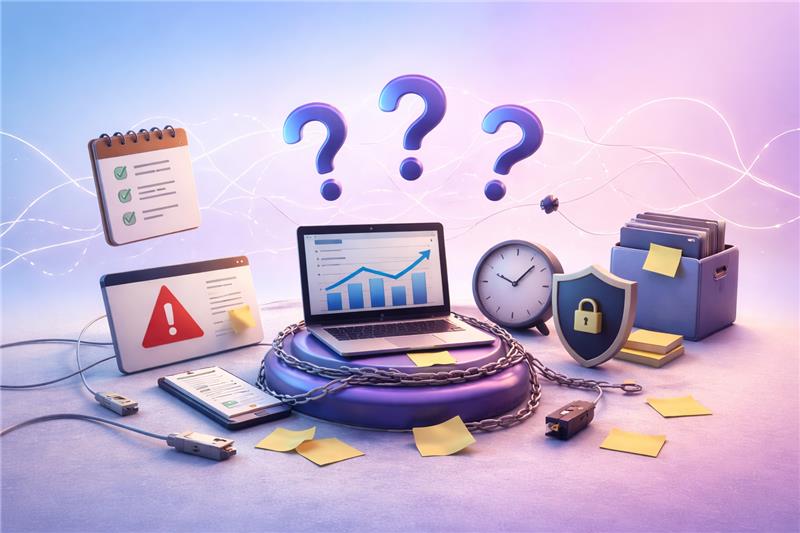
The limitation is what the tools are designed to optimise. Most productivity systems are built around execution, containing writing, deploying, and tracking, while continuity of understanding remains unaddressed. As a result, they support doing work, but not resuming it.
- Tools optimise for execution: IDEs, task managers, and CI pipelines are structured around action. They help developers write code, track tasks, and ship changes. However, they do not retain the reasoning behind those actions. Intent, assumptions, and intermediate thinking are not captured, making it difficult to reconstruct context after a break.
- Documentation fails in real workflows: Documentation is expected to bridge this gap, but it rarely reflects the current state of the system. It is often outdated, overly generic, or disconnected from actual implementation decisions. As a result, developers do not rely on it when resuming work, and instead return to the codebase to rebuild understanding manually.
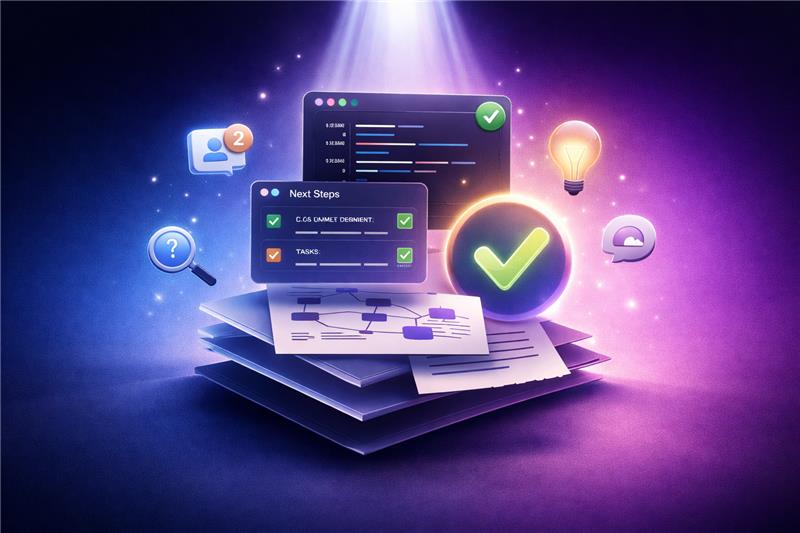
Resuming work after a break should not require reconstruction. A well-designed workflow allows developers to re-enter the system with clarity. The current state of work, the intent behind recent changes, and the next logical step should be immediately visible. The experience should feel continuous, as if no interruption occurred, rather than requiring effort to rebuild understanding.
This continuity is reflected through clear signals. The last working checkpoint is identifiable, recent decisions are traceable, and system relationships remain visible. Minimal re-reading is required, and dependencies do not need to be rediscovered. When context is preserved, developers do not spend time figuring out where they are. They proceed directly with what needs to be done.
Also Read: How to Optimise Demo Request Flows Without Disrupting Sales Infrastructure
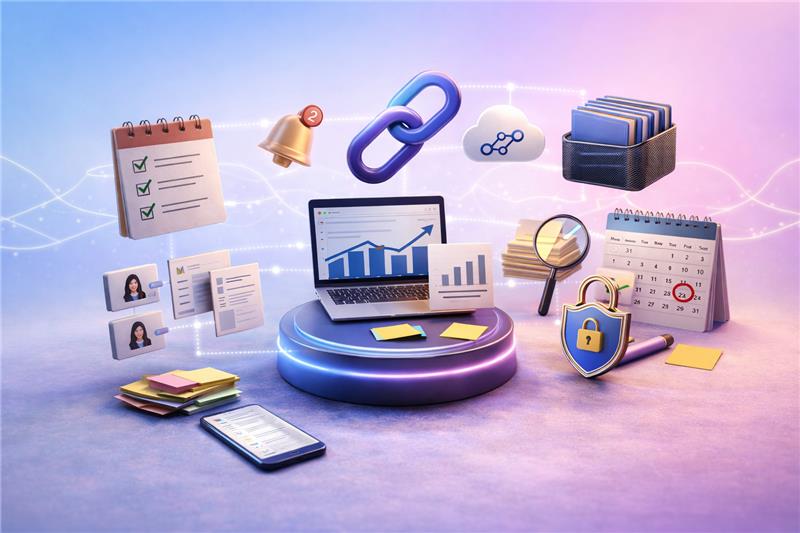
Context loss is not addressed by a single tool, but by how systems preserve and reconstruct understanding across workflows. The objective is to reduce the effort required to resume thinking. This requires tools that capture intent, surface relationships, and make recent changes interpretable without manual reconstruction.
- Context capture tools: These tools preserve the state of work at a specific point in time. They capture checkpoints, notes, and intermediate decisions, allowing developers to return to a clear snapshot of what was in progress and what remained unresolved.
- Code understanding tools: These tools help reconstruct system understanding directly from the codebase. They summarise structure, dependencies, and behaviour, reducing the need for deep manual inspection when reorienting after a break.
- Change intelligence tools: These tools make recent changes interpretable. They summarise commits and pull requests, enabling developers to understand what changed and why without scanning history in detail.
- Workflow memory systems: These systems capture decision context alongside tasks. They document why choices were made and how work connects, creating a persistent record of reasoning that supports resumption.
- System visualisation tools: These tools externalise architecture and dependencies. By representing system relationships visually, they reduce the cognitive effort required to rebuild mental models.
Also Read: Modern AI Data Stack Architecture Explained for Enterprises
The difference between ineffective and effective workflows becomes visible after a break. In most cases, developers do not resume work; they reconstruct it. Time is spent scanning code, revisiting pull requests, and reconnecting context before progress begins. This is a continuity gap.
A context-aware workflow removes this friction. It makes the state of work, recent changes, and intent immediately accessible. Reorientation is reduced, and execution follows without delay.
- Before: Typical Monday restart
Work begins with uncertainty. Developers scan code, review pull requests, and revisit tasks to understand where they left off. Context is fragmented, and time is spent reconstructing intent before any progress is made.
- After: Context-aware workflow
Work begins with clarity. The last checkpoint is visible, changes are summarised, and intent is accessible. Developers resume directly, without rebuilding context.
The difference is not in tooling volume, but in how workflows are designed. High-performing teams do not optimise only for execution speed. They structure systems to preserve context, reduce rethinking, and maintain continuity across interruptions. As a result, resuming work becomes predictable.
- They design for continuity: These teams prioritise how work is resumed, not just how it is executed. Systems are structured to make the current state, recent changes, and next steps immediately visible. The focus is on reducing reorientation time rather than increasing output velocity.
- They capture decisions: Instead of only tracking tasks and code changes, they document the reasoning behind them. Decisions, trade-offs, and assumptions are recorded as part of the workflow. This creates a reliable reference point when work is resumed, eliminating the need to infer intent.
- They reduce cognitive load structurally: Cognitive load is addressed at the system level. Dependencies are visible, workflows are predictable, and context is not scattered across tools. This reduces the need for repeated interpretation and allows developers to focus on execution without rebuilding understanding.
Tool selection often focuses on features and integrations, but the more relevant criterion is how effectively a tool preserves and restores context. The goal is to reduce the effort required to resume meaningful work. Tools should be evaluated based on their ability to retain intent, surface relationships, and make recent changes interpretable without manual reconstruction.
- Evaluate based on context preservation: Assess whether the tool helps answer three questions immediately: Where work stopped, why it was structured that way, and what should happen next. Tools that require additional interpretation or cross-referencing increase cognitive load rather than reduce it.
- What to prioritise vs ignore:
| Prioritise | Ignore |
| Tools that capture intent alongside actions | Tools focused only on speed of execution |
| Systems that make recent changes interpretable | Tools that require ma |
| Workflows that expose dependencies clearly | Tools that fragment context across multiple layers |
| Platforms that retain decision history | Tools that only track tasks without reasoning |
The loss of productivity after a break is not caused by lack of effort, but by loss of context. When workflows fail to preserve intent, developers are forced to reconstruct understanding before they can proceed. This shifts time away from execution towards reorientation, making continuity the primary constraint on productivity.
Addressing this requires a shift in how systems are designed. Instead of optimising only for speed, workflows must be structured to retain and surface context consistently. This is where Linearloop focuses on, building engineering systems that reduce cognitive overhead and enable teams to resume work with clarity.
Mayank Patel
Apr 3, 20265 min read