We're officially a Great Place To Work® certified company, India | 2026–27

Aarav Mehta
Oct 15, 2026
6 min read
Last updated Oct 15, 2026
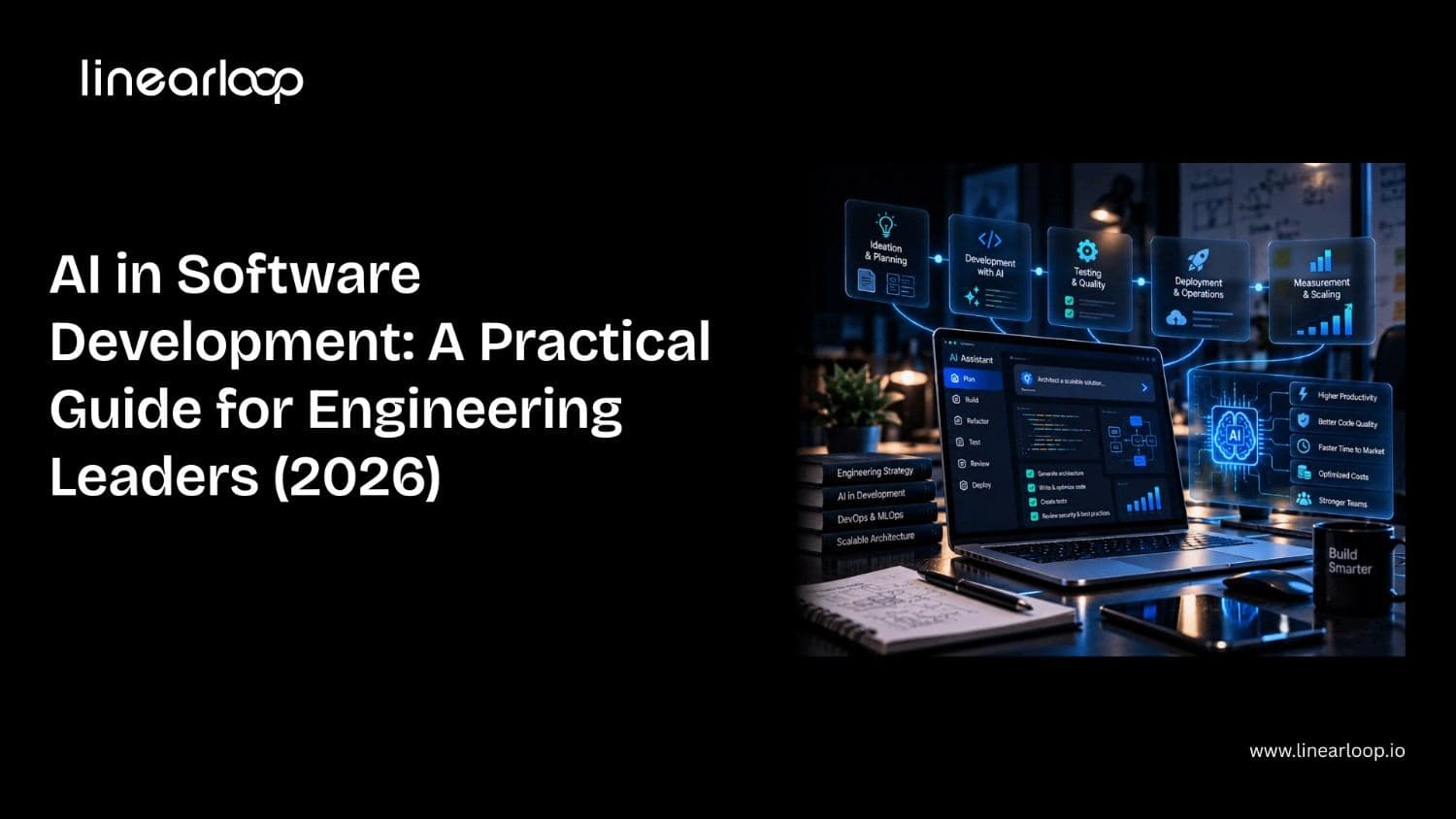
AI in software development is no longer an experiment. In Google's 2025 DORA research, 90% of software professionals said they use AI at work. Yet in Stack Overflow's 2025 survey, 46% of developers said they don't trust the accuracy of what AI tools produce.
That gap is the real story. Almost every team now has AI tools. Far fewer have turned them into faster, safer delivery.
This guide is written for CTOs, engineering managers and founders who want the practical view. It covers what AI in software development actually means, where it helps across the lifecycle, what AI code generation can and can't do, which tools matter, the challenges teams hit, and a playbook for adopting AI without wrecking quality.
AI in software development is the use of machine learning and large language models (LLMs) to help plan, write, review, test, ship and maintain software. The AI works inside the engineering workflow, not inside the product you ship.
That distinction matters. Building an AI feature into your product, like a customer chatbot, is a different job; we cover it in our guide to AI software development, and it is what our AI development services deliver. Using AI to help your engineers build any product faster is AI in software development. This guide is about the second.
Today, AI shows up in three distinct modes:
| Mode | What the AI does | Who stays in control | Typical examples |
Assistive | Suggests the next lines, answers questions in chat | Developer accepts or rejects every suggestion | Inline autocomplete, IDE chat |
Collaborative | Edits several files, explains code, drafts tests and PR reviews | Developer directs the task and reviews the diff | AI-native editors, PR review bots |
Agentic | Plans and executes a multi-step task end to end: reads the repo, writes code, runs tests, opens a PR | Developer sets the goal and approves the result | Coding agents in the terminal or CI |
Most teams are somewhere between the first two. The move toward the third is where most of the opportunity, and most of the risk, now sits.
AI helps most where work is repetitive, well-specified and easy to verify. It helps least where the work depends on business context nobody wrote down. Here is how that plays out across the software development lifecycle.
| SDLC stage | Where AI helps | Where humans still lead |
Discovery and requirements | Turning meeting notes into user stories, spotting gaps and contradictions in specs, drafting acceptance criteria | Deciding what to build and why |
Architecture and design | Comparing options, generating diagrams, drafting ADRs, quick UI prototypes | Trade-offs around scale, cost, security and team skills |
Coding | Boilerplate, CRUD endpoints, migrations, refactors, translating between languages | Core domain logic and anything with unclear requirements |
Code review | First-pass PR review, style and bug-pattern checks, summarising large diffs | Approving design decisions and catching wrong assumptions |
Testing | Generating unit tests, test data, edge cases and E2E scripts; flagging flaky tests | Deciding what quality means and what risk is acceptable |
DevOps and release | Writing CI/CD config and IaC, explaining failed builds, summarising incidents | Release decisions and production access |
Maintenance | Explaining legacy code, upgrading dependencies, writing docs from code | Deciding what to modernise and in what order |
The pattern is consistent. AI accelerates execution. Humans remain accountable for judgment. This is the same principle behind our approach to product engineering.
One practical note from our own delivery work: the stages around coding often benefit more than coding itself. Test generation, PR summaries and legacy-code explanation are low-risk, easy to verify, and save real hours every week. They work best on top of a reliable pipeline; if yours needs attention, start with our guide to cost-efficient CI/CD pipeline design or talk to our DevOps services team.
AI code generation is the most visible use of AI in software development, and the most misunderstood. It is very good at producing code that looks right. Whether that code is right depends on the task and on the reviewer.
An LLM predicts the most likely code given the context it can see: the open file, nearby files, your prompt, and sometimes the wider repo through indexing. Better context produces better code. That is why codebase-aware editors and agents outperform plain chat for real projects.
Treat AI-generated code like code from a fast, confident new hire. It is useful, often impressive, and always reviewed. Teams that skip review usually get speed now and incidents later. If your team is moving toward prompt-first development, our guide to the vibe coding workflow explains where it fits and where it doesn't.
Generative AI in software development has moved through three waves in about four years. Each wave hands the AI a bigger unit of work.
The third wave is where engineering leaders should focus in 2026. A coding agent works on the same principles as any AI agent: it plans, uses tools and checks its own results. Agents can now connect to issue trackers, repos, CI pipelines and docs through standards such as the Model Context Protocol (MCP). That lets them act across the workflow instead of inside one editor.
Agents change the job of a senior engineer. Less time goes into typing code. More goes into writing clear specs, breaking work into agent-sized tasks, reviewing output and protecting architecture. We describe this shift as loop engineering: designing the feedback loops that keep AI output correct.
Agents also raise the stakes on review. An agent can open ten PRs in the time a person opens one. Without automated checks and a review process that scales, that speed turns into a review backlog or, worse, unreviewed merges. AI review tools can help with the first pass; our breakdown of PR review automation with CodeRabbit and MutableAI covers what they catch and miss.
The right AI tools for software development depend on the job, not the brand. Pick by category first, then compare vendors inside it.
| Category | What it does | Popular tools | Best fit |
IDE coding assistants | Inline completion and chat inside the editor | GitHub Copilot, Gemini Code Assist, Amazon Q Developer | Every team, as a baseline |
AI-native editors | Codebase-aware, multi-file edits from natural language | Cursor, Windsurf | Product teams shipping features weekly |
Coding agents | Take a task end to end and open a PR | Claude Code, OpenAI Codex, GitHub Copilot coding agent | Well-tested repos with clear tickets |
AI code review | First-pass review and summaries on pull requests | CodeRabbit, GitHub Copilot code review | Teams with review bottlenecks |
Security scanning | Flags vulnerable patterns and risky dependencies | Snyk Code, Semgrep, SonarQube | Mandatory once AI writes production code |
Test automation | Generates and maintains tests, visual checks | Mabl, Testim, Applitools | QA-heavy and UI-heavy products |
Documentation | Generates and updates docs from code | Mintlify, built-in assistant features | API and developer-facing products |
Three buying tips:
The benefits are real, but they are not automatic. Google's 2025 DORA report links AI adoption to higher delivery throughput, and 59% of respondents said AI improved their code quality. The same research describes AI as an amplifier: strong teams get stronger, while teams with weak practices see their problems grow.
Where teams with good foundations see gains:
Notice what is missing: a single productivity percentage. Published numbers range from large speed-ups to measurable slowdowns, depending on the task, codebase and developer. The only number that matters is the one you measure on your own team.
The challenges of AI in software development are mostly organisational, not technical. The tools work. The hard part is fitting them into how a team plans, reviews and ships.
Usage is up while trust is down. Stack Overflow's 2025 survey found 84% of developers use or plan to use AI tools, but 46% distrust the accuracy of the output, up from 31% a year earlier. Low trust leads to double work: engineers generate code, then rewrite it. The same pattern shows up at the leadership level, as we explain in why executives don't trust AI and how to fix it.
AI writes insecure code at a worrying rate, as the Veracode findings above show. It also tends to duplicate logic instead of reusing it, which quietly grows technical debt.
Developers often feel faster than they are. The METR study is the clearest example: participants estimated a 20% speed-up after finishing tasks that had actually taken them 19% longer. Feelings are not a metric.
AI moves work from writing to reviewing. If review capacity doesn't grow, PRs queue up and senior engineers burn out.
Some tools send code to external servers. For regulated industries such as healthcare and fintech, that needs legal and security sign-off before anyone installs a plugin. Where code can't leave your environment, consider self-hosted models; our guide on how to deploy private LLMs securely walks through the options.
Juniors can lean on AI before they understand the fundamentals. Seniors can resist tools that feel imposed. We dig into this in why AI adoption breaks down in high-performing engineering teams.
The teams that get value from AI fix their foundations first, then add tools. This is the sequence we follow with clients.
If you are deciding whether to build AI capability in-house or bring in help, our checklist for hiring an AI development company covers what to ask, and our piece on why augmented teams win explains the staffing side.
The next phase of AI in software development is about orchestration, not autocomplete. Three shifts are already visible.
AI will not replace software teams. It will widen the gap between teams that engineer their process for AI and teams that just install it. For the organisational side of that gap, read why enterprise AI fails and how to fix it.
Linearloop helps engineering teams turn AI tools into measurable delivery gains, without trading away quality or security.
Want to know where AI would make the biggest difference for your team? Talk to our engineers.

Aarav Mehta
AI & Technology Strategist
Aarav Mehta is an AI & Technology Strategist sharing practical insights on artificial intelligence, software development, automation, emerging tech, and digital innovation.
Multimodal AI Agents: Reading Documents, Images, and Screens in Production
Most agent projects start with text. The scoping conversation is clean, the API is clean, and the demo works on the first try.
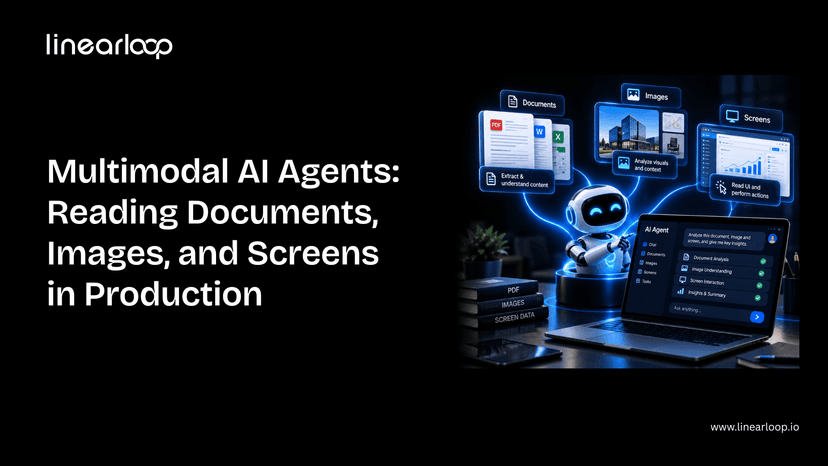
Then the real inputs show up: a scanned invoice, a photo of a damaged part, a legacy dashboard with no API at all. That's where a text-only agent stops being useful, and where multimodal AI agent systems that can read documents, images, and screens, not just process text, start earning their cost.
This guide covers what's actually different about building one of these for production: the components involved, the seven-step build process, where it breaks, and what it costs. It assumes you're already familiar with the core agent loop; if not, start with how to build an AI agent first.
Whether you're a CTO scoping a document-heavy workflow, a product leader evaluating whether this is worth the investment, or an engineer about to build one, this is the structure to work through.
Not every workflow needs multimodal capability. Here's where the two diverge.
| Dimension | Single-Modal (Text) Agent | Multimodal Agent |
Input types | Text only | Text + scanned documents + images + screens |
Data source | Clean APIs, structured fields | Unstructured: scans, photos, UI screenshots |
Failure mode | Misunderstands intent | Misreads a document or misidentifies a UI element |
Evaluation burden | Standard task-level testing | Must test against messy, low-quality real inputs |
Cost per call | Lower (text tokens only) | Higher (image/document tokens) |
Best fit | Structured workflows with existing data feeds | Invoice/PO processing, visual inspection, legacy UI automation |
If your workflow already has clean structured data, a single-modal agent is simpler and cheaper. Multimodal is worth the added complexity specifically when the source of truth is a document, image, or screen with no clean alternative.
Each of these shares a pattern: the data already exists; it's just not in a form a normal integration can reach.
Don't default to "vision + text + everything." Each modality should map to a real input your agent will encounter.
| Component | What it does |
Vision-capable model | Reads images, scanned pages, and screenshots alongside text |
OCR fallback layer | Catches text a vision model misses dense tables, poor scans, handwriting |
Document parser | Converts extracted content into structured fields your systems can use |
Screen interaction layer | Lets the agent click, type, and navigate a UI it can only see, not query |
Confidence scoring | Flags low-certainty extractions for human review instead of guessing |
Evaluation harness | Tests accuracy specifically on scanned, low-quality, and handwritten input |
This is the same discipline as scoping the core loop in how to build an AI agent, just with a wider read step. Getting the extracted output into a form your other systems can actually use is as much a data infrastructure question as a model one; our AI data stack architecture guide covers how to structure that layer properly.
If you're scoping a document- or screen-reading agent and want a second opinion on architecture before you build, talk to our AI development team.
Frontier models read printed text and clean diagrams near-perfectly. Accuracy drops meaningfully on handwriting, cluttered images, and low-contrast scans.
Test against your worst real documents, not your cleanest ones. This is the same build-vs-buy-vs-fine-tune calculation covered in our CTO guide to AI strategy, applied specifically to vision.
Vision models are good, not infallible. A cheap OCR pass as a secondary check catches errors a pure vision call misses, especially on dense tables and forms.
Define upfront which result wins when OCR and the vision model disagree; this decision is easy to skip during a demo and expensive to skip in production.
A UI redesign breaks an agent built against fixed coordinates or a memorized layout.
Build for the agent to re-orient from what it currently sees, not what it saw last time. This is the layer most teams underestimate, because it works perfectly until the first UI update ships. It's the same reliability challenge covered in our piece on agentic AI and autonomous web systems — an agent has to keep working as its environment changes, not just on day one.
Every extracted field should carry a confidence signal. Route low-confidence extractions to a human instead of letting the agent guess and move on.
This is the multimodal equivalent of the human-in-the-loop checkpoint any production agent needs. The failure mode here is a wrong answer delivered with total confidence.
The evaluation-set trap is worse here than for text agents. An agent tuned only against clean sample scans will look great in review and fail on the crumpled invoice a real user photographs with their phone.
This is exactly the kind of gap shadow traffic testing is built to catch before an agent touches real work, validating behavior against live-like conditions before it's trusted with production traffic.
Image and document input costs meaningfully more per call than text. Cache aggressively, downscale images where resolution doesn't affect accuracy, and route simple extractions to smaller, cheaper models.
Before committing to a larger build, weigh the expected savings against build cost using an AI ROI framework; multimodal projects are easy to over-scope without one.
None of these are unique to multimodal agents — they're the same category of gap covered in why DevOps mental models fail for MLOps in production AI, just with a wider set of inputs to account for.
| Step | What to Get Right |
Define modalities | Map each modality to a real input, not a wishlist |
Choose the model | Test against your worst documents, not your best |
Add OCR fallback | Define which result wins on disagreement |
Design for screen drift | Agent re-orients from current state, not memory |
Add confidence scoring | Low confidence routes to a human, not a guess |
Evaluate on ugly inputs | Avoid the clean-sample evaluation trap |
Budget for cost | Cache, downscale, and route to cheaper models where possible |
Multimodal capability doesn't change the fundamentals of building a good agent — it changes what "good input" means and where the failure modes hide. Get the evaluation and confidence-scoring layers right, and the rest is an extension of the same discipline that makes any agent production-ready.
If you're weighing whether to build this in-house or bring in a partner, our guide on what to look for in AI consulting services is a good starting point.
Have a document, image, or screen-reading use case in mind? Contact Linearloop's AI team for a no-pressure scoping conversation.

Aarav Mehta
Sep 24, 20266 min read
Checklist to Hire the Right AI Development Company for Your Business
AI has moved from an experimental line item to a core part of how businesses compete. Companies now use it to forecast demand, automate support, personalize products, and cut manual work out of everyday operations.
The harder problem isn't whether to adopt AI it's who to trust with it. Hundreds of vendors claim expertise in machine learning, natural language processing, and generative AI, but claims and delivery are two very different things.
Choose the wrong AI development company and you end up with a stalled pilot, a system nobody on your team can maintain, or a model that never reaches production. Choose the right one, and AI becomes a real driver of efficiency and revenue.
This checklist walks through what actually separates a capable AI partner from one that just sounds capable. Whether you're a founder scoping your first pilot, a CTO comparing vendors for an enterprise rollout, or a product leader trying to sanity-check a proposal, this is the structure to work through before you sign anything.
The technology rarely fails on its own. Projects fail when the team behind them lacks the process to turn a model into something reliable, secure, and maintainable in production.
A strong partner connects AI development services to a real business outcome, architects for scale from day one, and integrates cleanly with the systems you already run. A weaker one treats every engagement as a one-off experiment which is exactly why so many AI initiatives never make it past the proof-of-concept stage. Our breakdown of why enterprise AI fails and how to fix it goes deeper into the specific failure patterns.
Working with an experienced artificial intelligence development company doesn't just reduce technical risk — it reduces the risk of spending months on something that never ships.
Not every software partner is equipped to run an AI project. Here's where the two typically diverge.
| Dimension | General Software Vendor | Dedicated AI Development Company |
Core skill set | Application development, integrations | ML engineering, data science, MLOps |
Handling of data | Treats data as static input | Builds pipelines for training, retraining, drift monitoring |
Production readiness | Ships a working feature | Ships a monitored, retrainable system |
Compliance depth | General security practices | Model-specific: bias testing, explainability, data lineage |
Post-launch plan | Bug fixes and feature requests | Model monitoring, retraining, performance tracking |
Typical failure mode | Feature works but doesn't scale | — (this is the profile you want) |
If your project is primarily an integration or a standard web/mobile build, a general vendor may be the right fit. If it depends on a model that has to keep performing after launch, you need the right column.
Start with the problem, not the technology. Are you trying to reduce churn, catch fraud earlier, automate a manual workflow, or personalize recommendations? Vague goals produce vague proposals, and vague proposals are hard to evaluate against each other.
A clear problem statement also makes it much easier to tell whether a vendor's AI development services actually match your use case rather than a generic pitch retrofitted to sound relevant.
Look for range, not just a single specialty. A team that can move across machine learning, NLP, computer vision, and generative AI can adapt as your project evolves.
Ask for real examples: datasets they've worked with, frameworks they've deployed, and problems similar to yours that they've actually solved not just technologies listed on a slide. If you're still narrowing down what "expertise" should even mean for your use case, our guide on what to look for in AI consulting services is a useful gut-check before you get to a shortlist.
Building a model is one thing. Building one that respects the constraints of your industry is another — healthcare needs partners familiar with patient data regulations, retail needs demand forecasting and personalization experience, financial services needs a different risk posture entirely.
Ask for case studies or references from businesses like yours. A machine learning development company that has already solved a version of your problem is a much safer bet than one starting from zero.
AI projects need more than a single "AI person." Look for a mix of data scientists, ML engineers, solution architects, and DevOps specialists who know how to hand work off to each other.
Ask how they run the development cycle and whether the roles are actually staffed or just listed in a capabilities deck. A fragmented team is one of the most common reasons projects stall mid-build — and it's also why talent scarcity is pushing more companies toward augmented teams rather than trying to hire every specialist in-house.
The tools a company relies on tell you a lot about how they'll support you long-term.
| Layer | Example Tools |
Cloud | AWS, Azure, Google Cloud |
Frameworks | TensorFlow, PyTorch, Scikit-learn |
MLOps | MLflow, Kubeflow, DataRobot |
A partner working with modern, well-documented tools can move faster and hand off cleaner systems than one relying on outdated or overly custom infrastructure. Most AI projects don't actually fail at the model they fail at the data layer underneath it. Our AI data stack architecture guide covers what a production-ready stack needs before a single model gets trained.
Ask directly: how is data stored, who can access it, and how is the model's behavior tested for bias? A company offering serious AI development services should be able to speak to GDPR, HIPAA, or whatever standard applies to your industry without hesitation.
If security and data residency are a real concern which they usually are once regulated data enters the picture our guide to deploying private LLMs securely walks through the trade-offs between hosted and private deployment. If a vendor is vague about security or avoids the compliance conversation entirely, treat that as a warning sign, not a technicality to sort out later.
Most failed engagements trace back to poor communication, not poor technology. Ask how the team runs updates regular standups, sprint reviews, shared dashboards and whether their working hours realistically overlap with yours.
A partner that communicates clearly from the first call is far more likely to flag problems early instead of letting them compound.
Fixed-price, time-and-materials, and dedicated-team models all have different trade-offs depending on how well-defined your project is. Our comparison of time and materials vs. fixed-price models breaks down when each one actually makes sense.
Rather than anchoring on the lowest quote, weigh what's included: ongoing support, scalability, and the engineering quality behind the number. Cheap AI development outsourcing that produces a system you have to rebuild in a year isn't actually cheap.
A model's job doesn't end at launch — data drifts, usage patterns shift, and accuracy degrades without monitoring and retraining. Ask how the company handles model drift, performance tracking, and infrastructure scaling once the system is live.
This is also where it's worth asking how success will actually be measured. Our executive's guide to measuring AI ROI is a good reference for the metrics that matter once a model is in production rather than in a demo.
Even with a strong checklist, it helps to know the traps businesses commonly fall into:
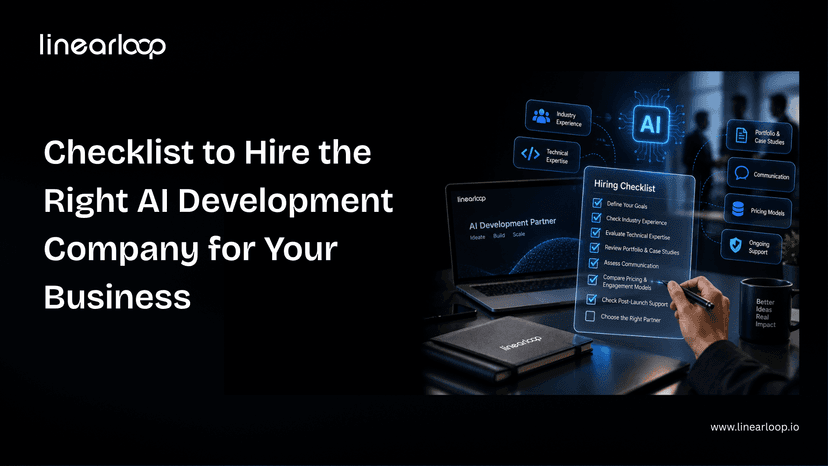
| Point | What to Check |
Goals | Clear business problem and measurable outcomes |
Technical Expertise | Range across ML, NLP, CV, generative AI |
Industry Experience | Case studies in your sector |
Team Structure | Data scientists, engineers, architects, DevOps |
Tech Stack | Current frameworks, cloud platforms, MLOps tools |
Compliance | GDPR, HIPAA, bias testing, ethical AI |
Communication | Transparent updates, collaborative workflow |
Pricing | Value-focused, not just lowest bid |
Support | Monitoring, retraining, scaling after launch |
Red Flags | Vague answers, weak security, poor responsiveness |
Hiring the right AI development company comes down to evidence over promises: a clear problem statement, proven technical range, a real team behind the work, and a track record of shipping to production rather than just prototyping.
None of these ten points are hard to check. What separates businesses that get a working AI system from those that don't is usually just whether they actually asked.
If you're evaluating partners for your next AI initiative, talk to the team at Linearloop about your specific goals. We're happy to walk through how we'd approach them, no pitch deck required.
Aarav Mehta
Sep 14, 20266 min read