We're officially a Great Place To Work® certified company, India | 2026–27

Aarav Mehta
Sep 3, 2026
6 min read
Last updated Sep 15, 2026
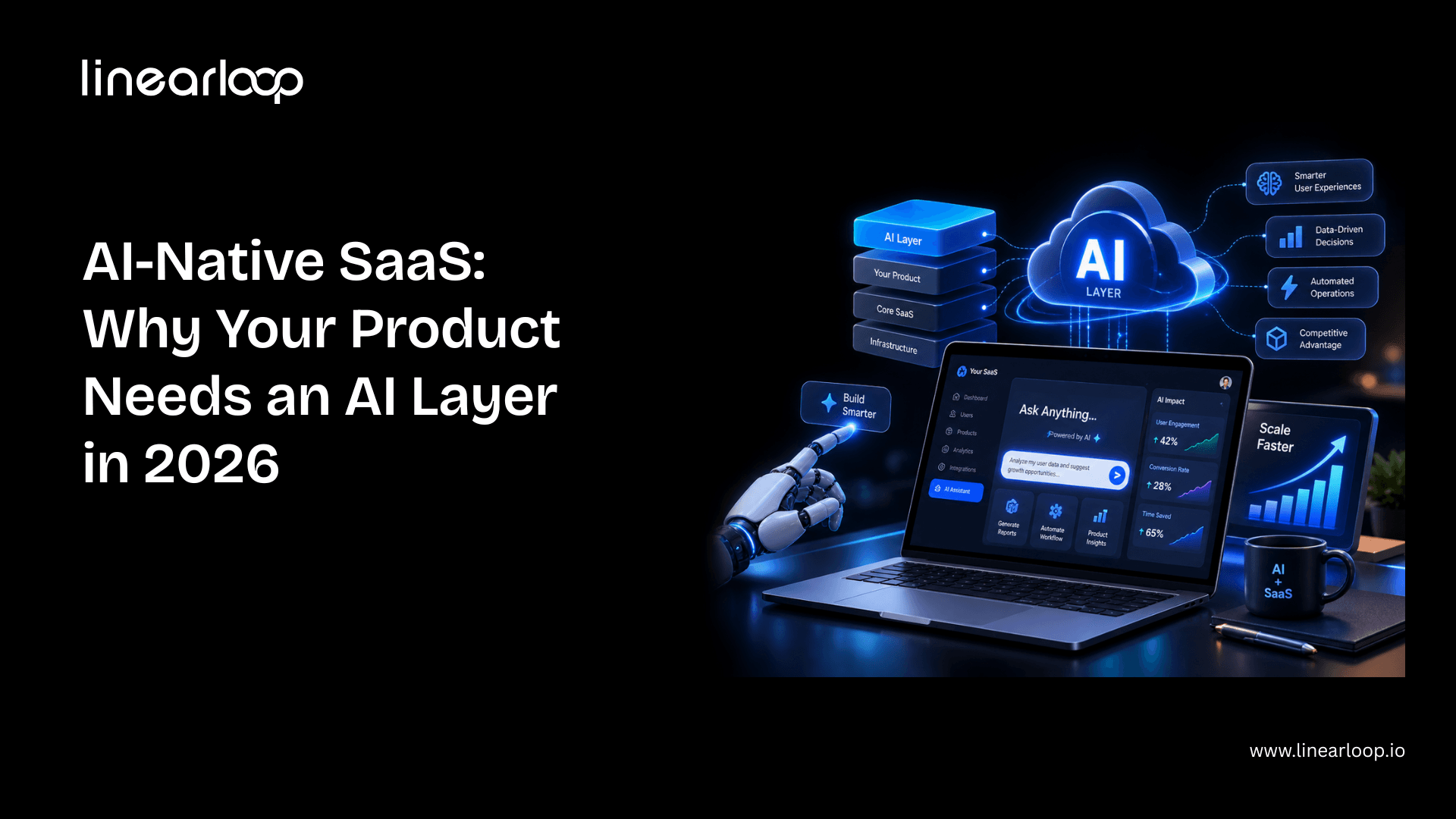
AI is quickly moving from an optional feature to a core part of modern SaaS products. But simply adding a chatbot, content generator, or AI assistant does not make a product AI-native.
An AI-native SaaS product uses AI as part of its core architecture and workflows. It can understand context, work with product data, make recommendations, automate decisions, and increasingly execute multi-step tasks on behalf of users.
This guide explains the difference between AI-enabled and AI-native SaaS, the three levels of an AI layer, how to introduce AI without rebuilding your existing product, expected development costs and timelines, and how to monetize AI features without creating a margin problem.
Whether you're a SaaS founder, CTO, or product leader, you'll learn how to identify the right workflow for AI, build trust into the experience, and turn AI from a feature into a meaningful product advantage.
An AI-native SaaS product is software designed around AI capabilities as part of its core workflow rather than treating AI as an optional feature.
Traditional SaaS products generally rely on users to find information, interpret it, make decisions, and perform actions themselves. AI-native products can take over some of these steps.
For example, instead of asking a sales manager to review hundreds of customer records, an AI-native CRM manually could analyze those records, identify high-value opportunities, explain why they matter, and recommend the next action.
The key difference isn't simply whether a product uses AI.
It's how deeply AI is integrated into the product experience and architecture.
Also Read: AI Chatbot Product Development: Features, Cost & Process
AI-enabled SaaS adds AI capabilities to an existing product.
Examples include:
The core product still works in essentially the same way without those features.
AI-native SaaS, on the other hand, uses AI throughout important parts of the workflow.
AI may:
A useful practical test is:
If you removed the AI tomorrow, would the product still perform essentially the same job, just with more manual work?
If yes, the product is likely AI-enabled.
If removing AI would fundamentally change the product's core workflow or value proposition, it is much closer to AI-native.
Dimension | AI-Enabled | AI-Native |
Where AI sits | Next to the core workflow | Inside the core workflow |
Role of AI | Helps with individual tasks | Influences and executes core workflows |
Data usage | Often limited to a specific feature | Connected to broader product context |
User interaction | User asks AI to help | AI can proactively recommend or act |
If AI is removed | Product largely works the same | Core workflows may lose significant value |
Typical example | "Summarize this report" | Automatically analyze, explain, and act on reports |
Build approach | Add AI features to existing product | Design workflows around AI capabilities |
Pricing | Usually bundled | Often requires usage-based or premium pricing |
Long-term advantage | Easier for competitors to copy | More deeply integrated into the product |
An AI layer is the intelligence layer that connects your SaaS application's data, workflows, users, and AI models.
Instead of AI existing as one isolated feature, the AI layer can interact with different parts of the application.
A typical AI layer may include:
This is why an AI layer is more valuable than simply adding an AI feature.
A feature answers a specific request.
An AI layer can understand context, make decisions, and participate in multiple workflows across the product.
Also Read: AI Product Development Lifecycle: From Discovery to Deployment
AI adoption in SaaS generally develops in stages. You don't have to jump directly from a traditional SaaS product to fully autonomous agents.
At the first level, AI helps users complete individual tasks.
Examples include:
The user remains fully in control.
They ask the AI to perform a task, review the result, and decide what happens next.
This is usually the fastest and lowest-risk starting point for AI SaaS development.
The second level goes beyond individual AI prompts.
The AI understands more context about the user and the application and can interact with business systems.
For example, a customer support platform could allow a user to ask:
"Which customers have unresolved high-priority issues?"
Instead of simply generating text, the AI could:
This is where an AI layer starts becoming deeply integrated into the SaaS workflow.
At the third level, AI can execute multi-step workflows within defined boundaries.
An AI agent might:
For example, an AI sales agent could identify a qualified lead, research the account, prepare a personalized outreach email, update the CRM, and schedule a follow-up—while requiring human approval before sending the message.
This is where agentic AI SaaS can create significant operational leverage.
If you're new to the concept, understanding what an AI agent is can help before you scope a production agentic workflow.
However, Level 3 also requires stronger governance, permissions, monitoring, testing, and failure handling.
You don't necessarily need to start here.
For most SaaS companies, a focused Level 1 or Level 2 workflow is a better starting point.
Also Read: How to Build an AI Agent in 2026 (Step-by-Step Guide)
One of the biggest misconceptions about AI transformation is that companies need to rebuild their entire SaaS platform.
In most cases, they don't.
AI can often be introduced through APIs, integrations, retrieval systems, and services that sit alongside the existing application architecture.
Here's a practical approach.
Don't try to make your entire product AI-powered at once.
Identify one workflow with:
The best first AI workflow is usually one where AI can produce a clear improvement in speed, accuracy, or productivity.
AI needs context to provide useful answers.
For many SaaS products, this means connecting AI to existing application data through APIs and retrieval systems.
You may need to evaluate:
For many use cases, RAG (Retrieval-Augmented Generation) can provide relevant information to an existing AI model without requiring you to train a model from scratch.
The choice between RAG and fine-tuning should depend on your accuracy, data, security, cost, and compliance requirements.
AI output can be wrong.
That's why AI product development should focus on trust as much as the interface.
Depending on the use case, consider:
Users should understand what the AI did and have an easy way to correct it.
Your first AI implementation doesn't need to transform the entire product.
A focused AI copilot for one workflow may be enough to validate:
Once the workflow proves its value, expand into additional use cases.
Don't necessarily release the AI feature to every customer on day one.
Start with a subset of users and measure:
This data gives you a much stronger foundation for the wider rollout.
AI can create variable infrastructure and model costs.
If you give customers unlimited access without understanding usage patterns, a highly active customer can cost significantly more to serve than a low-usage customer.
Decide early whether AI will be:
Pricing should be designed alongside the AI experience rather than added after launch.
AI-native transformation is not a one-time feature launch.
Once the first workflow proves successful, look for the next opportunity where AI can reduce manual work or improve decision-making.
Over time, these individual workflows can become a connected AI layer across the SaaS platform.
There is no single price for building an AI layer.
The cost depends on the complexity of the workflow, AI model, data infrastructure, integrations, security requirements, and level of autonomy.
As an indicative planning range, SaaS companies might see:
AI Implementation | Indicative Development Cost |
Basic AI assistant or feature | $15,000–$40,000 |
Contextual AI copilot | $40,000–$100,000 |
Advanced AI workflow | $60,000–$150,000+ |
Agentic AI system | $75,000–$200,000+ |
Platform-wide AI transformation | Custom scope |
These are not fixed project quotes. Actual AI SaaS development costs can vary substantially depending on your existing architecture and requirements.
A simple content-generation feature requires much less engineering than an autonomous multi-step agent.
Using an existing foundation model through an API generally has a lower initial development cost than developing or training a custom model.
Clean, structured, accessible data makes AI integration easier.
Poorly organized or siloed data can significantly increase development effort.
Every external system the AI needs to access can add development and testing requirements.
Examples include:
Enterprise AI applications may require:
These requirements increase the scope but can be essential for production adoption.
Production AI requires more than simply connecting an API.
Teams need to evaluate:
This ongoing evaluation is part of building a reliable AI-powered SaaS platform.
Before committing to a larger AI investment, it is also worth evaluating the expected business value with an AI ROI framework, rather than looking only at engineering costs.
Development time depends on the scope.
A focused AI feature can often be developed in a few weeks to a couple of months, while a broader AI transformation can take six months to a year or longer, particularly when multiple workflows and integrations are involved.
A practical 90-day starting roadmap could look like this:
If you're planning the broader SaaS build alongside the AI layer, our SaaS product development checklist can help you cover the product, technology, testing, and launch considerations outside the AI component.
Building an AI feature is only half the challenge.
The next question is:
How should you charge for it?
AI features are different from traditional SaaS features because they can create variable costs based on usage.
A customer who sends thousands of AI requests may cost significantly more to serve than one who sends only a few.
AI is included within existing subscription tiers.
This works well when AI usage is predictable and relatively inexpensive.
Customers pay according to consumption.
This could be based on:
Advanced AI capabilities are reserved for higher subscription tiers.
This can be effective when AI provides significant additional value.
Customers pay an additional fee to activate AI capabilities.
This works particularly well when AI represents a distinct value proposition.
Whatever pricing model you choose, understand your maximum acceptable AI cost per customer.
Ideally, enforce usage limits and cost controls in your product rather than relying on manual monitoring.
The goal is to make AI an expansion-revenue opportunity, not an uncontrolled infrastructure expense.
Also Read: Top AI Product Development Companies in USA
AI adoption is changing what users expect from software.
Users increasingly expect software to do more than display information.
They want products that can:
AI makes these experiences possible at scale.
A standalone AI feature can often be copied quickly.
An AI layer deeply connected to your product's data, workflows, permissions, and user experience is much harder to replicate.
The competitive advantage comes from the combination of AI + proprietary data + workflow integration + user context.
The SaaS market is moving beyond AI that simply generates text.
Modern AI systems can increasingly use tools, access data, reason through tasks, and execute workflows.
This shift makes agentic AI development particularly relevant for SaaS companies looking to automate operational processes.
It's also part of the broader AI product development lifecycle, where AI capabilities increasingly become integrated into the product rather than treated as isolated features.
Existing SaaS products can often introduce AI incrementally.
You can start with one workflow, validate the results, and expand the AI layer over time.
That makes AI transformation much more manageable than a complete platform rewrite.
The SaaS products that maintain their competitive advantage in the coming years won't necessarily be the ones with the longest list of AI features.
They'll be the products where AI becomes part of how the product actually works.
That's the difference between adding an AI feature and building an AI-native SaaS product.
You don't need to rebuild your entire platform to start.
Begin with one high-value workflow. Connect AI to the right data. Build trust and human oversight into the experience. Measure the results. Then expand into the next workflow.
Done correctly, an AI layer can improve user productivity, increase automation, create new pricing opportunities, and make your SaaS product significantly harder to replace.
If you're ready to explore how AI could fit into your existing SaaS platform, talk to our team about what an AI layer could look like for your product.

Aarav Mehta
AI & Technology Strategist
Aarav Mehta is an AI & Technology Strategist sharing practical insights on artificial intelligence, software development, automation, emerging tech, and digital innovation.

AI in Software Development: A Practical Guide for Engineering Leaders (2026)
AI in software development is no longer an experiment. In Google's 2025 DORA research, 90% of software professionals said they use AI at work. Yet in Stack Overflow's 2025 survey, 46% of developers said they don't trust the accuracy of what AI tools produce.
That gap is the real story. Almost every team now has AI tools. Far fewer have turned them into faster, safer delivery.
This guide is written for CTOs, engineering managers and founders who want the practical view. It covers what AI in software development actually means, where it helps across the lifecycle, what AI code generation can and can't do, which tools matter, the challenges teams hit, and a playbook for adopting AI without wrecking quality.
AI in software development is the use of machine learning and large language models (LLMs) to help plan, write, review, test, ship and maintain software. The AI works inside the engineering workflow, not inside the product you ship.
That distinction matters. Building an AI feature into your product, like a customer chatbot, is a different job; we cover it in our guide to AI software development, and it is what our AI development services deliver. Using AI to help your engineers build any product faster is AI in software development. This guide is about the second.
Today, AI shows up in three distinct modes:
| Mode | What the AI does | Who stays in control | Typical examples |
Assistive | Suggests the next lines, answers questions in chat | Developer accepts or rejects every suggestion | Inline autocomplete, IDE chat |
Collaborative | Edits several files, explains code, drafts tests and PR reviews | Developer directs the task and reviews the diff | AI-native editors, PR review bots |
Agentic | Plans and executes a multi-step task end to end: reads the repo, writes code, runs tests, opens a PR | Developer sets the goal and approves the result | Coding agents in the terminal or CI |
Most teams are somewhere between the first two. The move toward the third is where most of the opportunity, and most of the risk, now sits.
AI helps most where work is repetitive, well-specified and easy to verify. It helps least where the work depends on business context nobody wrote down. Here is how that plays out across the software development lifecycle.
| SDLC stage | Where AI helps | Where humans still lead |
Discovery and requirements | Turning meeting notes into user stories, spotting gaps and contradictions in specs, drafting acceptance criteria | Deciding what to build and why |
Architecture and design | Comparing options, generating diagrams, drafting ADRs, quick UI prototypes | Trade-offs around scale, cost, security and team skills |
Coding | Boilerplate, CRUD endpoints, migrations, refactors, translating between languages | Core domain logic and anything with unclear requirements |
Code review | First-pass PR review, style and bug-pattern checks, summarising large diffs | Approving design decisions and catching wrong assumptions |
Testing | Generating unit tests, test data, edge cases and E2E scripts; flagging flaky tests | Deciding what quality means and what risk is acceptable |
DevOps and release | Writing CI/CD config and IaC, explaining failed builds, summarising incidents | Release decisions and production access |
Maintenance | Explaining legacy code, upgrading dependencies, writing docs from code | Deciding what to modernise and in what order |
The pattern is consistent. AI accelerates execution. Humans remain accountable for judgment. This is the same principle behind our approach to product engineering.
One practical note from our own delivery work: the stages around coding often benefit more than coding itself. Test generation, PR summaries and legacy-code explanation are low-risk, easy to verify, and save real hours every week. They work best on top of a reliable pipeline; if yours needs attention, start with our guide to cost-efficient CI/CD pipeline design or talk to our DevOps services team.
AI code generation is the most visible use of AI in software development, and the most misunderstood. It is very good at producing code that looks right. Whether that code is right depends on the task and on the reviewer.
An LLM predicts the most likely code given the context it can see: the open file, nearby files, your prompt, and sometimes the wider repo through indexing. Better context produces better code. That is why codebase-aware editors and agents outperform plain chat for real projects.
Treat AI-generated code like code from a fast, confident new hire. It is useful, often impressive, and always reviewed. Teams that skip review usually get speed now and incidents later. If your team is moving toward prompt-first development, our guide to the vibe coding workflow explains where it fits and where it doesn't.
Generative AI in software development has moved through three waves in about four years. Each wave hands the AI a bigger unit of work.
The third wave is where engineering leaders should focus in 2026. A coding agent works on the same principles as any AI agent: it plans, uses tools and checks its own results. Agents can now connect to issue trackers, repos, CI pipelines and docs through standards such as the Model Context Protocol (MCP). That lets them act across the workflow instead of inside one editor.
Agents change the job of a senior engineer. Less time goes into typing code. More goes into writing clear specs, breaking work into agent-sized tasks, reviewing output and protecting architecture. We describe this shift as loop engineering: designing the feedback loops that keep AI output correct.
Agents also raise the stakes on review. An agent can open ten PRs in the time a person opens one. Without automated checks and a review process that scales, that speed turns into a review backlog or, worse, unreviewed merges. AI review tools can help with the first pass; our breakdown of PR review automation with CodeRabbit and MutableAI covers what they catch and miss.
The right AI tools for software development depend on the job, not the brand. Pick by category first, then compare vendors inside it.
| Category | What it does | Popular tools | Best fit |
IDE coding assistants | Inline completion and chat inside the editor | GitHub Copilot, Gemini Code Assist, Amazon Q Developer | Every team, as a baseline |
AI-native editors | Codebase-aware, multi-file edits from natural language | Cursor, Windsurf | Product teams shipping features weekly |
Coding agents | Take a task end to end and open a PR | Claude Code, OpenAI Codex, GitHub Copilot coding agent | Well-tested repos with clear tickets |
AI code review | First-pass review and summaries on pull requests | CodeRabbit, GitHub Copilot code review | Teams with review bottlenecks |
Security scanning | Flags vulnerable patterns and risky dependencies | Snyk Code, Semgrep, SonarQube | Mandatory once AI writes production code |
Test automation | Generates and maintains tests, visual checks | Mabl, Testim, Applitools | QA-heavy and UI-heavy products |
Documentation | Generates and updates docs from code | Mintlify, built-in assistant features | API and developer-facing products |
Three buying tips:
The benefits are real, but they are not automatic. Google's 2025 DORA report links AI adoption to higher delivery throughput, and 59% of respondents said AI improved their code quality. The same research describes AI as an amplifier: strong teams get stronger, while teams with weak practices see their problems grow.
Where teams with good foundations see gains:
Notice what is missing: a single productivity percentage. Published numbers range from large speed-ups to measurable slowdowns, depending on the task, codebase and developer. The only number that matters is the one you measure on your own team.
The challenges of AI in software development are mostly organisational, not technical. The tools work. The hard part is fitting them into how a team plans, reviews and ships.
Usage is up while trust is down. Stack Overflow's 2025 survey found 84% of developers use or plan to use AI tools, but 46% distrust the accuracy of the output, up from 31% a year earlier. Low trust leads to double work: engineers generate code, then rewrite it. The same pattern shows up at the leadership level, as we explain in why executives don't trust AI and how to fix it.
AI writes insecure code at a worrying rate, as the Veracode findings above show. It also tends to duplicate logic instead of reusing it, which quietly grows technical debt.
Developers often feel faster than they are. The METR study is the clearest example: participants estimated a 20% speed-up after finishing tasks that had actually taken them 19% longer. Feelings are not a metric.
AI moves work from writing to reviewing. If review capacity doesn't grow, PRs queue up and senior engineers burn out.
Some tools send code to external servers. For regulated industries such as healthcare and fintech, that needs legal and security sign-off before anyone installs a plugin. Where code can't leave your environment, consider self-hosted models; our guide on how to deploy private LLMs securely walks through the options.
Juniors can lean on AI before they understand the fundamentals. Seniors can resist tools that feel imposed. We dig into this in why AI adoption breaks down in high-performing engineering teams.
The teams that get value from AI fix their foundations first, then add tools. This is the sequence we follow with clients.
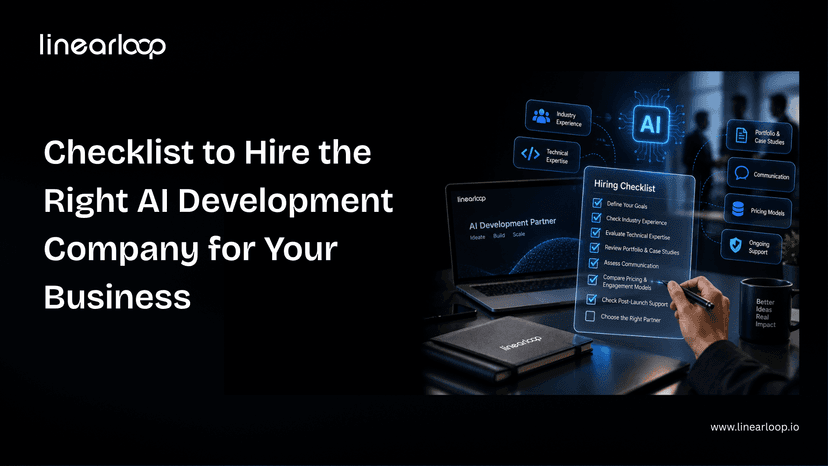
If you are deciding whether to build AI capability in-house or bring in help, our checklist for hiring an AI development company covers what to ask, and our piece on why augmented teams win explains the staffing side.
The next phase of AI in software development is about orchestration, not autocomplete. Three shifts are already visible.
AI will not replace software teams. It will widen the gap between teams that engineer their process for AI and teams that just install it. For the organisational side of that gap, read why enterprise AI fails and how to fix it.
Linearloop helps engineering teams turn AI tools into measurable delivery gains, without trading away quality or security.
Want to know where AI would make the biggest difference for your team? Talk to our engineers.

Aarav Mehta
Oct 15, 20266 min read
Multimodal AI Agents: Reading Documents, Images, and Screens in Production
Most agent projects start with text. The scoping conversation is clean, the API is clean, and the demo works on the first try.
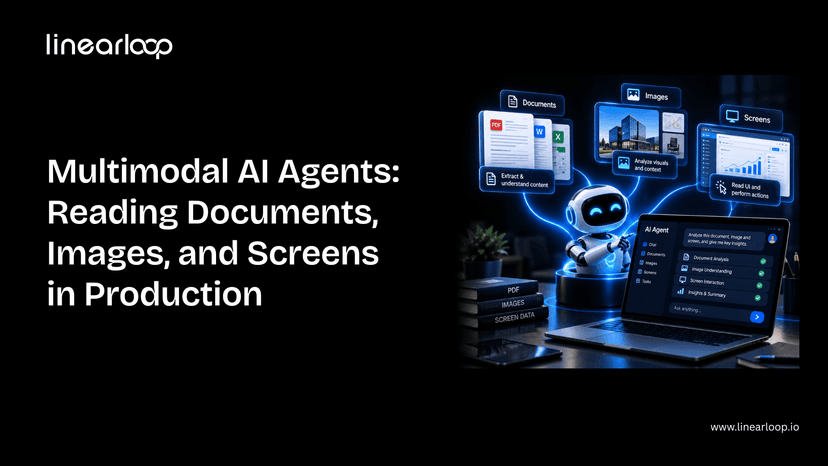
Then the real inputs show up: a scanned invoice, a photo of a damaged part, a legacy dashboard with no API at all. That's where a text-only agent stops being useful, and where multimodal AI agent systems that can read documents, images, and screens, not just process text, start earning their cost.
This guide covers what's actually different about building one of these for production: the components involved, the seven-step build process, where it breaks, and what it costs. It assumes you're already familiar with the core agent loop; if not, start with how to build an AI agent first.
Whether you're a CTO scoping a document-heavy workflow, a product leader evaluating whether this is worth the investment, or an engineer about to build one, this is the structure to work through.
Not every workflow needs multimodal capability. Here's where the two diverge.
| Dimension | Single-Modal (Text) Agent | Multimodal Agent |
Input types | Text only | Text + scanned documents + images + screens |
Data source | Clean APIs, structured fields | Unstructured: scans, photos, UI screenshots |
Failure mode | Misunderstands intent | Misreads a document or misidentifies a UI element |
Evaluation burden | Standard task-level testing | Must test against messy, low-quality real inputs |
Cost per call | Lower (text tokens only) | Higher (image/document tokens) |
Best fit | Structured workflows with existing data feeds | Invoice/PO processing, visual inspection, legacy UI automation |
If your workflow already has clean structured data, a single-modal agent is simpler and cheaper. Multimodal is worth the added complexity specifically when the source of truth is a document, image, or screen with no clean alternative.
Each of these shares a pattern: the data already exists; it's just not in a form a normal integration can reach.
Don't default to "vision + text + everything." Each modality should map to a real input your agent will encounter.
| Component | What it does |
Vision-capable model | Reads images, scanned pages, and screenshots alongside text |
OCR fallback layer | Catches text a vision model misses dense tables, poor scans, handwriting |
Document parser | Converts extracted content into structured fields your systems can use |
Screen interaction layer | Lets the agent click, type, and navigate a UI it can only see, not query |
Confidence scoring | Flags low-certainty extractions for human review instead of guessing |
Evaluation harness | Tests accuracy specifically on scanned, low-quality, and handwritten input |
This is the same discipline as scoping the core loop in how to build an AI agent, just with a wider read step. Getting the extracted output into a form your other systems can actually use is as much a data infrastructure question as a model one; our AI data stack architecture guide covers how to structure that layer properly.
If you're scoping a document- or screen-reading agent and want a second opinion on architecture before you build, talk to our AI development team.
Frontier models read printed text and clean diagrams near-perfectly. Accuracy drops meaningfully on handwriting, cluttered images, and low-contrast scans.
Test against your worst real documents, not your cleanest ones. This is the same build-vs-buy-vs-fine-tune calculation covered in our CTO guide to AI strategy, applied specifically to vision.
Vision models are good, not infallible. A cheap OCR pass as a secondary check catches errors a pure vision call misses, especially on dense tables and forms.
Define upfront which result wins when OCR and the vision model disagree; this decision is easy to skip during a demo and expensive to skip in production.
A UI redesign breaks an agent built against fixed coordinates or a memorized layout.
Build for the agent to re-orient from what it currently sees, not what it saw last time. This is the layer most teams underestimate, because it works perfectly until the first UI update ships. It's the same reliability challenge covered in our piece on agentic AI and autonomous web systems — an agent has to keep working as its environment changes, not just on day one.
Every extracted field should carry a confidence signal. Route low-confidence extractions to a human instead of letting the agent guess and move on.
This is the multimodal equivalent of the human-in-the-loop checkpoint any production agent needs. The failure mode here is a wrong answer delivered with total confidence.
The evaluation-set trap is worse here than for text agents. An agent tuned only against clean sample scans will look great in review and fail on the crumpled invoice a real user photographs with their phone.
This is exactly the kind of gap shadow traffic testing is built to catch before an agent touches real work, validating behavior against live-like conditions before it's trusted with production traffic.
Image and document input costs meaningfully more per call than text. Cache aggressively, downscale images where resolution doesn't affect accuracy, and route simple extractions to smaller, cheaper models.
Before committing to a larger build, weigh the expected savings against build cost using an AI ROI framework; multimodal projects are easy to over-scope without one.
None of these are unique to multimodal agents — they're the same category of gap covered in why DevOps mental models fail for MLOps in production AI, just with a wider set of inputs to account for.
| Step | What to Get Right |
Define modalities | Map each modality to a real input, not a wishlist |
Choose the model | Test against your worst documents, not your best |
Add OCR fallback | Define which result wins on disagreement |
Design for screen drift | Agent re-orients from current state, not memory |
Add confidence scoring | Low confidence routes to a human, not a guess |
Evaluate on ugly inputs | Avoid the clean-sample evaluation trap |
Budget for cost | Cache, downscale, and route to cheaper models where possible |
Multimodal capability doesn't change the fundamentals of building a good agent — it changes what "good input" means and where the failure modes hide. Get the evaluation and confidence-scoring layers right, and the rest is an extension of the same discipline that makes any agent production-ready.
If you're weighing whether to build this in-house or bring in a partner, our guide on what to look for in AI consulting services is a good starting point.
Have a document, image, or screen-reading use case in mind? Contact Linearloop's AI team for a no-pressure scoping conversation.
Aarav Mehta
Sep 24, 20266 min read