How to build a solar app like Solargraf?

Mayank Patel
Oct 4, 2024
6 min read
Last updated Dec 23, 2025
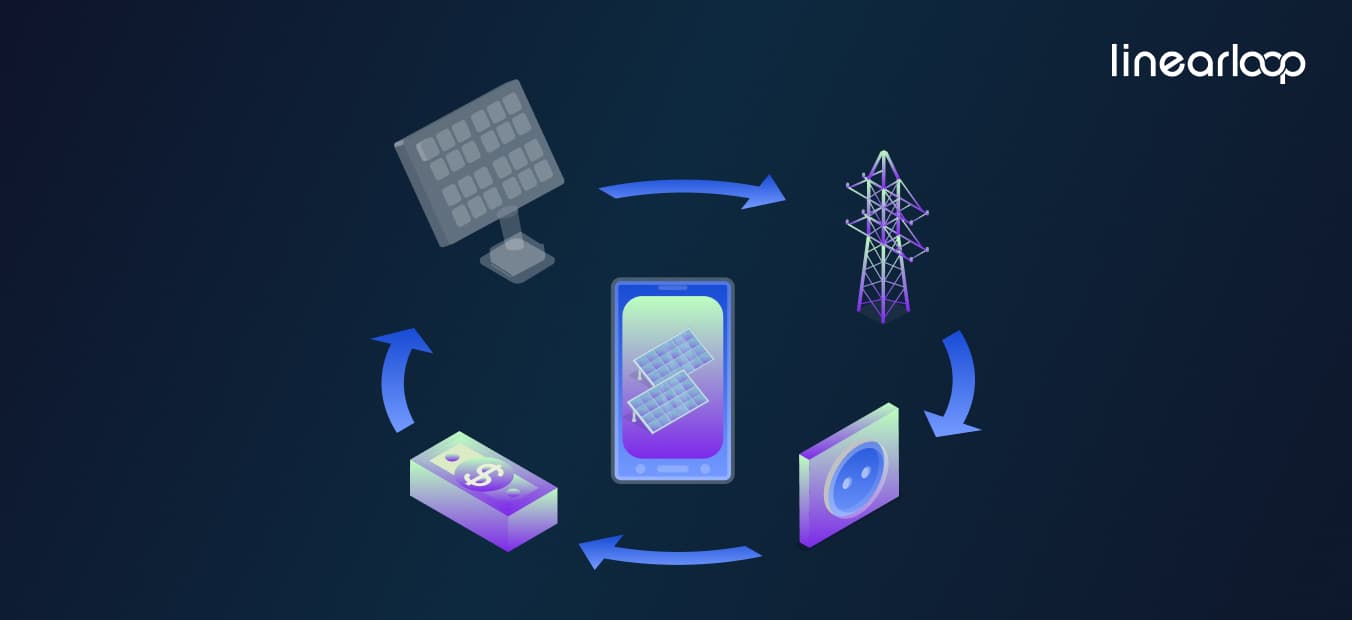
In the past few years, the renewable energy sector has witnessed astonishing advancements, especially within the realm of solar technologies. One particularly noteworthy tool resides in the form of Solargraf; it simplifies the solar setup journey by equipping users with resources for design, proposal creation, and project oversight.
In the rapidly evolving renewable energy sector, the demand to build a solar app has skyrocketed. As one of the top renewable energy companies in USA, we understand the critical role that software development in renewable energy plays in driving industry growth. This guide will walk you through the process of creating effective solar installer software solutions to streamline installations and enhance customer satisfaction.
The market for solar installer software solutions is expanding rapidly, driven by the increasing adoption of solar energy worldwide. Renewable energy startups and established companies alike are seeking innovative solar software development to gain a competitive edge. A well-designed solar monitoring app or solar system design app can significantly improve operational efficiency and customer engagement.
Also Read: How much does it cost to build a Mobile Application?
The Importance of Solar Installer Software
The solar sphere undergoes swift transformation, with a surge in rivalry among installers and developers alike. As an increasing number of households and enterprises gravitate towards renewable energy sources, the necessity for practical solar software development solutions tailored for solar professionals emerges distinctly. Solar installer software solutions not only aid in streamlining workflows but also empower companies to elevate the service experience for clientele.
Equipped with capabilities that promote the tracking of projects, allocation of resources, and fostering customer relations, these solar monitoring apps prove indispensable in preserving a competitive advantage amidst the hustle. Furthermore, they possess the potential to considerably shorten the duration required for completing installations while adeptly managing projects.
Also Read: Top 10 Innovative Startups Applying AI to the Solar Industry
Key Trends in Solar Installer Software
As you set forth on the journey to build a solar app, grasping the contemporary trends that influence this sector proves crucial. Prominent trends encompass:
- Integration with Intelligent Technologies: The emergence of sophisticated home technologies profoundly affects the design and management of solar systems. Merging your application with smart gadgets could elevate the user experience while offering invaluable insights for optimizing energy usage.
- Data Analysis: Harnessing data analysis tools empowers installers to draw insights grounded in real-time information concerning energy generation, system efficacy, and client inclinations.
- Mobile Accessibility: Given the rising reliance on mobile gadgets for professional tasks, ensuring that your application accommodates mobile users stands vital in securing widespread adoption.
- Sustainability Features: With the surge in environmental consciousness, weaving in elements that champion sustainability can capture the attention of eco-minded clientele.
These trends are driving the evolution of solar business management software and creating new opportunities for renewable energy software solutions.
To create a successful solar panel installation app, you need to incorporate features that address the specific needs of solar installers and their clients. Here are some must-have features:
3D Design Tools
A defining characteristic of successful solar system design apps lies in their provision of 3D design capabilities. Users ought to visualize their solar setups through satellite images and intricate modeling tools. Such functionality not only facilitates the creation of optimal arrangements but also assists in producing precise proposals for customers.
Advantages of 3D Design Tools
- Enhanced Visualization: Clients gain the ability to envision how the solar panels will be positioned on their property prior to installation.
- Improved Precision: Accurate modeling minimizes the potential for mistakes during the setup process.
- Customization Options: Users can easily explore various layouts and configurations, allowing for creative experimentation.
Shading Analysis
Grasping the effects of shading on solar panel performance proves essential. An efficient solar application must incorporate shading analysis tools that evaluate how shadows cast by nearby buildings or trees impact energy generation. This functionality enables installers to optimize the arrangement of panels for peak efficiency.
Significance of Shading Analysis
- Maximized Energy Production: Thorough shading analysis guarantees that panels capture the greatest amount of sunlight.
- Informed Decision-Making: Installers gain the ability to make knowledge-based choices regarding panel positioning.
- Client Confidence: Delivering comprehensive shading analysis fosters trust with clients by showcasing meticulous planning.
Also Read: Software Development Trends in the Solar Industry
Proposal Generation
Automating the proposal creation process can streamline workflows and minimize documentation errors. The application should empower users to generate polished proposals encompassing system designs, pricing alternatives, financing choices, and other pertinent information tailored to the unique needs of each client.
Features of Effective Proposal Generation
- Customizable Templates: Users are able to develop branded proposals efficiently.
- Dynamic Pricing Models: Seamlessly integrate financing options within proposals.
- Instant Delivery: Facilitate electronic proposal submission for quicker client feedback times.
Project Management Features
A thorough solar project management software proves essential for monitoring progress and guaranteeing timely installations. Key features may encompass task assignments, milestone tracking, budget oversight, and communication tools that foster collaboration among team members.
Advantages of Project Management Tools
- Increased Efficiency: Optimized processes result in swifter project completions.
- Clear Communication: Team members remain updated on the status of projects.
- Resource Allocation: Efficiently manage resources in alignment with project requirements.
Customer Relationship Management (CRM)
Incorporating CRM functionalities empowers companies to handle customer interactions adeptly. This entails monitoring leads, managing follow-up communications, and keeping records of prior exchanges. A strong CRM platform amplifies customer satisfaction by ensuring prompt responses and personalized service delivery.
Key CRM Features
- Lead Tracking: Track prospective customers throughout the sales journey.
- Automated Follow-Ups: Schedule reminders for follow-up interactions.
- Customer Insights: Examine customer data to refine service offerings.
Also Read: Custom CRM Software Development: Practical Guide 2024
Financial Analysis Tools
Integrating financial analysis capabilities enables users to assess various financing alternatives for their clients. This might include calculating return on investment (ROI), determining payback periods, and forecasting potential savings on energy expenses over time.
Significance of Financial Analysis Tools
- Informed Client Decisions: Clients can readily perceive the financial advantages of their investments.
- Competitive Advantage: Providing thorough financial analyses distinguishes your services within the marketplace.
- Simplified Financing Options: Assist clients in navigating financing selections effortlessly.
Constructing an effective solar application necessitates a strategic methodology that embraces various phases of software development in the renewable energy sector.
As a leading solar panel installation app development company, we recommend following these steps to consider while going for solar installer software solutions:
Research and Planning
Before immersing yourself in development, it’s imperative to perform comprehensive market research to grasp the competitive landscape while pinpointing gaps in existing offerings. Examine user requirements and preferences to guarantee that your application confronts genuine challenges encountered by solar installers.
Steps in Research and Planning
- Market Analysis: Identify primary competitors among top renewable energy companies in the USA while assessing their strengths and weaknesses.
- User Surveys: Collect insights from potential users concerning the features they deem essential.
- Define Objectives: Unambiguously articulate the goals you aim for your application to achieve based on the knowledge gleaned during research.
Designing the User Interface (UI)
A friendly user interface remains vital for fostering acceptance among users who might lack technological expertise. Concentrate on establishing intuitive navigation and clear layouts that adeptly guide users through various functionalities without inundating them.
Best Practices for UI Design
- Simplicity is Key: Maintain clean and straightforward designs.
- Consistent Branding: Employ uniform colors and fonts throughout the application.
- User Testing: Execute usability tests with real users to capture feedback regarding UI design before finalizing it.
Backend Development
The backend architecture must enable scalability and security while facilitating seamless integration with third-party services, such as financing platforms or weather data providers. A carefully structured database becomes essential for effectively managing user information.
Considerations for Backend Development
- Scalability: Guarantee that the system is capable of accommodating increased traffic as your user base expands without sacrificing performance.
- Security Protocols: Enforce robust security measures to safeguard sensitive user data against breaches or unauthorized access.
- API Integration: Design APIs that facilitate effortless integration with other services pertinent to your application’s functionality.
Also Read: What Is Back End Developer? Roles & Responsibilities of Back End Developer?
Frontend Development
Frontend development entails converting your UI designs into functional code that users interact with directly. It’s vital to ensure responsiveness across all devices so that users can access the application from desktops, tablets, or smartphones.
Tips for Effective Frontend Development
- Responsive Design Principles: Utilize frameworks like Bootstrap or Foundation to create mobile-friendly designs that adapt smoothly across various devices.
- Performance Optimization: Reduce load times by optimizing images and scripts; this significantly enhances user experience.
- Cross-Browser Compatibility Testing: Verify your application’s performance across multiple browsers to guarantee consistent functionality, regardless of the access point.
Testing
Comprehensive testing remains crucial for identifying bugs and usability challenges before launch. Execute unit tests, integration tests, and user acceptance tests (UAT) to confirm that all features operate effectively while delivering a seamless user experience throughout the application’s lifecycle
Types of Testing to Conduct
- Unit Testing: Assess individual components for functionality, ensuring each unit operates correctly under varying conditions.
- Integration Testing: Verify that different sections of the application collaborate seamlessly, identifying any issues that may arise from component interactions.
- User Acceptance Testing (UAT): Collect insights from actual users before the final rollout; this confirms that end-users perceive value in what has been developed and that it aligns with their expectations.
Deployment
After fulfilling the testing phase, deploy your application on a dependable cloud platform or server infrastructure capable of managing anticipated traffic while upholding performance standards essential for ongoing user satisfaction.
Steps for Successful Deployment
- Choose a Hosting Provider Carefully: Opt for a cloud provider like AWS or Azure based on scalability requirements identified during previous research phases—this guarantees reliability even during peak usage periods!
- Monitor Performance Actively Post-Launch: Employ analytics tools such as Google Analytics or specially tailored custom dashboards to keep track of engagement metrics, aligning them directly with objectives established during the planning stages!
- Gather User Feedback Continuously After Launch: Encourage users to actively share feedback on any challenges they encounter while using the app—this assists in pinpointing areas that necessitate improvement as you progress!
Maintenance and Updates
Following the launch of your solar application, ongoing maintenance becomes vital to guarantee its sustained success in a dynamic landscape characterized by rapid technological advancements across various industries! Regular updates informed by user feedback collected continuously aid in enhancing functionality while adeptly keeping pace with these shifts!
Importance of Regular Maintenance
- Bug Fixes Promptly Addressed: The swift resolution of issues significantly bolsters overall user satisfaction!
- Feature Enhancements: Regularly updating your application with new features based on user demand maintains its relevance!
- Security Updates: Safeguarding user data through consistent security upgrades remains crucial in today’s digital environment!
Conclusion
The solar industry is ripe with opportunities for innovative software development in renewable energy. By following this guide, you can build a solar app that not only meets the current needs of solar installers but also anticipates future industry trends.
Whether you're looking to create a comprehensive solar business management software suite or a specialized solar monitoring app, partnering with an experienced solar panel installation app development company like ours can help bring your vision to life.
As one of the top renewable energy companies in USA in the software development space, Linearloop is committed to driving innovation in renewable energy software solutions. Let's work together to create solar installer software solutions that will shape the future of the industry.
Ready to start your journey in solar software development? Contact Linearloop today to learn how our renewable energy mobile app development services can help you build the next generation of solar project management software.

Related Posts
How to Build a Telehealth Mobile App
In this guide, we walk through the complete process of building a telehealth app from concept to launch. You’ll learn how to defi ne requirements, choose the right tech stack, integrate video consultations and IoT health devices, ensure HIPAA compliance, and overcome common challenges, all through insights gained from a real-world project.
Every successful software project starts with a solid understanding of requirements. For telehealth, this means working closely with healthcare stakeholders (doctors, clinical directors, possibly patients) to defi ne what the app must do and under what constraints.
Start by asking: Who is the target user and what problem are we solving? In our case, the project was aimed at elderly residents in U.S. old-age homes, enabling them to easily consult doctors remotely and monitor their health without leaving the facility. This clear focus guided all planning decisions.
List out core use cases and features needed. Common telehealth app requirements include:
The app should allow patients and providers to have live video calls as a virtual “visit.” Given that body language and visual cues are important in healthcare, high-quality, low-latency video is a must. This also implies needing access to the camera, microphone, and a stable streaming protocol (often WebRTC-based or using a third-party telehealth video service).
Patients need to book or be assigned appointment times. A scheduling module (with calendar integration for providers) and automated reminders (push notifications or texts) reduces no-shows.
The app may display the patient’s medical info and enable health data collection. For example, integration with IoT health devices (blood pressure cuff s, glucometers, pulse oximeters, etc.) was a requirement in our case, so that vital signs taken by the patient could fl ow into the app in real time. Even if you start with manual data entry or simple surveys, consider future integration with wearables or remote patient monitoring devices.
Since sensitive health data is involved, secure authentication is non-negotiable. Many telehealth apps use standard username/password login with options for MFA. In our project, the team went further to implement a multi-layered login for ease of use: seniors could log in with a simple PIN or biometrics (fingerprint or facial recognition) for convenience without compromising security. This was paired with a robust identity service (AWS Cognito) to manage patient user accounts securely in the backend.
Each user (patient) should have a profile with basic info and possibly access to their health records or summaries of past telehealth sessions. This might also include a history of device readings or mood entries. In our app, patients had a profile managed via Cognito and could see interactive health reports and graphs of their IoT device readings in an easy-to-read format.
Beyond video, sometimes you need text chat for sending follow-up information or if a video/audio issue occurs. Secure messaging within the app can be helpful. Also consider screen-sharing or sending images (like a photo of a wound) if relevant to your use case. These should all be encrypted and compliant.
Especially for vulnerable users like the elderly, include a quick way to contact support or call an ambulance. Even a simple “panic button” or instructions for what to do if urgent help is needed during a teleconsultation should be considered.
As you gather requirements, map each to regulatory or privacy implications. For instance, storing any personal health information (PHI) means you must follow HIPAA regulations in the U.S. This will influence your technical choices heavily. For e.x., making sure databases are encrypted, using HIPAA-compliant cloud infrastructure, etc.
If your app will integrate with Electronic Health Records (EHR) systems, you may need to follow standards like HL7/FHIR and deal with patient consent forms. It’s wise to consult a compliance expert at the planning phase to avoid re-engineering later.
Remember that HIPAA not only mandates data protection, but also auditing, access controls, and breach notification procedures. Building these considerations into your requirements (e.g. “app must log user access to records” or “system must be able to remote-wipe data if a device is lost” etc.) is critical.
Also Read: How to build a solar app like Solargraf?
With requirements in hand, the next step is deciding how to build the app. You’ll need to balance speed, cost, team expertise, and scalability when picking the tech stack. For a telehealth app, the typical architecture involves several layers:
You can choose native development (Swift/Kotlin) or cross-platform frameworks. We chose Flutter for the patient-facing mobile app. Flutter allowed rapid cross-platform development and a unified codebase. Cross-platform can be a great choice for telehealth since you often need to support various devices (patients might use iPads, cheap Android tablets, etc.).
Alternatives include React Native or NativeScript, but ensure whatever you pick can handle video streaming and Bluetooth/USB device integrations smoothly. For any admin or provider web portal, a web framework like Angular (which the case study used for an admin dashboard) or React could be used.
Telehealth apps require a secure backend to handle business logic (scheduling, user management), store data, and interface with external systems (like EHRs or IoT cloud services). A common stack would be a REST or GraphQL API server with a database.
We used a .NET Core backend with a PostgreSQL database. .NET Core provided performance and a strong typing advantage, and PostgreSQL is a reliable open-source choice that can be hosted on AWS easily. Other popular choices could be Node.js or Python (for rapid development), and databases like MySQL or MongoDB but the key is to ensure the stack can meet security requirements (e.g., using parameterized queries to prevent SQL injection, etc.).
It’s almost a given to use cloud services for modern telehealth apps. AWS, Azure, or GCP all have the needed compliance certifications to host health data (as long as you sign a Business Associate Agreement).
In our case, AWS was chosen, taking advantage of services like Amazon Cognito for authentication and identity management. Cognito being HIPAA-eligible meant it could handle PHI user attributes under AWS’s BAA, and it saved a ton of eff ort compared to building a user management system from scratch.
Similarly, the app was deployed on AWS, using its security and scalability. An AWS architecture might use EC2 or AWS Elastic Beanstalk/Kubernetes for the app servers, API Gateway and Lambda for serverless endpoints, and S3 for storing any uploaded content.
The benefit is you get built-in scalability (to handle usage spikes like a flu season) and pay-as-you-go cost efficiency. Indeed, our InnovAge project saw infrastructure cost savings by using AWS’s scalable resources on-demand rather than maintaining dedicated servers.
One of the trickiest parts of telehealth is implementing real-time communication. You generally have two choices: use a third-party platform or build on a protocol like WebRTC yourself. Given the complexity of reliably handling video (especially group calls, recording sessions, ensuring encryption), many teams opt for SDKs or cloud services.
Examples include Twilio, Vonage, Agora, or specialized telehealth solutions like Vidyo. The InnovAge app integrated Vidyo’s video call platform via its SDK. This saved the team from having to implement low-level WebRTC signaling and focus instead on embedding the video view and controlling call flows.
When choosing a video service, ensure it is HIPAA-compliant, for example, some providers will sign a BAA and off er HIPAA settings (disabling recording or using encrypted signaling). The video calls should be encrypted end-to-end or at least encrypted in transit; many telehealth regulations insist on that.
If your app connects to medical devices, your architecture needs to accommodate that data pipeline. There are a few patterns here. Devices might connect via Bluetooth or USB directly to the mobile app, which then reads measurements via an SDK and sends them to the backend.
Alternatively, devices (or a companion hub) might send data to a cloud service (like the device manufacturer’s cloud) and your app fetches it from there via APIs. The simpler approach for an initial build is often the former: connect directly to device from the app but it means the app needs to handle multiple device SDKs and the quirks of maintaining Bluetooth connections.
In our case, we integrated four types of devices (oximeter, BP cuff , glucometer, thermometer) using the device manufacturers’ SDKs in the Flutter app. This was ambitious because each SDK might have its own communication protocol and threading model. An architecture diagram would show the mobile app as the central hub reading from devices and then uploading readings to the cloud in real time for the doctor to see.
If implementing this, design your data flow carefully: you might have the app send each reading to the backend API, which then stores it and also pushes it to any listening client (e.g. the doctor’s dashboard) via WebSockets or a real-time database.
Security is vital here. Make sure any device data is transmitted securely (HTTPS) and consider encryption at the device level if possible. The InnovAge team had to ensure “real-time data sync and visual reporting” from devices without lag, which required optimizing how frequently data was polled and pushing updates immediately to the UI.
Besides video and IoT, think about other services to integrate. For example, push notifi cation services (Firebase Cloud Messaging or APNs) to handle reminders, analytics services to track usage (though be careful with analytics on health apps; avoid sending any PHI to third-party analytics).
If your telehealth app will incorporate things like e-prescribing, you might integrate with pharmacy APIs. Or for payments (if patients pay per visit in-app), use a secure payment gateway that can handle medical transactions. Each third-party integration should be vetted for compliance and stability.
With us, the focus was on integrating the core telehealth pieces (devices and video), and deliberately no custom complex algorithm or AI was built initially. The team focused on stitching together reliable components to meet the deadline.
When designing the overall architecture, keep scalability and maintainability in mind. It can help to separate concerns: e.g., a microservice for handling video sessions, another for handling device data ingestion, etc., if your scale demands it. However, for a v1 targeting a specific user group, a monolithic backend might be perfectly fine.
The InnovAge app was delivered in less than 3 months by our team. They likely kept things simple and cohesive, which is a good strategy under time constraints. Using an agile approach (the team did Scrum sprints with frequent reviews) also ensured the architecture evolved with continuous feedback and stayed on track.
One often overlooked architectural concern in telehealth is device management, especially if providing hardware to users. In InnovAge’s case, the app was deployed on managed Samsung tablets given to each resident. To control these devices (like preventing users from installing other apps or messing up settings), the team had to configure Samsung Knox; an enterprise mobile management solution.
This allowed them to lock down the tablets to only the telehealth app so that seniors couldn’t accidentally exit or use the tablet for other risky activities. If your scenario involves dedicated devices or kiosks, plan for an MDM (Mobile Device Management) solution and factor that into your tech stack choices.
Also Read: How Much Does It Cost To Launch A Fintech App?
Building a telehealth app means handling some of the most sensitive personal data: health records, live video of patients, biometric readings, etc. As such, security and privacy must be woven into every layer of the app. Here are key practices and how we applied them:
All PHI (Protected Health Information) should be encrypted in transit and at rest. Use TLS 1.2+ for any client-server communication (API calls, video streams) and enforce HTTPS only. For data at rest, enable database encryption (for instance, AWS RDS can encrypt PostgreSQL instances with minimal effort).
In mobile storage, if any sensitive info is stored on the device (cached messages, images, etc.), use the platform’s secure storage mechanisms or your own encryption layer. The HIPAA Security Rule expects that if a device is lost, the data on it is not easily accessible; mobile OS-level encryption or remote wipe features (as provided by MDM solutions like Knox) are essential safeguards.
In our project, all communication with AWS and between app components was encrypted, and AWS Cognito ensured that even user authentication tokens were securely managed.
Don’t rely on just usernames and passwords. Implement multi-factor authentication (MFA) for provider logins or sensitive admin functions at least. Even for patients, having a second factor (or biometric login as a factor) can prevent unauthorized access if a device is stolen.
The InnovAge app’s biometric login was a great example of balancing security with user convenience. A tech-savvy family member can’t just guess grandma’s password if she’s using her fingerprint to log in, yet it’s easy for grandma to use. Also enforce role-based access control on the backend: doctors should only see their patients’ data, patients only their own data, etc. Frameworks like Cognito or OAuth providers can simplify implementing roles and scopes for APIs.
Make sure every third-party service you use is willing to sign a Business Associate Agreement (BAA) or is covered under one. This includes your cloud hosting provider, video service, SMS gateway (if sending appointment info via text), etc.
For instance, AWS is a common choice because it offers a comprehensive BAA covering services like EC2, S3, RDS, and Cognito. In our project, using AWS services like Cognito and PostgreSQL on AWS meant we inherited a lot of compliance guarantees as long as we configured them correctly. If using a smaller vendor (say a startup’s video API), evaluate their security measures; sometimes larger players (Twilio, etc.) have more established HIPAA programs.
Telehealth apps can generate a lot of data: entire video sessions, device streams, chat logs. Decide what needs to be stored and for how long. Recording video calls, for example, introduces big storage and privacy questions; often it’s avoided unless absolutely needed (and if done, recordings must be encrypted and access-controlled).
For device data, storing trends is useful but maybe raw streams aren’t needed after processing. Our app converted real-time device readings into summaries and graphs for easy consumption; likely they stored key metrics and not every single data point to keep data volume manageable.
If your app sends push notifications or in-app chat messages, be careful about PHI. Never include sensitive details in a push notification (which might pop up on a lock screen). For example, say “You have a new message from your doctor” rather than “Dr. Smith has updated your insulin dosage.”
For in-app messaging, use end-to-end encryption if possible, or at least ensure messages are encrypted on the server. Some platforms like Firebase Cloud Messaging are not HIPAA-compliant for sending PHI payloads, so you may need to send only generic prompts and have the app fetch the actual message from your secure server after the user unlocks the app.
HIPAA requires the ability to audit access to PHI. Build logging into your backend for critical actions: log when records are viewed, modified, or when video sessions occur (at least metadata like “Doctor A consulted Patient B at time X for Y minutes”). Ensure these logs themselves are stored securely and access to them is limited.
Also Read: How much does it cost to build a Mobile Application?
Even with great planning, building a telehealth app involves complex technical challenges. Let’s go into some major ones our team faced in the InnovAge project and how they were addressed, as these hold valuable lessons:
Connecting one medical device is hard enough; each comes with its own SDK, data format, and sometimes obscure documentation. We had four. The challenge was ensuring real-time data sync from all devices and displaying it in an accessible way.
For example, if a patient is on a video call and measures their blood pressure with a cuff , the reading should pop up for the doctor within seconds. The solution was meticulous integration: our developers worked with each device’s SDK (often provided by the device vendor or a middleware like JetDoc in this case) and tested them in various scenarios.
We had to handle connectivity issues gracefully, e.x., if the Bluetooth connection drops or a reading fails, the app should show an error message like “Please retry measuring your blood pressure” rather than silently fail. One lesson learned was the risk of incompatibility or unstable updates from these third parties.
For instance, a device firmware update could break the SDK’s behavior. To mitigate this, we established a tight communication loop with the device providers (through our U.S.-based middleware partner, JetDoc) and did extra testing whenever an update was looming.
Tip: If possible, time your app’s release around stable versions of device firmware, and always have a fallback (even if it’s manual input of readings) so a single device glitch doesn’t halt a telehealth session.
We chose a proven video platform (Vidyo), but that didn’t eliminate all issues. Networks in care homes can be spotty; older tablets might struggle with encoding/decoding video. To ensure smooth video consultations, we had to optimize video settings and maybe limit video resolution on lower bandwidth.
We also included an audio-only fallback mode, since as noted, many seniors end up using telephone-like calls when video fails. Using Vidyo’s SDK meant we had less low-level control, but it also meant the heavy lifting of adaptive bitrate, echo cancellation, etc., was handled by experts.
Lesson: Use such specialized services to save time, but profile their performance on your target devices. We likely worked with Vidyo to fine-tune settings for the Galaxy Tab 3’s capabilities.
The Samsung Galaxy Tab 3 was not a high-end device (released around 2013!). Running a modern app on it, even with Flutter, was a challenge. The app had to handle video calls, device data via Bluetooth, and a smooth UI; all within maybe 1GB of RAM and a slow CPU.
The team took a multifaceted approach to optimization: we trimmed down animations, preloaded essential data, and possibly used lower-level platform channels in Flutter for performance-critical sections. We monitored app memory usage, ensuring we disposed of video streams or BLE connections properly after use to avoid leaks.
This “continuous challenge” of performance tuning was worthwhile. The app delivered acceptable responsiveness on the Tab 3, saving the cost of buying newer devices.
Takeaway: If you must support low-spec hardware, budget extra time for performance testing and be prepared to cut non-essential features. Also consider using profiler tools (like Android’s Systrace or Flutter’s DevTools) to find bottlenecks.
Meeting a 3-month deadline for such a feature-rich app was intense. We had to make trade-off s on what to include. Interestingly, the team reported no major trade-off s on quality; they were able to deliver all key features within scope, thanks in part to focusing only on essential functionality and reusing third-party components rather than reinventing.
We adopted Agile, which helped in continuously integrating and testing features every sprint. One practice was parallel work: while one team integrated the video SDK, another tackled IoT devices, and another built the UI/UX, all coming together in integration testing.
Regular sprint reviews with stakeholders (including the JetDoc middleware team and InnovAge management) ensured we built the right thing and could course-correct early. For example, early feedback from a pilot with one or two residents might have led us to enlarge font sizes or adjust color contrasts (hypothetically). Because we were agile, these changes could be done mid-flight.
A non-technical challenge was coordinating between multiple parties: our development team, the middleware partner, device vendors, and the InnovAge stakeholders. The risk of miscommunication was flagged as high. To mitigate it, we established clear documentation for requirements (since much info came via email/calls, we made sure to write down and get confirmations). We also likely used collaboration tools (like Jira for tracking tasks, Confluence or similar for shared documentation) so everyone had visibility.
Also Read: AI Is Moving Fast. Your Hiring Can't. That's Why Augmented Teams Win
The app was well-received by both end-users and stakeholders. Doctors appreciated how easy it was to schedule and conduct appointments, especially with instant access to patients’ latest data during a call. And despite initial concerns about whether seniors would adapt, the patients found the app simple.
Features like one-click check-in for appointments and gentle reminder notifications proved that even those with limited digital literacy could engage with the telehealth platform. This underscores an important point: if you design technology around the user’s needs and limitations, they will embrace it.
One delightful surprise was how certain features provided value beyond initial expectations. The mood tracker we discussed is a prime example. Originally, it might have been seen as a “nice-to-have” add-on. In practice, it turned out to be incredibly useful; doctors could pick up on mood trends (perhaps flagging depression or cognitive decline early), and patients felt heard by logging their emotional state.
Stakeholders praised this as a thoughtful innovation, and it likely improved holistic care. Similarly, the biometric login wasn’t just a fancy security option; it actually solved a real problem (elderly users forgetting passwords or struggling with typing).
Of course, not everything was perfect or reusable. The team noted that they didn’t create any notably reusable tools or IP, as the focus was purely on delivering the product for the client. That’s fi ne; in many enterprise projects the value is in the solution itself rather than spin-off tech.

Mayank Patel
Nov 18, 20256 min read
Developing a User-Friendly Erectile Dysfunction (ED) App like Mojo: A Step-by-Step Guide
Picture this: You're at a romantic dinner with your partner, the ambiance is perfect, and you're feeling a connection. But as the evening progresses, a nagging worry creeps in – will you be able to perform when the moment comes?
For millions of men worldwide, this scenario isn't just a fleeting concern; it's a recurring nightmare called Erectile Dysfunction (ED). But what if there was an easily accessible solution right in your pocket? Enters Erectile Dysfunction (ED) apps – a revolution in men's health that's as discreet as it is powerful. Many healthcare mobile app development companies are in the race to cashing on this idea.
Whether you're a healthcare startup looking to make your mark or an established company expanding into digital health, this guide will walk you through the intricate process of developing an (Erectile Dysfunction) ED app that could change lives. Let's embark on this journey to create not just an app, but a lifeline for millions.
Before we dive into the nitty-gritty of (Erectile Dysfunction) ED app development, let's get one thing straight: ED is more common than you might think. It's not just a problem or something to be ashamed of.
Erectile dysfunction is the inability to achieve or maintain an erection sufficient for sexual intercourse. It can result from various factors, including vascular issues, neurological disorders, mental health conditions, or injuries.
Now, you might be wondering, "Why would I need an app for that?" Well, buckle up, because the benefits of an (Erectile Dysfunction) ED application are about to blow your mind:
- Privacy and Discretion: No more awkward waiting room encounters or embarrassing pharmacy runs. With an (Erectile Dysfunction) ED app, you can access help from the comfort and privacy of your own home.
- 24/7 Accessibility: ED doesn't keep office hours, and neither should your solution. An app is available whenever you need it, day or night.
- Personalized Treatment Plans: Everyone's journey with ED is unique. A well-designed app can offer tailored advice and treatment options based on your specific symptoms and history.
- Educational Resources: Knowledge is power. (Erectile Dysfunction) ED apps can provide a wealth of information about the condition, its causes, and potential treatments.
- Progress Tracking: Many (Erectile Dysfunction) ED apps allow you to monitor your progress over time, helping you and your healthcare provider make informed decisions about your treatment.
- Community Support: Dealing with ED can feel isolating. Some apps offer forums or chat features where you can connect with others facing similar challenges.
- Integration with Other Health Apps: A comprehensive Erectile Dysfunction (ED) app can work in tandem with other health tracking apps, giving you a holistic view of your overall well-being.
Ready to join the ranks of healthcare app development companies making a difference? Let's explore how you can build an erectile dysfunction app that stands out from the crowd.
Crafting an Erectile Dysfunction (ED) app isn't just about code—it's about creating a digital ally in the fight against erectile dysfunction. Dive into the nitty-gritty of app development, from user-friendly interfaces to rock-solid security measures.
Blend medical expertise with cutting-edge tech and on-demand support right to your users' fingertips. Let's get your (Erectile Dysfunction) ED app off the ground and explore how to develop it:
Before you dive into application development, take a deep dive into the world of ED. Understand the market, your potential users, and the current landscape of (Erectile Dysfunction) ED apps. This research phase is crucial for identifying gaps in the market and opportunities for innovation.
Key questions to ask:
- Who is your target audience?
- What features are must-haves for an (Erectile Dysfunction) ED app?
- What are the pain points of existing solutions?
Remember, you're not just building custom healthcare solutions; you're creating a lifeline for those struggling with ED. Your research should reflect this level of importance.
What makes your (Erectile Dysfunction) ED app special? Maybe it's an AI-powered symptom checker, or perhaps it's a gamified approach to ED exercises. Whatever it is, make sure it addresses a real need in the market.
When it comes to (Erectile Dysfunction) ED apps, user interface design is more than just aesthetics – it's about creating a safe, judgment-free digital space. Your design should be:
- Intuitive: Users should be able to navigate the app effortlessly.
- Discreet: Consider using neutral icons and color schemes.
- Accessible: Ensure the app is usable for people with various disabilities.
Remember, your users might be feeling vulnerable or embarrassed. Your design should put them at ease and build trust.
Now it's time to bring your Erectile Dysfunction (ED) application to life. Here are some essential features to consider:
- Symptom Tracker: Allow users to log their symptoms and track changes over time.
- Treatment Planner: Offer personalized treatment suggestions based on user data.
- Educational Content: Provide articles, videos, and interactive modules about ED.
- Medication Reminders: Help users stay on top of their treatment regimen.
- Telemedicine Integration: Connect users with healthcare professionals for virtual consultations.
As a healthcare app development company, we will help you ensure that each feature is developed with the utmost attention to detail and user privacy.
Also Read - Mobile App Development for Businesses – A Complete Guide 2024
When dealing with sensitive health information, security isn't just important – it's paramount for healthcare mobile app development companies. Implement robust encryption methods, secure user authentication, and comply with all relevant data protection regulations (like HIPAA in the United States).
To provide a comprehensive health monitoring experience, consider integrating your app with popular wearables and health devices. This could allow for more accurate tracking of factors that may influence ED, such as sleep patterns, stress levels, or physical activity.
Before launching your (Erectile Dysfunction) ED app, put it through rigorous testing. This includes:
- Functionality testing: Ensure all features work as intended.
- Usability testing: Get feedback from real users on the app's ease of use.
- Security testing: Verify that all security measures are functioning correctly.
- Performance testing: Check that the app runs smoothly on various devices and operating systems.
Remember, when it comes to health apps, there's no room for errors or glitches.
Congratulations! Your (Erectile Dysfunction) ED app is ready to make its debut. But your work isn't over yet. Develop a marketing strategy that respects the sensitive nature of ED while effectively reaching your target audience. Consider partnering with healthcare providers, ED support groups, or relevant influencers to spread the word.
Also Read - What is the Role of Generative AI in Healthcare and Medicine Industry?
Once your app is in the hands of users, pay close attention to their feedback. What features do they love? What's missing? Use this information to continually improve and update your app. Remember, app development is an ongoing process, not a one-time event.
As your (Erectile Dysfunction) ED app gains traction, think about ways to scale and expand your offerings. This could include:
- Adding support for multiple languages
- Expanding to new geographic markets
- Developing a companion app for partners
- Creating a web-based version of your app
The sky's the limit when it comes to growth opportunities in the world of Erectile Dysfunction (ED) app development.
Developing a user-friendly (Erectile Dysfunction} ED app like Mojo is more than just a business opportunity – it's a chance to make a real difference in people's lives. By following this step-by-step guide, you're well on your way to creating an app that can help millions of men regain their confidence and improve their quality of life.
Remember, the key to success in Erectile Dysfunction (ED) app development lies in understanding your users, prioritizing privacy and security, and continuously improving based on feedback. With the right approach, your app could become the go-to resource for men dealing with erectile dysfunction.
And with a prominent (ED) Erectile Dysfunction app development company like Linearloop by your side, you’ll have access to expert app development tailored to your needs, ensuring a seamless experience from idea to launch. Our team will help you build an app that's secure, user-friendly, and ready to scale.
So, are you ready to revolutionize the world of ED treatment? The journey may be challenging, but the rewards – both for your business and for the men you'll help – are immeasurable.
Mayank Patel
Sep 24, 20245 min read